

Key Takeaways
- Fifty prompts you can copy, adapt and use this week, grouped by the job they do: testing ideas, understanding customers, marketing, selling, running operations, handling money, spotting legal risk and making decisions.
- Each one ends with a short check, because every AI answer is a draft that you’ll answer for.
- You also get a five-part habit called the Intern Rule, tool prices checked in November 2026, real adoption numbers and a 90-day plan.
- The caution that matters most: you’re accountable for whatever an AI writes in your business’s name, and founders tend to lean on it hardest where they can least tell whether it’s wrong.
Ask a hundred business owners whether they use AI and the answer depends on who’s doing the counting. The US Census Bureau’s biweekly business survey found that between December 2025 and May 2026 usage across American firms hovered between 17 and 20 percent, and that fewer than 20 percent of firms with four or fewer employees reported using it (Census Bureau).
Goldman Sachs tells a different story. In a survey of 1,256 participants in its 10,000 Small Businesses program, run by Babson College and David Binder Research in early 2026, 76 percent said they were using AI, and 93 percent of those users reported a positive impact (Goldman Sachs). Yet only 14 percent said AI was fully embedded in their core operations.
Both sets of numbers are real. They come from different samples and different questions, and the gap between “tried it” and “built it into the business” is where most entrepreneurs sit. They open a chat window, type something vague, get something generic back, and wonder what the fuss is about.
Prompts are the cheapest part of that gap to fix. This guide gives you 50 you can adapt in minutes, sorted by the job they do, with a short check after each. It’s written the way AiMoneyGuideCo writes everything: numbers with dates, sources you can open, and the risks sitting right next to the benefits.
Expect specific wins, not miracles. A Harvard Business School field experiment with more than 700 consultants found AI lifted performance by nearly 40 percent on tasks inside its abilities, and made people worse on a task just outside them (MIT Sloan summary). You’ll see how that cuts both ways, what the tools cost, what should never go into a prompt, and how to run all of it as a 90-day experiment instead of a leap of faith.
Read This Before You Start
Here’s the honest version before you copy a single prompt.
A good prompt pays off in minutes. A dependable routine takes longer. Our rough expectation, not a measured figure, is one to three months of trying, correcting and writing down what works. Full integration is rarer still: only 14 percent of owners in the Goldman survey said AI was fully embedded in core operations, and 73 percent said more training and implementation help would benefit them.
Money is the smaller cost. Free plans exist on the major assistants, paid individual plans cluster around $20 a month ($240 a year), and standard team seats run roughly $20 to $25 per user per month. Higher-usage tiers, such as Claude Max and Claude Team Premium seats, cost more, as the price table below shows.
Your own review time is the bigger cost, and it shouldn’t be skipped for anything a customer, investor or regulator will read.
Using AI doesn’t change your legal or tax duties. If an AI-written ad, price list or policy is wrong, it’s still your ad, your price list and your policy. A tribunal ruling later in this guide shows what that looks like in practice.
Privacy law follows the data, not the tool. Personal information typed into a prompt can fall under the UK GDPR, the EU GDPR, Australia’s Privacy Act and the privacy laws of individual US states. The short version: strip names, contact details and anything sensitive before you paste.
Prices here are in US dollars and exclude local tax. Euro and sterling prices differ by country and by how you pay, so check the local pricing page instead of converting.
This isn’t for you if you want AI to make hiring, lending or medical decisions about real people without a human reviewing each case. It’s also not for anyone hoping a prompt library will replace expertise in tax, law or regulated advice, and it isn’t a route to passive income, whatever the ads say.
The most common way people lose money here isn’t a bad prompt. It’s paying thousands for an “AI-powered” business package that doesn’t deliver, or publishing unchecked output that turns out to be wrong. Both have documented cases further down.
What a Business Prompt Is (and Isn’t)
A prompt is a written request to an AI model. For business use it’s closer to a work order than a question, and the quality of the order decides most of the quality of the result.
It isn’t a spell. The same sentence can produce a strong answer on Monday and a mediocre one on Thursday, and different tools respond differently. Treat every prompt in this article as a template to adapt and test, not a recipe with guaranteed results.
It also isn’t a search engine. A search engine points you at sources. A language model produces fluent text that sounds like a source, and on facts it can be confidently wrong. That one distinction explains most of the trouble in the rest of this guide.
How Many Entrepreneurs Really Use AI

Start with the strictest count. The Census Bureau asks businesses every two weeks whether they used AI in the past two weeks. Across the period from December 14, 2025 to May 3, 2026, the national rate stayed between 17 and 20 percent, and it was 19.8 percent in the period ending May 3 (Census Bureau).
AI use by group, latest figures found (November 2026 check)
| Group | Share using AI | Source and period |
|---|---|---|
| US businesses, all sizes | 19.8% | Census Bureau BTOS, period ending May 3, 2026 |
| US firms with 250 or more employees | 37% | Census Bureau BTOS, same period |
| US firms with 100 to 249 employees | 32% | Census Bureau BTOS, same period |
| US firms with four or fewer employees | under 20% | Census Bureau BTOS, same period |
| EU enterprises with 10 or more employees | 20.0% | Eurostat, 2025 data, published December 2025 |
| EU small enterprises (10 to 49 employees) | 17% | Eurostat, 2025 data |
| EU large enterprises (250 or more) | 55.03% | Eurostat, 2025 data |
| US small business program participants | 76% | Goldman Sachs survey, January to February 2026 |
Table sources: US Census Bureau, Eurostat and Goldman Sachs. Eurostat’s statistics page confirms the 17 percent and 55.03 percent figures and lists the EU-wide share as 19.95 percent, which rounds to the 20.0 percent shown in the table.
Two details explain the gap between the Census figure and Goldman’s. The Census Bureau changed its question on November 17, 2025, from AI use in producing goods or services to AI use in any business function, so older numbers aren’t comparable. And Goldman’s sample is people who joined a business education program, which may lean toward owners who were already keen on new tools.
The San Francisco Fed adds the human side. In the Federal Reserve’s 2024 Small Business Credit Survey, nearly 40 percent of small businesses, employers and sole proprietors alike, were already using or planning to use AI, while owners who hadn’t adopted it pointed to confidentiality, accuracy and not knowing where to start (San Francisco Fed). One owner said there was nobody around to teach them.
What does that mean for you? Three things. You’re not late, because most small businesses haven’t built AI into daily work. Headline adoption numbers say very little about quality of use. And the hesitations people name (privacy, accuracy, not knowing how) are the same ones this guide deals with directly.
The Intern Rule: Five Habits That Fix Most Bad Prompts
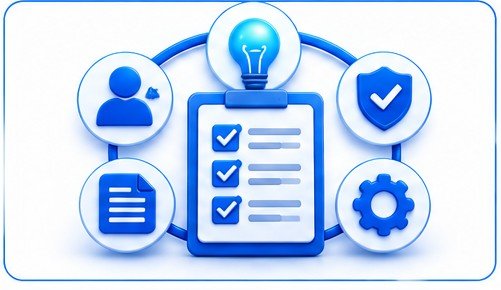
Think of any AI assistant as a quick, eager intern on day one. It writes fast, it’s well read, it rarely says “I don’t know” unless you make it, and it has no idea what your business does. You wouldn’t hand that intern your customer list or let them email clients unsupervised. You’d brief them, limit what they see, describe the finished work, ask them to find the holes, and check it before it left the building.
That’s the Intern Rule, and it has five parts.
- Brief itSay who the AI is helping, what the output is for, who will read it and what you already know. Context is what separates generic from useful.
- Fence itDecide what data it may see and what it may not invent. Tell it to write UNKNOWN instead of guessing numbers, names, prices, laws or web links.
- Shape itAsk for a specific format, length and tone, so you’re editing instead of rewriting.
- Break itAsk the AI to list the weakest points in its own answer, or to argue against it. It costs ten seconds and often surfaces a gap you’d have missed.
- Check itVerify every number, quote, legal point and link against a primary source before anything leaves your hands. This is the part nobody wants to do, and the only part that protects you.
Here’s a template you can paste in front of almost any task:
Role: You’re a [role] helping a [type of business] in [country].
Goal: [what the output is for and who will read it]
Facts you may use: [only the facts you supply]
Don’t: invent numbers, names, prices, laws or links. If you don’t know, write UNKNOWN.
Format: [length, structure, tone]
Then: list the three weakest points in your own answer.
A Worked Example: From Vague to Useful
Hypothetical example. The owner of a small coffee subscription business types: “Write me a marketing plan.” The reply is polished and generic: post on social media, run email campaigns, partner with influencers.
The same owner tries again with the Intern Rule: “You’re a marketing adviser for a two-person coffee subscription business in Manchester, UK. Goal: a six-week plan to reach 40 new subscribers. Facts you may use: average subscription is 14 pounds a month, there are 61 current subscribers, the budget is 300 pounds and I have six hours a week. Don’t invent statistics or prices; write UNKNOWN if you need a figure. Format: a week-by-week table with cost and time. Then list the three weakest assumptions in your plan.”
The second prompt takes about two minutes longer to write. It returns something you can test, and the last line tells you where the plan is most likely to break. There’s no measured result in this example. The point is the shape of the request.
Where AI Helps and Where It Fails

The best evidence we found comes from a field experiment with more than 700 consultants at Boston Consulting Group, run by researchers from Harvard, Wharton, MIT and Warwick, summarised by MIT Sloan (MIT Sloan).
On tasks inside what the AI could do well, people using GPT-4 scored 38 percent higher than people working without it, or 42.5 percent higher when they also got a short overview of how to use it. Lower-skilled participants gained the most: 43 percent against 17 percent for the top half.
On a task deliberately set just outside the AI’s abilities, the same tools made people worse. Performance fell 13 percentage points with GPT-4 alone and 24 points with the overview. The researchers said participants tended to stop thinking critically and go along with what the AI suggested, even though the written justification they produced actually looked better.
That was GPT-4, tested in 2023 on consulting tasks, so treat the figures as a pattern and not a forecast for your shop. Today’s models are different, but the researchers also noted that even skilled workers couldn’t easily tell which of their tasks fell on which side of the line.
Here’s our reading, and it’s an interpretation rather than a finding. Entrepreneurs ask AI most about the things they know least, such as tax treatment, contract wording and regulations, and those are the questions where a wrong answer looks exactly like a right one. Call it the expertise trap.
The way out isn’t to avoid those topics. It’s to use AI there for questions to put to a professional, never for the answer itself.
A simple way to apply this is a four-rung ladder, based on how costly it is to be wrong.
- Rung 1, ExploreIdeas, outlines, questions, research plans. Being wrong is cheap. Use AI freely.
- Rung 2, DraftEmails, posts, procedures, proposals. Read every line before it goes anywhere.
- Rung 3, PublishAnything customers, investors or regulators will see. Verify each claim against a primary source and keep a record.
- Rung 4, CommitContracts, pricing changes, hiring, tax positions. AI can prepare your questions. A person who’s accountable decides, and for law and tax that means a qualified professional in your country.
What It Costs to Run These Prompts

Here’s what the plans cost as of our November 2026 check. Claude’s figures come from Anthropic’s own pricing page (Claude pricing). The ChatGPT figures come from pricing roundups published in October and November 2026, because the OpenAI pricing page we could open was out of date. ChatGPT Pro isn’t in the table because we couldn’t confirm its current tiers on an official OpenAI page.
The $8 ChatGPT Go price is a US price. OpenAI says Go pricing is localized in some markets, so it can differ in other countries (OpenAI).
Assistant plan prices, USD per month, excluding local tax (checked November 2026)
| Plan | Price | How we know |
|---|---|---|
| Claude Free | $0 | Anthropic pricing page |
| Claude Pro | $20 monthly, or $17 a month billed annually | Anthropic pricing page |
| Claude Max 5x | $100 a month | Anthropic pricing page |
| Claude Max 20x | $200 a month | Anthropic pricing page |
| Claude Team, Standard seat | $25 monthly or $20 billed annually, per seat | Anthropic pricing page |
| Claude Team, Premium seat | $125 monthly or $100 billed annually, per seat | Anthropic pricing page |
| ChatGPT Free | $0 | Pricing roundups, official page not confirmed |
| ChatGPT Go | about $8 in the US (local prices can differ) | OpenAI’s ChatGPT Go announcement, which shows a US price |
| ChatGPT Plus | about $20 | Pricing roundups, official page not confirmed |
| ChatGPT Business | about $20 to $25 per seat | Pricing roundups, official page not confirmed |
Claude’s two Team seat types aren’t interchangeable. Anthropic’s page lists Premium seats at $125 monthly or $100 billed annually, with 5x more usage than Standard seats, and says they include Claude Code and Claude Cowork. Don’t treat Standard and Premium as one $20 to $25 seat.
Anthropic’s page also says payments are generally non-refundable apart from cases its terms or local law cover, and that customers in the EEA and UK have a 14-day withdrawal period. Whichever vendor you choose, read the cancellation terms before you pay. Google Gemini and Microsoft Copilot have free and paid tiers too, but we didn’t verify their current prices.
A sensible rule: stay on free plans until you hit a usage limit twice in one week, then pay for one plan for one month and measure what it saves. If staff or client material is involved, a team plan is the better fit, and on Claude’s Team plan model training on your content is off by default.
If you later connect an AI model to your own software, usage is billed per million tokens, which are small chunks of text. Anthropic lists its mid-range Sonnet 5.5 model at $2 per million input tokens and $10 per million output tokens, and its smallest Haiku 5.5 model at $0.10 and $0.50 for shorter prompts. Most entrepreneurs won’t need that for a while.
What Never Goes Into a Prompt

In early 2023, Samsung employees reportedly pasted confidential source code and meeting content into ChatGPT. The company banned the tools on its devices and warned staff that breaking the rules could end in dismissal (Fortune). It later said the ban was temporary. The lesson holds for a two-person shop as much as for a chipmaker: once something is in a prompt, you’ve lost control of where it goes.
Warning
Keep these out of any public AI tool:
- Names, emails, phone numbers and addresses of customers or employees
- Bank, card or account numbers, passwords, API keys and login codes
- Contracts, quotes or pricing marked confidential, and anything under a non-disclosure agreement
- Health, immigration, criminal or other sensitive information about any person
- Unreleased financials, source code or client documents you don’t own
Replace names with roles (Customer A, Supplier B), round your figures, and describe a document instead of pasting it. Australia’s privacy regulator is blunt about this, and its advice is covered in the regional notes below.
Replacing a name with a label such as Customer A is pseudonymising, not true anonymising. If the text still mentions a rare job title, a small town, an unusual order or an exact date, the person can often still be identified, and data that can be linked back to a person generally remains personal data under the UK and EU GDPR.
Remove or generalise those details too, and keep any list that links Customer A to a real name outside the prompt. Financial figures about your own business can also be confidential, so round them or use sample numbers.
Settings matter as much as habits. As of our November 2026 check, Anthropic’s pricing page lists model training on your content as an opt-out on its individual plans and off by default on Team and Enterprise plans (Claude pricing). Other vendors differ and policies change, so read the data controls for the exact plan you’re on before you paste anything about a client.
50 AI Prompts for Entrepreneurs
How to use these: copy a prompt, replace everything in square brackets, and run it in a plan whose data settings you’ve read. Each prompt ends with a check, because the check is where the value gets protected. Where a prompt asks for facts, give it yours.
Group A: Testing ideas and doing research
1. Problem interview script
Prompt: “I’m exploring a business that helps [customer type] with [problem]. Write a 10-question interview script for 20-minute customer calls. Ask about what people have done and paid for in the past, not whether they’d buy my idea. Avoid leading questions and flag any question that could bias the answer.”
Check: Run five real calls before trusting any pattern. The AI can’t tell you what customers actually do.
2. Assumption list
Prompt: “Here’s my business idea: [two sentences]. List the ten assumptions that must be true for it to work, sorted from most to least dangerous if wrong. For each, suggest the cheapest test that takes under a week and costs under [amount].”
Check: Pick the top two assumptions yourself. The ranking is a starting guess.
3. Competitor map with unknowns
Prompt: “Using only what you know with confidence, list the types of competitors and substitutes for [product] in [country]. For each, say what you’re sure of and what I must verify on their website, pricing page or reviews. Don’t invent company names, prices or market shares.”
Check: Open each competitor’s live site. Any name you can’t find online is invented.
4. Customer segment sorter
Prompt: “I sell [offer]. Propose five possible customer segments. For each, give the job they’d hire it to do, how they find suppliers today and one reason they might not buy. Then rank the segments by how easy they are to reach with a budget of [amount].”
Check: Test reachability by looking for real communities, mailing lists or search demand.
5. Pre-mortem
Prompt: “Assume it’s [date 12 months from now] and my [business type] has failed. Write the six most plausible reasons in two sentences each, based on common failure patterns for this kind of business. Then name the earliest warning sign for each.”
Check: Keep the three that match your facts and discard the generic ones.
6. Research question builder
Prompt: “I need to decide whether to [decision]. List the five facts I’d need, the type of official or primary source that would hold each one (describe the source, don’t make up a link), and what number would change my decision.”
Check: Find the primary sources yourself and never trust a web address the AI supplies until you’ve opened it.
7. Test landing page
Prompt: “Write the headline, subheading, three benefit lines and a call to action for a one-page test of [offer] aimed at [customer]. Don’t promise results or use figures I haven’t given you. Add two alternative headlines that test different pains.”
Check: Remove any outcome claim you can’t prove, then measure sign-ups per 100 visitors.
Group B: Customers and positioning
8. Positioning statement
Prompt: “Write three positioning statements for [product] using this template: For [who] who [need], [product] is a [category] that [key benefit], unlike [alternative], which [limitation]. Base each only on these facts: [facts]. Mark any claim that needs proof.”
Check: Say each one aloud to a customer. The one they repeat back correctly wins.
9. Review mining
Prompt: “Here are 25 reviews of my own business with names removed: [paste]. Group the complaints and praise into themes, count how many reviews mention each, and quote the short phrase that best captures each theme.”
Check: Recount a sample by hand, because models miscount.
10. Customer profile from facts
Prompt: “Create a one-page profile of [segment] using only the notes below from real interviews: [anonymised notes]. Label everything that isn’t in the notes as an assumption.”
Check: If the profile contains a detail nobody told you, it’s fiction.
11. Objection list
Prompt: “List the 12 most likely reasons a [customer type] says no to [offer] at [price]. For each, write a short honest reply that doesn’t pressure them, and mark which objections are real deal-breakers I should fix in the product instead of answering.”
Check: Compare against objections you’ve really heard and add the ones it missed.
12. Short survey draft
Prompt: “Draft an eight-question survey to learn why customers [choose us / leave]. Use neutral wording, one idea per question, mostly multiple choice with one open question, and end with a question asking permission to follow up.”
Check: Send it to three friendly customers first and fix any question that confuses them.
13. Interview synthesiser
Prompt: “Below are anonymised notes from [number] customer calls: [notes]. Extract recurring problems, the exact words customers used, and any gap between what they said they’d do and what they’ve done. Don’t smooth over disagreements.”
Check: Read two of the original notes against the summary to see what got lost.
14. Brand voice guide
Prompt: “From these three samples of my writing: [paste], describe my voice in six rules, list five words I overuse and five I never use, then rewrite this paragraph in that voice: [paragraph].”
Check: If you wouldn’t say it out loud, don’t publish it.
Group C: Marketing and content
15. Twelve-week content calendar
Prompt: “Build a 12-week content calendar for [channel] aimed at [audience], assuming I have [hours] hours a week. For each week give one main piece, two repurposed pieces and one question to ask the audience. Skip anything that needs paid tools I don’t have: [list].”
Check: Cut it by a third. Calendars the AI builds are almost always too busy to keep.
16. Article outline from search intent
Prompt: “Outline an article for the search query ‘[keyword]’. State what the searcher is probably trying to decide, what they fear, and what the top results are likely to miss. Give headings, and mark every statistic I’ll need to source myself.”
Check: Look at the real top results and check the AI’s guesses about them.
17. Welcome email sequence
Prompt: “Write a four-email welcome sequence for new subscribers of [business]. Each email needs one purpose, one true story that I’ll supply: [story], and one clear action. No fake urgency and no claims about results.”
Check: Send the sequence to yourself and read it as a stranger would.
18. Product description from a fact table
Prompt: “Write a 90-word product description using only these facts: [specifications]. Don’t add features, materials, certifications or claims that aren’t listed. Then list any fact I should confirm.”
Check: Compare every adjective against your spec sheet.
19. Ad variants with guardrails
Prompt: “Write six headlines (max 30 characters) and four descriptions for [offer] on [platform]. Avoid guarantees, income claims, health claims and before-and-after language. Then flag any line a regulator could read as misleading.”
Check: Read your platform’s ad policy yourself, since the AI’s summary of it may be out of date.
20. Content repurposer
Prompt: “Turn this article or transcript into five LinkedIn posts, each with a different angle: a mistake, a number, a question, a short story and a contrarian view. Keep my facts and don’t add new statistics: [paste].”
Check: Every number in the output must appear in your source text.
21. Customer question list
Prompt: “List 15 questions a [customer] would type into a search engine before buying [product]. Group them by stage: unaware, comparing, ready to buy. Suggest which five deserve a full page.”
Check: Test the top five phrases in a search engine’s autocomplete and see which ones really appear.
22. Pitch to a journalist
Prompt: “Write a 120-word pitch to a journalist covering [beat], leading with this newsworthy fact: [fact]. Offer one data point I can supply and one person they can interview, and use no adjectives that praise my own company.”
Check: Confirm the journalist covers this beat by reading their last five pieces.
Group D: Sales and outreach
23. Cold email
Prompt: “Write a 90-word first email to a [role] at a [type of company] who likely has [problem]. Open with something specific I’ve noticed: [observation]. One question, no attachments, an easy way to say no. Give two subject lines under 45 characters.”
Check: Check your country’s rules on unsolicited business email before sending in bulk.
24. Discovery call guide
Prompt: “Write a 10-minute discovery call guide for selling [offer] to a [role]: opening, six questions, how to handle price if it comes up early, and a respectful close if there’s no fit. List the phrases I should avoid.”
Check: Role-play it once with a colleague before a real call.
25. One-page proposal
Prompt: “Draft a one-page proposal from these notes: [notes]. Sections: their problem in their words, what I’ll deliver, what’s not included, timeline in weeks, price and payment terms. List anything missing that I need to ask.”
Check: Have a lawyer review your standard terms once, then reuse them.
26. Follow-up cadence
Prompt: “Plan a polite five-message follow-up over 21 days for a prospect who went quiet after a quote. Each message should add something useful, such as a case, a question or a resource, and the last should release them with no hard feelings.”
Check: Make sure each message is true to your situation, with no invented deadlines.
27. Win and loss review
Prompt: “Here are anonymised notes on [number] deals I won and [number] I lost: [notes]. Look for patterns in deal size, source, timing and objections. Say how confident you are, and say plainly if the sample is too small to conclude anything.”
Check: With fewer than about 20 deals, treat any pattern as a hunch, not a rule.
Group E: Operations and hiring
28. Procedure from messy notes
Prompt: “Turn these rough notes into a standard operating procedure for [task]: purpose, who does it, tools, a numbered list of no more than 10 actions, common errors, and a checklist to confirm it’s done. Where my notes are unclear, ask me questions instead of guessing: [notes].”
Check: Have someone new follow it cold and mark where they get stuck.
29. Job ad
Prompt: “Write a job ad for a [role] at a [size] business in [city, country]. Include pay range [range], hours, three must-have skills, three nice-to-haves and a plain description of a typical week. Remove wording that could discourage qualified applicants by age, gender or background.”
Check: Check local pay-transparency and equal-treatment rules before posting.
30. Structured interview
Prompt: “Create a structured interview of eight questions for a [role], each tied to a named skill, with what a weak, fair and strong answer looks like. Every candidate gets the same questions in the same order.”
Check: Hiring decisions stay with people, and candidates’ personal details stay out of the prompt.
31. Meeting notes into decisions
Prompt: “Turn these meeting notes, with names replaced by roles, into decisions made, owners, deadlines and open questions. Flag anything that sounds like a decision but has no owner: [notes].”
Check: Send the output to attendees for correction within a day.
32. Vendor comparison
Prompt: “I’m choosing between [tool A] and [tool B] for [job]. Build a comparison using these criteria: [criteria]. Mark every price, limit and feature as ‘confirm on vendor page’ instead of stating it as fact.”
Check: Fill the confirmed numbers in yourself from the vendor pages and note the date.
33. Time audit
Prompt: “Here’s a list of tasks I did last week with rough hours: [list]. Sort them into only I can do, could be templated, could be delegated and could be dropped. Estimate the monthly hours I’d recover, and show your arithmetic.”
Check: Recheck the arithmetic with a calculator, then pick one task to hand off this month.
Group F: Money and pricing
34. Unit economics
Prompt: “I sell [product] for [price]. My costs per unit are [list with amounts] and my fixed monthly costs are [amount]. Calculate gross margin and break-even units, then show what happens to margin if my price drops 10 percent or one cost rises 15 percent. Show every calculation.”
Check: Redo the numbers in a spreadsheet, because language models make arithmetic slips. Use rounded or sample figures, with no customer or supplier names or account details, because your own financials can be confidential. Treat the result as an estimate until you’ve verified it.
35. Pricing structures
Prompt: “Suggest three pricing structures for [service]: hourly, fixed project and monthly retainer. For each, say what behaviour it rewards, who it suits and the risk to me. Use these costs: [costs].”
Check: Test the winner with three real quotes before changing your price list.
36. Cash-flow stress test
Prompt: “Here’s my monthly cash in and out for the last six months, rounded: [numbers]. Build a 13-week cash view and tell me which week my balance is lowest if revenue falls 20 percent. List three actions that would help, ordered by speed.”
Check: Use rounded totals and never paste account numbers. Replace customer and supplier names with categories, and treat the 13-week view as a rough scenario, not a forecast. Ask your accountant to sanity-check the model.
37. Late-payment messages
Prompt: “Write three escalating but courteous messages to chase an invoice of [amount] that’s [days] late: a friendly reminder, a firm reminder and a final notice before [action my contract allows]. Don’t threaten anything I haven’t confirmed I’m allowed to do.”
Check: Confirm your contract and local rules on late fees before sending the third message.
38. Grant answer
Prompt: “Draft the ‘problem and impact’ answer for a small business grant of [amount] using only these facts: [facts]. If the application needs numbers I haven’t given you, leave a visible blank instead of estimating.”
Check: Make sure every figure matches your records, because applications are signed statements.
39. Expense sorting
Prompt: “Sort this list of business expenses into plain bookkeeping categories, with no account numbers: [list]. Mark any item that could be personal or only partly deductible so I can ask my accountant.”
Check: The AI doesn’t know your country’s tax rules, so your accountant makes the call.
40. Hostile investor rehearsal
Prompt: “Act as a skeptical investor. Ask me the 15 hardest questions about my business, based on this summary: [summary]. After each answer I give, tell me what’s weak in it.”
Check: Write down the three questions that made you uncomfortable and research those first.
Group G: Legal, compliance and risk
41. Contract clause in plain English
Prompt: “Here’s a clause from my service agreement with names removed: [clause]. Explain it in plain English, list what could go wrong for me, and write five questions to ask a lawyer. Don’t tell me whether it’s safe to sign.”
Check: Bring those five questions to a qualified lawyer in your country.
42. Privacy notice gap list
Prompt: “List what a privacy notice for a [business type] collecting [data types] from customers in [countries] should explain, based on the privacy law I name: [law]. Mark each item for a lawyer to confirm.”
Check: Compare it with the regulator’s own guidance for small businesses.
43. Risk register
Prompt: “Create a risk register for my [business type] with 12 risks across money, customers, suppliers, people, technology and law. Give likelihood and impact on a 1 to 5 scale, a plain-language worst case for each, and one low-cost safeguard.”
Check: Cross out the risks that don’t apply and add the one that keeps you awake.
44. One-page AI use rule
Prompt: “Draft a one-page AI use policy for a [size] business in [country]: what staff may paste in, what’s banned, who approves public content, how we label AI-written material and who to ask when unsure. Keep it readable in two minutes.”
Check: Walk through it with your team, and update it when your tools or plans change.
Group H: Decisions and your own time
45. Decision memo
Prompt: “Help me decide between [option A] and [option B]. Ask me five questions first. Then write a one-page memo: the decision, the criteria I told you matter, how each option scores, what would change my mind and the cheapest way to test before committing.”
Check: Decide a date to review the outcome, so you learn from the call.
46. Weekly review
Prompt: “Here’s my week: wins, misses, hours worked, money in and out: [notes]. Give me three patterns, one thing to stop, one to start and one number to track next week. Don’t flatter me.”
Check: Keep the same format weekly so you can see trends over a month.
47. Devil’s advocate
Prompt: “Argue against this plan as a smart competitor would: [plan]. List the five strongest objections, the evidence that would prove each one right and the evidence that would prove it wrong.”
Check: Go and find the evidence for the objection you like least.
48. 30-day learning plan
Prompt: “I need to learn [skill] well enough to [outcome] in 30 days with [hours] a week. Build a plan with weekly outcomes, the types of free or low-cost resources to look for (don’t invent titles) and a small project I can show someone.”
Check: Search for the real resources yourself and drop anything that doesn’t exist.
49. Delegation brief
Prompt: “Write a one-page brief to hand [task] to a freelancer: goal, examples of what finished looks like, constraints, budget [amount], deadline, how I’ll review it and what happens if it misses. List the questions they’re likely to ask.”
Check: Send it to the freelancer and note which questions they still ask.
50. Prompt library entry
Prompt: “Here’s a prompt I used and the output I kept after editing: [paste both]. Write a reusable template with the placeholders marked, a list of facts I must supply each time, three ways it can go wrong and a one-line check.”
Check: Store it in your own document with the date, the tool and who approved it, so you don’t depend on chat history.
How to Improve Any Prompt in Three Follow-Ups
Most first answers are average. The improvement usually comes from the second and third message, and these three follow-ups work on almost any task.
- Follow-up one“Before you answer, ask me the five questions you need.” This forces the AI to expose what it doesn’t know about your business.
- Follow-up two“List the three weakest claims in your answer and what would prove each one wrong.” It’s the Break part of the Intern Rule, and it tells you where to aim your checking.
- Follow-up three“Rewrite this for [reader] in [length], keeping only the claims I’ve marked as verified.” Mark them yourself first. It stops unchecked material sneaking into the final draft.
Keep a prompt log as you go. Date, tool, the prompt, what you changed and who approved the result.
After a month it becomes the most useful document in your AI toolkit, and it’s the answer to the awkward question “where did this come from?”
Scams, Myths and Bad Advice
The loudest AI advice online is often a sales pitch. In September 2024 the US Federal Trade Commission announced Operation AI Comply, a sweep against companies that allegedly used AI hype to deceive people (FTC).
One scheme, Ascend Ecom, allegedly claimed AI-powered tools would earn customers thousands of dollars a month in passive income, charged tens of thousands of dollars to set up online stores and more for inventory, and defrauded consumers of at least $25 million, according to the FTC’s complaint. Ecommerce Empire Builders allegedly sold training that cost almost $2,000, or stores priced in the tens of thousands. FBA Machine allegedly cost consumers more than $15.9 million. These were allegations when the FTC announced them in 2024.
Some of these cases have since moved on. In June 2025 the FTC announced a proposed court order that would permanently ban Ascend Ecom’s operators from selling or marketing business opportunities or coaching, bar them from making misleading or unsubstantiated earnings claims, and require them to turn over assets (FTC). The proposed order includes a $25 million monetary judgment, partly suspended because the defendants could not pay the full amount.
A proposed order isn’t the same as a final ruling, so check the FTC’s case page before quoting the outcome. The FTC’s own pages also report a May 2025 court order against Ecommerce Empire Builders and its owner, and a July 2025 settlement announcement involving FBA Machine’s owner (FTC artificial intelligence cases; FTC going into business).
The same sweep covered a company that marketed an AI “robot lawyer”, which agreed to a proposed $193,000 settlement, and a writing tool that could generate fake consumer reviews. The then-chair said there was no AI exemption from the laws already on the books.
Red flags
Red flags are consistent: guaranteed income, “done for you” AI stores, testimonials with big monthly figures and no evidence, pressure to spend on inventory and weak refund terms.
A few myths worth retiring:
- Myth: a secret prompt formula will unlock a business. Reality: prompt packs of hundreds of prompts were selling for roughly $3 to $7 in listings we saw in November 2026, and most are generic templates with a placeholder. The 50 above won’t make a business either. They make the early work faster.
- Myth: more detail always means a better prompt. Reality: relevant detail does. Pasting your whole file adds risk and noise.
- Myth: if the AI sounds sure, it’s right. Reality: fluent text and correct text are separate things.
- Myth: free tools cost nothing. Reality: you may be paying with data, so read the settings.
Risks, From Small to Worst Case
Risk levels for entrepreneurs using AI prompts
| Level | Example | Realistic cost | Safeguard |
|---|---|---|---|
| Small | Generic or off-brand copy; a wrong date in a draft | Minutes to hours | Read before sending |
| Medium | An invented statistic in a pitch deck; a wrong price or policy quoted to a customer | Lost credibility; refunds (Air Canada was ordered to pay about $812) | Primary-source check; human route for customers |
| Large | Personal data pasted into a public tool; unsupported advertising claims; AI-driven decisions about people | Regulator attention, fines and legal action | Data rules; human review; professional advice |
Worst realistic case, labelled as hypothetical: a founder pastes a client list into a public chatbot, publishes an AI-written ad promising results the business can’t prove, and ends up dealing with a lost client and a regulator’s questions in the same quarter. Each mistake alone is survivable. Together they’re expensive, which is why the data rules and the check matter more than the cleverness of any prompt.
Mistakes That Cost Real Money
Letting the chatbot speak for you. In 2022 a customer asked Air Canada’s chatbot about bereavement fares and was told he could claim a reduced rate retroactively. He couldn’t. A British Columbia tribunal ordered the airline to pay about $812, and its argument that the chatbot was a separate legal entity was rejected as “a remarkable submission” (CBC News).
The tribunal said it makes no difference whether information comes from a static page or a chatbot. Lesson: customer-facing AI is your voice, so test it, limit what it can promise and give people a human option.
Pasting secrets. The Samsung episode above wasn’t a hack. It was ordinary employees trying to be productive. Lesson: write the rule before the incident, and make the safe path easy by giving people an approved tool.
Paying for the dream. People who bought AI-branded store packages in the cases above reportedly spent anywhere from a couple of thousand dollars to tens of thousands. Lesson: if the only way to earn is to buy the course, the course is the product.
Trusting numbers you didn’t check. Hypothetical example: a founder asks an AI for the size of the pet-insurance market, pastes the figure into an investor deck, and the first investor asks for the source. There isn’t one, and the rest of the deck now gets less trust. Lesson: every number in a public document needs a source you’ve opened, with a date.
Asking for ideas when you needed evidence. An assistant will happily produce 50 business ideas, and none of them will tell you whether anyone will pay. Lesson: use AI to design the test (prompts 1, 2 and 7) and let real customers supply the answer.
When to Stop, Switch or Scale Back
Stop using AI for a task if checking the result takes longer than doing the task yourself, or if the same kind of error shows up three times in a month. A prompt that doesn’t pay for itself should be deleted from the library.
Switch tools without drama by keeping your prompts in your own document, not only in a vendor’s chat history. Cancel before the renewal date, since Anthropic’s page says to cancel at least 24 hours before it, and other vendors will have their own deadlines.
Plan for dependence, too. Keep procedures written so a person can follow them without AI, and make sure two people on your team can do each important task manually. If a tool changes its price, limits or data terms, you should be able to move within a week.
Scale back if you can’t show a benefit after 90 days. Not every business gains from every use, and the honest answer is sometimes “this works for emails and nothing else.”
Your 90-Day Action Plan

- Weeks 1 to 2Write your one-page AI use rule (prompt 44), decide what data is banned and choose one tool. Read its data settings. Target: rule written, tool chosen, settings checked.
- Weeks 3 to 4Run prompts 1, 2 and 5 on a real decision, then hold five real customer calls. Target: five conversations with real people, and the top two assumptions identified.
- Weeks 5 to 6Pick three Rung 2 tasks, such as an email sequence, a procedure and a follow-up cadence. Time each one with and without AI. Target: keep a prompt only if it saves at least 20 percent of the time after you’ve reviewed the result.
- Weeks 7 to 8Add the money prompts (34 to 36) using rounded real numbers, and reconcile every figure in a spreadsheet or with your accountant. Target: no unchecked number in any plan.
- Weeks 9 to 10Use AI for one piece of public content with a verification log, where each claim is linked to a source you’ve opened. Target: every public claim has a source and a date.
- Weeks 11 to 12Review the prompt log. Keep, fix or delete each prompt, and record the survivors with prompt 50. Target: a library of five to ten prompts that earned their place.
- Week 13Decide whether to stay on free plans, pay for one, or move to a team plan. Recheck prices on the vendor’s page and set a calendar date to review again. Target: one written decision with a review date.
Your Checklist
- Written AI use rule: what may be pasted, what’s banned, who approves public content
- One tool chosen, with its data and training settings read and noted
- Personal data replaced with roles or removed before pasting
- Every number in public material traced to a source you’ve opened, with its date
- Customer-facing AI tested, labelled as AI where rules or good practice call for it, with a human route
- Contracts, tax and compliance questions taken to a qualified professional in your country
- Prompt log started: date, tool, prompt, changes, approver
- Prices and plan terms rechecked on the vendor’s page before paying
- 90-day review date in your calendar
Region notes: if you serve EU customers, read the AI literacy notes below. If you’re in the UK or Australia, read your regulator’s AI guidance. In the US, check your state’s privacy rules.
Regional Considerations
United States
The FTC’s 2024 sweep, covered above, targeted false earnings claims and AI tools that enabled fake reviews, and it made clear that AI doesn’t switch off existing consumer protection law. Census data show most small firms haven’t adopted AI yet. Privacy rules vary by state, so check yours.
United Kingdom
The Information Commissioner’s Office set out eight questions for organisations using generative AI with personal data in 2023, and said it would check whether businesses had addressed privacy risks before rolling the technology out (ICO). The ICO has revised its AI guidance since then, so check ico.org.uk for the current version.
European Union
Article 4 of the AI Act, on AI literacy, has applied since February 2, 2025 to organisations that provide or use AI systems. The Digital Omnibus on AI (Regulation (EU) 2026/1744) replaced the article. It was published on July 24, 2026 and has applied since July 27, 2026 (EUR-Lex).
Under the new wording, providers and deployers must take measures to support the development of AI literacy among their staff and other people who operate or use AI systems on their behalf. The article now also says this does not require them to guarantee any specific level of AI literacy of any individual. The older text asked organisations to ensure, to their best extent, a “sufficient level” of AI literacy.
The legal difference matters. The duty to act is still there, but it is a duty to take reasonable measures, such as training and guidance, and not a promise about what each person knows.
The European Commission’s Q&A says no certificate is required, an internal record of training is enough, staff should be told about risks such as hallucination, and national market surveillance authorities supervise it from August 2, 2026 (European Commission). Read the current consolidated wording of the article before you rely on any summary, including this one. Eurostat’s 2025 figures, in the table above, show how uneven adoption is across member states and firm sizes (Eurostat).
Australia
The Office of the Australian Information Commissioner says privacy obligations apply to personal information put into an AI system and to AI output about identifiable people, including hallucinated or generated content. It recommends, as best practice, that organisations don’t enter personal information into publicly available generative AI tools, and that public-facing tools such as chatbots are clearly identified as AI (OAIC).
Elsewhere
We didn’t find verified guidance we could cite for the rest of Asia-Pacific, the Middle East, Africa or Latin America, so we’ve left out specifics. Check your national data protection regulator, since the question that matters most in any country with a privacy law is what personal data you’re putting into the tool.
Frequently Asked Questions
The best prompts give the AI a role, a goal, the facts it may use and a format, then ask it to flag its own weak points. Beginners should start with customer interview scripts, assumption lists and pre-mortems, because they’re cheap to test and low risk. The 50 above are grouped by job so you can begin there.
Use the Intern Rule: brief the AI with context, fence it with data limits and an instruction to write UNKNOWN instead of guessing, shape the format, ask it to break its own answer, then check every number against a primary source. Expect two or three rounds of follow-ups, not a perfect first reply.
Generally not in public tools. Australia’s privacy regulator recommends against entering personal information into publicly available generative AI tools, and UK and EU rules apply whenever personal data is processed. Replace names with roles, round figures and read your plan’s data settings. For real client material, use a business plan and take professional advice.
Rules vary by country and by use. Australia’s regulator says public-facing AI tools such as chatbots should be clearly identified, and the EU has transparency rules we haven’t verified in detail. As a practical rule, label chatbots and AI-written material customers might assume a person wrote, and check your national rules.
There’s no single winner, and we haven’t ranked tools. Try the free plans of two or three assistants on the same five real tasks, compare the results, and pay only when usage limits start costing you time. Move to a team plan once staff or client material is involved, because data controls are usually stronger there.
No. The FTC acted against a company that marketed an AI “robot lawyer” without evidence it matched a human lawyer, ending in a proposed $193,000 settlement. Use AI to understand terms, draft questions and organise paperwork, then let a qualified professional in your country decide anything about contracts, tax or compliance.
Free plans exist, and individual paid plans cluster around $20 a month in November 2026, with standard team seats at roughly $20 to $25 per user. Higher-usage plans, such as Claude Max and Claude Team Premium seats, cost more. Your biggest cost is review time. Prices exclude local tax and vary by country, so check each vendor’s pricing page before paying.
Some tasks save time on day one, such as drafting emails or turning notes into a procedure. A dependable routine takes longer, and our rough expectation is one to three months of testing and editing. Only 14 percent of owners in Goldman’s survey said AI was fully embedded in core operations, so patience is normal.
You’re likely to be responsible. A British Columbia tribunal ordered Air Canada to pay about $812 after its chatbot gave a customer wrong refund information, rejecting the idea that the chatbot was separately responsible. Test customer-facing AI carefully, keep a human route open and don’t let it quote prices or policies without a source.
Be very cautious. The FTC’s 2024 sweep included schemes that allegedly promised AI-built online stores earning thousands a month while charging from about $2,000 to tens of thousands of dollars. Guaranteed income, weak refunds and “done for you” stores are red flags. Learn the tools cheaply first, because they cost far less than the packages.
Final Summary
AI prompts for entrepreneurs aren’t a shortcut around knowing your business. They’re a way to get a decent first draft of a lot of ordinary work, such as interview scripts, outlines, follow-ups and comparisons, in a couple of minutes, so your own hours go to the parts that need judgment.
The realistic picture is mixed. On tasks that suit the tools, the best field evidence we found shows gains of roughly 40 percent. On tasks just outside their ability, the same tools made skilled people worse. Most owners are still somewhere in the middle, using AI a little and trusting it with the easy things, and Goldman’s finding that only 14 percent have embedded it fully suggests that’s normal.
What protects you is a short list of habits. Brief it, fence it, shape it, break it and check it. Keep personal and confidential data out of public tools. Don’t let a chatbot promise anything you wouldn’t put in writing yourself, and don’t pay for a package that guarantees what no honest seller can.
If you want to start this week, choose one tool and write the one-page rule from prompt 44. Run prompts 1, 2 and 5 on whatever you’re considering now, then speak to five real customers. Start a prompt log, and put a review date 90 days out.
Keep the prompts that earn their place and delete the rest. A small library you trust is worth more than a hundred you don’t.
Sources and Further Reading
- US Census Bureau, AI Use at U.S. Businesses (May 26, 2026)
- Goldman Sachs, Survey: Small Businesses Embrace AI, But Need Training and Support (March 17, 2026)
- Federal Reserve Bank of San Francisco, Early Findings on Small Business Use of AI (March 23, 2026)
- Eurostat, Use of artificial intelligence in enterprises (data extracted December 2025)
- MIT Sloan, How generative AI can boost highly skilled workers’ productivity (October 19, 2023)
- Anthropic, Claude plans and pricing (checked November 2026)
- OpenAI, Introducing ChatGPT Go
- Fortune, Samsung threatens to fire employees that leak data to AI chatbots like ChatGPT (May 2, 2023)
- US Federal Trade Commission, FTC Announces Crackdown on Deceptive AI Claims and Schemes (September 25, 2024)
- US Federal Trade Commission, FTC Case Leads to Order Banning Ascend Ecom and Its Owners from Business Opportunity Marketing (June 2025)
- CBC News, Air Canada found liable for chatbot’s bad advice on plane tickets (February 2024)
- UK Information Commissioner’s Office, Don’t be blind to AI risks in rush to see opportunity (June 15, 2023)
- EUR-Lex, Regulation (EU) 2026/1744 (Digital Omnibus on AI)
- European Commission, AI Literacy Questions and Answers
- Office of the Australian Information Commissioner, Guidance on privacy and the use of commercially available AI products (October 21, 2024, updated January 17, 2025)
- Read This Before You Start
- What a Business Prompt Is (and Isn’t)
- How Many Entrepreneurs Really Use AI
- The Intern Rule: Five Habits That Fix Most Bad Prompts
- A Worked Example: From Vague to Useful
- Where AI Helps and Where It Fails
- What It Costs to Run These Prompts
- What Never Goes Into a Prompt
- 50 AI Prompts for Entrepreneurs
- How to Improve Any Prompt in Three Follow-Ups
- Scams, Myths and Bad Advice
- Risks, From Small to Worst Case
- Mistakes That Cost Real Money
- When to Stop, Switch or Scale Back
- Your 90-Day Action Plan
- Regional Considerations
- Frequently Asked Questions
- Final Summary
- Sources and Further Reading
Share this article
Was this article helpful?
Private feedback for our team. It is not published. To discuss publicly, use the comments below.


Join the Discussion
3 comments
Share a question, a tip or what worked for you. Please keep it helpful and on topic.
No comments yet. Be the first to share your thoughts.