

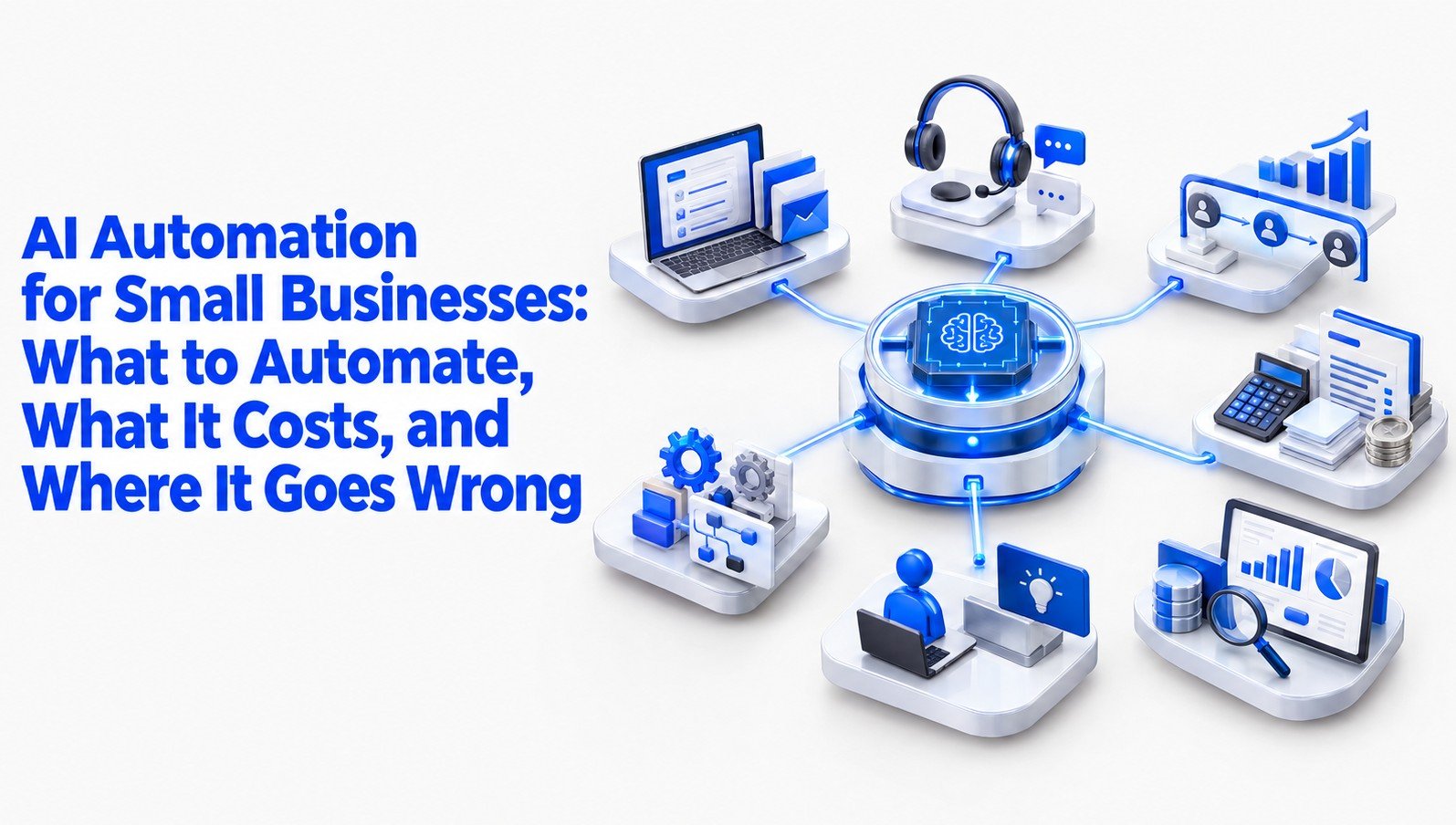
Key Takeaways
- AI automation works best when it removes repetitive handoffs, not when it replaces judgment.
- A plain definition of AI automation, and how it differs from the rule-based automation you may already use.
- A five-question audit for finding the first workflows worth automating.
- A “human-in-the-loop ladder” that tells you how much freedom to give an AI tool at each stage.
- A cost-per-resolved-task formula, with a worked example in US dollars and pounds.
- Verified public cases, including costly mistakes, from Canada, Sweden and the United States.
- Regional notes for the US, UK, Europe, Asia-Pacific, the Middle East and Africa.
- A 90-day plan, a checklist and answers to the questions small business owners ask most.
Most small business owners don’t have a technology problem. They have a time problem that looks like a technology problem.
A founder answers the same customer question for the fortieth time this month. A bookkeeper retypes invoice details from a PDF into accounting software. A sales lead goes cold because nobody followed up for four days. None of these tasks are hard. They’re just constant, and constant work quietly eats the hours that should go to selling, serving and thinking.
That’s the gap AI automation is trying to fill. The pitch is easy to find: connect a few tools, let software handle the repetitive parts, and get your week back. The reality is more mixed.
Some small firms report real gains in response times and admin hours. Others spend a few months wiring together tools that nobody maintains, then quietly switch them off. Reliable, independent data on average savings for very small firms is thin, and we’d rather tell you that than quote a number that sounds good.
Small businesses have a lot riding on getting this right. In the United States, the U.S. Small Business Administration’s Office of Advocacy reports that small firms make up more than 99 percent of all businesses. The European Commission and the UK government publish similar figures for their own markets.
These are the firms that can’t afford a six-person automation team, which is why the advice that works for a large enterprise often fails them.
At AiMoneyGuideCo, our aim is to give business owners and side hustlers practical, honest strategies for using AI to earn and save more, without the hype. This guide follows that approach.
It covers what to automate first, which tools tend to be worth paying for, how to measure whether anything is working, and where the legal and financial risks sit. You’ll finish with a 90-day plan you can start this week, and realistic expectations about what you’ll gain: usually a few hours saved per week per workflow at first, not a transformed company overnight.
Read This Before You Start
A few honest points belong up front, before you spend a dollar.
Timelines are longer than vendors suggest. A single, well-chosen workflow, such as drafting replies to common customer emails, can be running within one to two weeks. A system that connects your customer relationship management software, invoicing, support inbox and marketing tools usually takes three to six months to settle, and that’s with someone owning it part time.
Costs add up in layers. The subscription is the visible layer. Underneath it are setup hours, ongoing monitoring, usage-based charges when a workflow runs more often than you expected, and the time a person spends reviewing AI output.
As a rough guide for a team of five to ten people, entry-level tool costs often land between about 50 and 300 USD per month (roughly 46 to 276 EUR, 40 to 235 GBP, or 77 to 460 AUD), before any consultant or setup help. Prices and exchange rates change, so check current pricing pages before you budget.

Data protection isn’t optional
The moment you paste customer details into an AI tool, you’re processing personal data. In the EU and UK, the General Data Protection Regulation (GDPR) and UK GDPR apply, and GDPR fines can reach 20 million euros or 4 percent of worldwide annual turnover, whichever is higher, as set out in Article 83 of the GDPR.
Regulators don’t usually start with the maximum for a small firm, but the exposure is real. In California, the California Consumer Privacy Act and CPRA guidance applies to businesses that meet certain thresholds. Read the data processing terms of every tool before connecting it to customer records.
Regulation is moving. The EU AI Act (Regulation 2024/1689) entered into force in August 2024 and applies in phases, including a duty on organisations to build AI literacy among staff that began applying in early 2025 under Article 4 of the EU AI Act on AI literacy.
Timetables and details have been under discussion in Brussels, so confirm the current schedule with an official source. Several US states have passed or proposed their own AI rules, and the picture differs by state.
Cross-border payments and currency matter too. If you sell internationally, automation will touch invoices in several currencies. Services such as Stripe and Wise handle conversion, but fees, exchange margins and tax treatment vary by country. Budget for them. You can check Stripe’s pricing and payment processing fees for current rates.
Finally, a caution on promises. Anyone who guarantees a specific income or savings figure from AI automation is selling something. Treat all numbers in this article, and everywhere else, as starting points for your own measurement.
What AI Automation Means for a Small Business (and What It Doesn’t)
Here’s the short version, written the way a search snippet would show it.
AI automation for small businesses means using software that can read, write or classify information, such as emails, invoices or customer questions, to complete routine tasks with little human effort. It differs from older automation because it handles unstructured input like free-text messages, not just fixed rules.
That last point matters. Rule-based tools, like a “when a form is submitted, add a row to this spreadsheet” workflow, have been around for years. They’re predictable and cheap. They also break the moment input varies.
AI-based automation can read a messy customer email, work out that it’s a refund request, pull the order number and draft a reply. It can also get things wrong in ways that rule-based tools never do, because it generates answers rather than following instructions.
So there are really three layers to keep apart. Rules-based automation moves data between systems when something predictable happens. AI assistance helps a person do a task faster, like drafting or summarising. AI agents take a goal and carry out several steps on their own. Most small firms get the best return from the first two. Agents are improving, but they need the most oversight.
| Automation Type | How It Works | Small Business Example | Human Oversight |
|---|---|---|---|
| Rule-Based Automation | Follows predefined rules and triggers | Adding form submissions to a spreadsheet | Low for stable, predictable tasks |
| AI Assistance | Helps people create, analyse, classify or summarise information | Drafting customer emails or summarising meetings | Review before important outputs are used |
| AI Agents | Carry out multiple steps toward a defined goal | Researching a lead, updating a CRM and preparing a follow-up | Close monitoring, permissions and clear limits |
It also doesn’t mean replacing your team. Studies from firms like McKinsey have suggested that a large share of work activities could be automated in principle, but “could” does the heavy lifting there. For a ten-person business, the practical effect is usually that people stop doing the dullest 20 percent of their week.
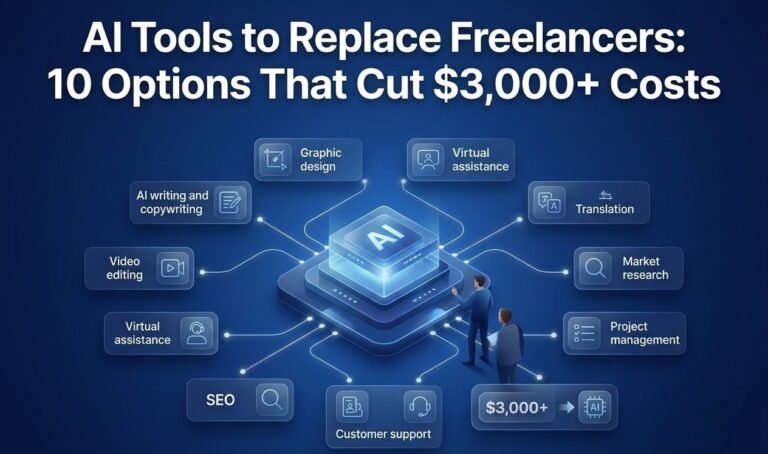
For a broader look at how AI tools are changing the way small businesses work, see our guide on AI tools to replace freelancers.
The Market Opportunity for Small Firms
Why now? Three things have changed.
First, the tools got cheaper and easier. Platforms such as Zapier and Make let non-programmers connect hundreds of apps, and entry-level paid plans have typically started in the tens of dollars a month. Large language model services are available through simple subscriptions and APIs, often with usage-based pricing.
Second, customers expect speed. A shop that replies in ten minutes beats one that replies tomorrow, and a small team can’t sit on an inbox all day. Automation narrows that gap.
Third, labour is expensive in most mature markets. In the US, UK and much of Europe, the loaded cost of an hour of admin work (wages, taxes, benefits) often runs well above the hourly wage itself. Even a few reclaimed hours a week have real value.
There’s a catch. Competitors are reading the same headlines. When everyone in your sector automates the same tasks, the advantage shifts from having automation to using it well. A tailored follow-up sequence that sounds like your brand will beat a generic one that sounds like everyone else’s.
Where to Start: The Handoff Audit

Most guides tell you to “identify repetitive tasks.” That’s fine, but it misses where the real waste hides. In our experience reviewing how small firms work, the costliest delays aren’t inside tasks. They’re at handoffs: the moment work passes from one person, tool or stage to the next.
A quote request arrives by email. Someone copies it into a spreadsheet. Someone else checks stock. A third person writes the quote. Each step takes minutes, but the request can sit for days between them. That waiting is where customers drift away.
Run a handoff audit before you buy anything. Pick one process, such as new enquiry to paid invoice, and ask five questions about every handoff in it:
- How often does this happen per week?
- How long does the work itself take, and how long does the item wait?
- Is the input predictable (a form) or messy (free text)?
- What happens if the output is wrong, and who notices?
- Would a customer feel the delay?
Then score each handoff from 1 to 5 on frequency and on cost of delay, and multiply. The handoffs with the highest scores are your candidates. Notice that a task that’s annoying but rare, or a task where errors would be expensive, may score lower than you’d expect. That’s the point. You’re looking for high-volume, low-risk, customer-visible delays first.
The Tools Most Small Businesses Need

You don’t need a stack of twenty tools. Most firms can cover their first year with four categories.
A connector tool. Zapier’s current pricing and plan limits or Make’s current plans and pricing links your apps and triggers actions. Microsoft Power Automate suits businesses already in Microsoft 365.
An AI assistant. This might be a general-purpose chatbot such as Claude or ChatGPT, or an assistant built into software you already pay for. Microsoft 365 Copilot pricing has been listed at 30 USD per user per month (roughly 28 EUR, 23 GBP, 46 AUD), though bundles and pricing change.
A customer-facing layer. Many helpdesk and chat products, including Intercom and Zendesk, now include AI features for answering common questions. Check what’s included in your plan before you add another subscription.
A system of record. This is your CRM or accounting package, whether HubSpot, QuickBooks, Xero or another. Automation is only as good as the data it reads and writes. If your records are messy, tidy them first. For a detailed look at CRM platforms, see our guide on the best AI CRM tools in 2026.
| Tool Category | Examples | Best Use | What to Check Before Paying |
|---|---|---|---|
| Workflow Connectors | Zapier, Make, Microsoft Power Automate | Connecting apps and automating repetitive handoffs | Task limits, integration support and usage fees |
| AI Assistants | ChatGPT, Claude, Microsoft 365 Copilot | Drafting, summarising, classification and analysis | Data handling, plan limits and business-use terms |
| Customer Support Tools | Intercom, Zendesk | Answering common questions and assisting support teams | AI usage limits, escalation options and pricing |
| CRM and Accounting Systems | HubSpot, QuickBooks, Xero | Managing customer records, invoices and business data | Integration quality, data export and access controls |
One practical rule: before adopting a tool, check that it has an export function and clear data deletion terms. Switching later is far cheaper if you can take your data with you.
Customer Support Automation
For many small firms, support is the easiest place to begin, because questions repeat and the stakes for each answer are usually low.
The strongest pattern we see is draft-and-approve. The AI reads an incoming message, pulls the relevant policy or order details, and writes a reply. A person reads it, adjusts if needed and sends. It cuts handling time without handing control to the model.
Fully automated chat is a bigger step. It can work for narrow questions, like opening hours, delivery status and password resets. It goes wrong when the bot is allowed to improvise about policies, prices or legal terms. We’ll look at a well-known court case on this later.
If a wrong answer could cost the business more than a typical order, don’t let the AI send it unsupervised.
Sales and Lead Follow-Up
Speed to lead has long been a theme in sales research, including an often-cited Harvard Business Review study from 2011 that found response time strongly affected the odds of qualifying a lead. The sample was large but the study is old and focused on a particular type of online enquiry, so treat it as a direction, not a law.
The practical takeaway holds up anyway. If a lead fills out a form at 9pm, an automated acknowledgement within a minute, followed by a personal message the next morning, usually beats silence.
Good starting automations include instant confirmation emails with a booking link, enrichment of new contacts with company details from public sources, reminders when a lead has had no reply in three days, and meeting summaries logged to the CRM.
Where businesses stumble is over-personalisation that isn’t real. An email that says “I loved your recent post” when no human read the post lands badly. Keep the personal touches honest.
Bookkeeping, Invoicing and Finance Admin
Finance admin is dull, rules-heavy and well suited to automation, but errors here cost real money and can attract tax attention.
Where it helps: reading supplier invoices and filling in fields, matching bank transactions to categories, sending payment reminders on a schedule, and flagging unusual amounts. Many accounting platforms, including Xero and QuickBooks, offer some of this built in. For a broader view of finance automation, see our guide on the best AI finance tools in 2026.
Where to be careful: tax categories, VAT or sales tax treatment and anything that gets filed with a tax authority. In the US, the IRS expects accurate records whatever tool produced them; see IRS recordkeeping requirements for businesses.
In the UK, HMRC’s Making Tax Digital rules require compatible software and digital records for VAT, with income tax obligations phasing in for some self-employed people and landlords; check HMRC’s Making Tax Digital for VAT guidance. Rules and dates change, so confirm with HMRC or an accountant.
In the EU, VAT treatment of cross-border digital sales is complicated enough that automation should support your accountant, not replace them.
A sensible approach is to let AI propose, a person approve, and a monthly review catch drift. Small errors compound when nobody checks.
Marketing and Content Operations
Here’s an area where we’d urge more restraint than most guides do. AI can draft social posts, summarise customer reviews and repurpose a long article into short posts. It can speed up a content calendar. What it can’t do alone is produce something that sounds like you and says something your competitors haven’t.
Automation is more reliably useful around marketing than inside it: scheduling, tagging leads by source, sending a review request three days after delivery, and compiling weekly reports.
The Human-in-the-Loop Ladder

This is the framework we’d most like you to keep. Instead of asking “should I automate this?” ask “how much freedom should the AI have here, right now?” There are four rungs.
| Stage | Automation Level | Human Involvement | Suitable Examples |
|---|---|---|---|
| Rung 1: Suggest | AI recommends or prepares ideas | Person decides what to use | Research, summaries and content ideas |
| Rung 2: Draft and Approve | AI prepares output for review | Person approves each important output | Customer replies, quotes and marketing drafts |
| Rung 3: Act and Sample | AI acts within defined limits | Person reviews samples and flagged cases | Routine lead follow-ups and low-risk notifications |
| Rung 4: Act and Monitor | AI operates with limited routine intervention | Person monitors performance, errors and complaints | Stable, predictable, low-risk workflows |
Rung one: suggest. The AI offers ideas, summaries or drafts that you copy and use yourself. Nothing leaves your control.
Rung two: draft and approve. The AI prepares the output inside your system, and a person approves each item before it goes out.
Rung three: act and sample. The AI acts alone, but a person reviews a random sample, say one in ten items, plus anything the system flags as uncertain.
Rung four: act and monitor. The AI acts alone and a person watches performance measures, such as complaint rates and error counts, rather than individual items.
Every workflow starts at rung one or two. It earns a higher rung only after a stretch of measured accuracy, perhaps thirty days with fewer errors than you’d accept from a new employee.
Some workflows should never leave rung two. Refund decisions, pricing quotes, legal statements and anything touching vulnerable customers belong there.
The ladder also tells you where to put effort. Moving a workflow from rung one to rung two usually saves most of the time. Moving from rung three to rung four saves a little more but carries a lot more risk. Many small firms never need to climb past rung three.
Measuring ROI: Cost per Resolved Task

Hours saved is a slippery measure, because saved hours rarely turn into money unless you use them. A better measure is cost per resolved task, meaning the total cost of getting one unit of work properly finished.
The formula looks like this:
Cost per resolved task = (labour cost of handling + tool cost + oversight and maintenance cost) divided by the number of tasks completed correctly.
Here’s a hypothetical example, labelled as such. It isn’t drawn from a real company. Imagine an eight-person UK Ltd company that receives 400 customer emails a month.
Before automation, each takes about six minutes, so 40 hours of work. At a loaded labour cost of 20 GBP an hour (about 25 USD, 23 EUR or 38 AUD), that’s 800 GBP a month, or 2.00 GBP per email.
Now suppose the firm introduces draft-and-approve replies. Assume the AI produces an acceptable draft for 55 percent of emails, 220 of them, and a person reviews each in about a minute and a half. The other 180 emails still take six minutes.
That’s 330 minutes plus 1,080 minutes, or 23.5 hours, costing 470 GBP. Add 60 GBP in tool fees and three hours of monthly maintenance at 20 GBP, which is another 60 GBP, and the total is 590 GBP. Cost per email falls to about 1.48 GBP.
The saving is 210 GBP a month, roughly a quarter. If setup took 20 hours (400 GBP), payback arrives in a little under two months.
Look at what this tells you. The gain is real but modest, and it depends on that 55 percent draft acceptance rate. If acceptance were 25 percent, the savings would nearly vanish. That’s why you measure your own numbers before expanding.
| Cost or Performance Metric | Before Automation | After Automation |
|---|---|---|
| Monthly emails | 400 | 400 |
| Labour time | 40 hours | 23.5 hours |
| Labour cost | £800 | £470 |
| Tool fees | £0 | £60 |
| Monthly maintenance | £0 | £60 |
| Total monthly cost | £800 | £590 |
| Cost per email | £2.00 | £1.48 |
| Monthly saving | — | £210 |
| Percentage saving | — | 26.25% |
| Initial setup cost | — | £400 |
| Estimated setup payback | — | About 1.9 months |
Track three things for each workflow: acceptance rate (how often a person uses the draft unchanged), error rate (how often something wrong reaches a customer) and total cost per task. Review monthly.
Scaling: From Single Workflows to a System
After two or three workflows run well, the temptation is to connect everything. Resist for a while. Interlinked automations are harder to debug, and one change in an upstream tool can quietly break five downstream ones.
We’d call this automation debt: the accumulated cost of workflows that nobody documented, nobody owns and nobody tests. It behaves like technical debt in software, only it hits firms that have no technical staff to fix it.
Keep it manageable with a simple register. For each workflow, record what it does, which tools it uses, who owns it, what data it touches, the date it was last checked and what happens if it fails. A shared spreadsheet is enough. Give every workflow a named owner, even in a team of four.
Selling Across Borders: Automation and International Expansion
For firms with international ambitions, automation can make small teams look bigger, but it can also multiply compliance duties.
Language support is the obvious benefit. Translation and multilingual drafting let a three-person shop answer customers in Spanish, German or Arabic. Treat machine translation of legal terms, product safety information and contracts with caution; have a native speaker review anything with legal weight.
Time zones are another. Automated acknowledgements, scheduling links and after-hours triage keep a customer in Sydney from waiting until a London morning.
Then come the rules. Selling to EU consumers brings GDPR and consumer protection law into play, whatever your location. EU VAT on digital goods follows the customer’s country. Marketplaces such as Amazon and Shopify handle some of this, but not all. If you automate invoicing or tax calculations, confirm the tool supports the jurisdictions you sell into.
Verified Public Cases and Cautionary Tales

Case studies in this field are often marketing in disguise. These three are publicly documented, and each teaches something different.
Air Canada, Canada, 2024
A customer named Jake Moffatt was given incorrect information about bereavement fares by the airline’s website chatbot. In February 2024, the British Columbia Civil Resolution Tribunal’s Air Canada chatbot decision ruled in his favour and rejected Air Canada’s argument that the chatbot was a separate entity responsible for its own statements. The sum involved was small, but the principle isn’t: you’re responsible for what your automated tools tell customers.
New York City’s MyCity chatbot, United States, 2024
The city launched a chatbot to help business owners with regulations. The Markup’s investigation into New York City’s MyCity chatbot found it gave answers that were wrong or could lead owners to break the law. The lesson is about scope. A bot answering legal questions needs far tighter limits and testing than a bot answering opening-hours questions.
In early 2024, the payments company said its AI assistant had handled two-thirds of customer service chats in its first month, equal to the work of hundreds of agents. In 2025, its chief executive acknowledged that cost-cutting had gone too far on quality and the company began bringing human support back into the mix.
Klarna’s public statements on AI customer service trace that arc. Klarna isn’t a small business, but the arc is useful: early efficiency numbers don’t guarantee lasting customer satisfaction.
None of these cases shows that automation fails. They show that the failures cluster in the same places: unsupervised answers, unclear limits and a focus on cost over quality.
Three Mistakes Worth Learning From
These are mistakes that business owners and advisers commonly report, not personal stories of ours.
- Automating a broken processIf your quote process is confusing, automating it makes the confusion faster. Fix the process on paper first, then automate. Lesson: draw the workflow by hand before you open any software.
- Skipping the review periodA tool that looked excellent in a demo fails on real customer messages full of typos, slang and unusual requests. Lesson: test with at least a few weeks of real, approved-only output before loosening supervision.
- Forgetting who owns itA freelancer builds the workflows, moves on, and nobody understands how they work. Six months later a software update breaks one and customers get duplicate invoices. Lesson: insist on documentation and a named internal owner.
Hidden Costs and Risks
Beyond subscription fees, watch for these.
Hidden costs and risks to watch
- Usage creep: pricing tied to tasks or tokens can jump when a workflow loops or volume spikes. Set spending limits and alerts.
- Integration breakage: apps change their connections. Plan for a monthly check.
- Data exposure: staff pasting confidential material into consumer AI accounts is a common leak. Write a short acceptable-use policy and give people approved tools so they don’t improvise.
Time Investment
Plan on roughly 3 to 5 hours a week for the first two months if you’re leading this yourself: choosing workflows, testing, reviewing output and fixing issues. After that, one to two hours a week of maintenance for a handful of workflows is a reasonable expectation, though it varies a lot.
Your 90-Day Global Action Plan

Weeks 1 and 2: Map and measure. Run the handoff audit on one process. Record how long each handoff takes, how often it occurs and what it costs. Pick one workflow to start with, ideally high-volume and low-risk. Check what personal data it touches.
Weeks 3 and 4: Set up a pilot at rung one or two of the ladder. For customer emails, that means AI drafts and a person sends every message. Write a one-page rulebook: topics the AI may handle, topics it must pass to a human and the tone to use.
Weeks 5 and 6: Measure. Track acceptance rate, error rate and cost per task. Note every case where the draft was wrong and why. Adjust instructions and source material.
Weeks 7 and 8: Fix and document. Resolve the common errors. Add the workflow to your register with an owner and a failure plan. Decide whether it’s earned a higher rung.
Weeks 9 and 10: Add a second workflow from your audit, using the lessons from the first. Good candidates are lead follow-up reminders or payment reminders.
Weeks 11 and 12: Review the whole programme. Compare cost per task before and after, count the hours reclaimed and decide where those hours went. Drop anything that isn’t paying for itself.
Week 13: Plan the next quarter. Choose one new workflow, one improvement to an existing one and one thing to stop doing. Update your data protection notes and staff guidance.
Your Comprehensive Checklist

Universal items
- One process mapped, with handoffs timed
- Baseline cost per task recorded before any automation
- Data protection terms of every tool reviewed
- Written rules for what AI may and may not do
- Every workflow at a defined rung of the ladder
- Named owner and written failure plan for each workflow
- Monthly review scheduled
- Staff told which tools are approved and what data can’t be entered
- Customers can reach a human
Region-specific notes
- US: confirm state privacy laws (CCPA/CPRA in California and others), review employment rules where AI touches hiring, and keep records suitable for IRS review
- UK: check UK GDPR duties and ICO guidance, and HMRC requirements if automating VAT records
- EU: confirm GDPR basis for processing, review the EU AI Act timetable, and check VAT rules on cross-border sales
- Asia-Pacific: check local privacy laws such as Singapore’s PDPA, Australia’s Privacy Act, Japan’s APPI and India’s DPDP Act
- Middle East: check data protection law in your market, such as the UAE’s federal PDPL or Saudi Arabia’s PDPL
- Africa: check laws such as South Africa’s POPIA, Nigeria’s Data Protection Act and Kenya’s Data Protection Act
Regional Considerations
United States
The market is large, the rules are a patchwork. There’s no single federal privacy law, so state laws matter. Most small firms operate as an LLC or S-corp, and the IRS cares about record accuracy more than the tool you used. Platforms such as Stripe, QuickBooks and HubSpot are widely used and well documented, which makes finding help easier.
United Kingdom
UK GDPR and the ICO guidance on the Data (Use and Access) Act 2025 set the data rules. Many small firms trade as Ltd companies and file through HMRC. The UK government’s Data (Use and Access) Act 2025 commencement guidance made changes to parts of UK data law, so check current ICO guidance rather than older articles.
Europe
GDPR is the baseline and enforcement is active. The EU AI Act adds duties that scale with risk, and most small business uses, like drafting emails, fall in lower categories. The European Commission’s overview of the EU AI Act is a useful starting point. Language diversity makes multilingual automation attractive, but also raises the cost of checking quality.
Asia-Pacific
The region ranges from highly digital markets such as Singapore, South Korea and Japan to fast-growing ones such as Vietnam, Indonesia and India. Messaging apps like WhatsApp, LINE and WeChat often matter more than email, so automation planned around email alone can miss where customers are. Rules differ sharply by country.
Middle East
Business hubs such as Dubai, Abu Dhabi and Riyadh actively encourage digital adoption, and free zones can offer streamlined company setup. Data localisation and consent requirements vary, and Arabic-language quality needs human review.
Africa
Mobile-first commerce is common, and payments often run through mobile money services rather than cards. Automation that works over WhatsApp or SMS can reach customers more reliably than web-only tools. Data protection laws are expanding across the continent, so check each market individually.
Frequently Asked Questions
Begin with a general-purpose AI assistant and one connector tool on a free or entry-level plan, and automate a single workflow at the draft-and-approve rung. Many owners spend under 50 USD (about 46 EUR, 40 GBP, 77 AUD) a month during a pilot, though prices vary and usage-based fees can add up.
For most very small firms, it changes what people spend time on rather than removing roles. The routine parts of jobs shrink. Be open with your team about what you’re automating and why, because trust affects whether the tools get used properly.
Usually yes, provided you have a lawful basis, tell customers how their data is used and your tool provider’s terms protect that data. In the EU and UK that means GDPR compliance. In the US, state law and sector rules apply. In Asia-Pacific, the Middle East and Africa, local data protection laws apply and vary. Ask a qualified adviser for your specific situation.
It depends on volume. A high-volume workflow like customer emails may pay back its setup cost in one to three months, as the worked example above showed. A low-volume workflow may never pay back, which is why measuring first matters.
Stop or scale back when your error rate rises, when customers complain, or when the cost per task no longer beats the manual version. Automation is a tool you can switch off.
Final Summary
AI automation for small businesses isn’t magic and it isn’t a trap. It’s a set of tools that reward careful choices and punish careless ones.
If you remember only a few things, make them these. Look for waste at the handoffs, where work waits, rather than inside the tasks. Give AI freedom one rung at a time, and keep a person responsible wherever money, policy or people are affected.
Measure cost per resolved task so you know whether any of it is working. And document everything, because the real risk for a small firm isn’t a clever tool failing, it’s a forgotten one failing quietly.
Conclusion
What can you realistically expect? For most owners, a few hours back each week from the first one or two workflows, faster replies to customers and fewer dropped follow-ups. Larger gains are possible but depend on your volume, your processes and the care you take. Anyone promising more is guessing.
Your next move is small. This week, pick one process, time its handoffs and write down what it costs you today. That baseline is worth more than any tool you could buy, because it lets you judge every claim, including ours, against your own numbers.
That’s the approach we try to bring to every guide at AiMoneyGuideCo: practical steps, honest limits and respect for your time and money, wherever in the world you run your business. Start with one workflow, measure it properly, and let the results tell you what to do next.
- Read This Before You Start
- What AI Automation Means for a Small Business (and What It Doesn’t)
- The Market Opportunity for Small Firms
- Where to Start: The Handoff Audit
- The Tools Most Small Businesses Need
- Customer Support Automation
- Sales and Lead Follow-Up
- Bookkeeping, Invoicing and Finance Admin
- Marketing and Content Operations
- The Human-in-the-Loop Ladder
- Measuring ROI: Cost per Resolved Task
- Scaling: From Single Workflows to a System
- Selling Across Borders: Automation and International Expansion
- Verified Public Cases and Cautionary Tales
- Three Mistakes Worth Learning From
- Hidden Costs and Risks
- Time Investment
- Your 90-Day Global Action Plan
- Your Comprehensive Checklist
- Regional Considerations
- Frequently Asked Questions
- Final Summary
- Conclusion
Share this article
Was this article helpful?
Private feedback for our team. It is not published. To discuss publicly, use the comments below.
Join the Discussion
0 comments
Share a question, a tip or what worked for you. Please keep it helpful and on topic.
No comments yet. Be the first to share your thoughts.