
KEY TAKEAWAYS
- Canva creates more ways to earn online than most beginners realize, from template sales to freelance design.
- Canva reports roughly 265 million monthly active users, and most need graphics but not design skills.
- A first small payment within two to four months is realistic. A full-time income takes longer and is never guaranteed.
- Licensing is the risk that ends shops. Canva’s license allows some uses and prohibits others.
- Combining one fast-paying service with one product route is usually the most reliable path.
Learning how to make money with Canva in 2026 starts with one plain fact. Canva creates more ways to earn online than most beginners realize.
This article covers twelve routes, from selling templates and joining the Canva Creators program to freelance design, print on demand and affiliate referrals.
You will see what each route costs to start, how long a first payment usually takes, where the fee and licensing traps sit, and how to build a 90-day plan around one or two routes instead of chasing all twelve.
The realistic expectation: a first small payment within two to four months is achievable for many beginners. A full-time income takes longer and is never guaranteed.
Canva started in 2013 as an Australian startup and grew into one of the most widely used design tools in the world. Research firm Sacra puts its monthly active users at roughly 265 million at the end of 2025, with more than 31 million paying subscribers.
Those numbers matter to you for one plain reason. Every one of those people needs graphics, and most would rather not design from scratch.
That gap between “I need this to look good” and “I don’t have the time or skill to make it” is where the money sits.
Small business owners in Manchester, Lagos, Melbourne, Dubai and Austin all buy the same things. Social posts, presentation decks, resumes, planners, menus and branded kits.
Canva pushed the cost of making those items close to zero. It did not reduce the cost of knowing what to make, who wants it, or how to stay inside the rules.
Expect realism, not hype. A beginner who spends six to eight hours a week on one route can reasonably aim for a first sale or first client within one to four months.
Reaching a few hundred dollars a month usually takes longer. Replacing a salary is possible but uncommon, and anyone promising it in thirty days is selling you something.
Read This Before You Start
Timelines first. Public guides commonly say template sellers wait three to six months for consistent sales, and print-on-demand sellers wait one to three. Those are seller-reported ranges, not audited data.
Costs are low but never zero. Canva’s free plan covers a lot. Canva Pro pricing varies by country and billing cycle, so check the official pricing page before you buy.
Licensing is the risk that ends shops. Canva’s content license lets you sell some things and not others. Marketplaces suspend accounts for breaking it. This is not legal advice.
Privacy matters the moment you collect an email address or receive a client’s files. In the EU and UK, GDPR applies. In California, the CCPA does.
Taxes and currency come with any income. You will usually owe tax on profits regardless of how small the business feels. Cross-border sales bring currency conversion fees and sometimes VAT or GST.
Platform risk is real. You do not own Etsy, Canva or Pinterest. Their fees, rules and algorithms can change without asking you.
Why Canva Works as a Business Tool, Not Just a Hobby App
Can you really make money with Canva? Yes. You can earn by selling templates, designing for clients, joining the Canva Creators program, making print-on-demand products or teaching others.
Income depends on your niche, consistency and marketing. Most beginners need two to six months to see a first dependable payment. Results vary widely between people.
The reason it works is scale plus low friction. Canva reports huge usage and has been adding AI features under its Magic Studio branding. Sacra estimates around 800 million AI tool uses a month, though that figure comes from a research firm rather than an audited filing.
Buyers already know the tool. A template link or a Canva-made design arrives in a format they can edit without buying new software, which shortens the sales conversation.
There is also a supply-side story. Canva is a marketplace as well as an editor, with hundreds of thousands of templates, and it pays contributors from a royalty pool.
Being one of the many creators on that platform is a legitimate income route. Competing with them on marketplaces like Etsy is another. Those two positions have different economics.
What You Need to Start and What It Costs
A free Canva account, a laptop or phone, a PayPal, Stripe or Wise account for payouts, and a place to sell. That is the minimum.
It is why the entry cost for most routes sits between $0 and $50.
Upgrade to Canva Pro when a specific feature earns its keep. Background removal for product mockups, Brand Kit for client work, or Magic Resize for producing multiple formats fast.
Pro is licensed to one person, so a helper on your team needs their own seat under a different plan. Most beginners should try the free plan for the first month and upgrade only after their first income shows up.
Set aside $20 to $100 for the first three months for extras such as a mockup subscription, listing fees and a domain.
If you are outside the US, check whether your country is supported by the marketplaces and payout tools you want. Availability differs.
Canva’s Licensing Rules in Plain Language
Canva’s official content license is the primary source here, and you should read it directly.
In plain language, it allows you to use both free and Pro content to design and sell products such as templates, posters, mugs, t-shirts, stickers, e-books and magazines. It does not allow you to sell Canva’s content as your own stock content, like a clipart pack.
The important special condition: if your template includes Pro content, you can generally sell it only as a Canva template link, not as an editable file uploaded elsewhere. On Etsy, that is why sellers deliver a PDF containing the link.
Three practical rules follow from this. Make the design your own rather than relisting a Canva template with minor edits. Do not sell Pro elements as standalone files. And read the current license yourself, since it is the only source that counts if there is ever a dispute.
Legal-services firm Sprintlaw notes that unknowingly reselling Canva’s own templates is one of the reasons Etsy shops get suspended. That is a warning worth taking seriously.
One extra caution we have not seen enough people mention. Canva’s terms limit how its stock elements can be used in logos and trademarks. If you sell branding work, build it from your own typography, colors and original shapes, and confirm the license wording before you promise a client anything.
Way 1: Sell Editable Templates
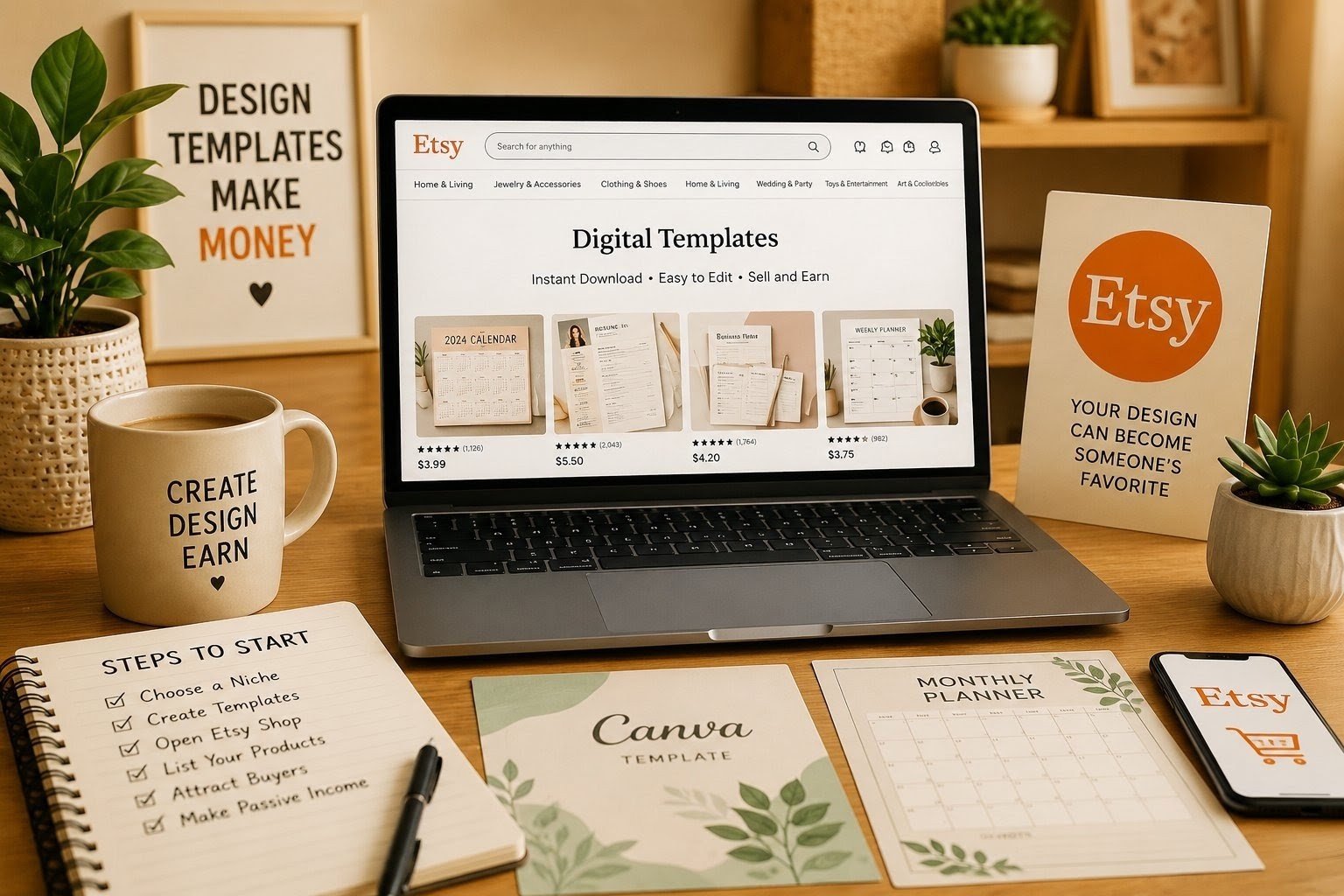
Templates are the classic route. You design once, sell many times, and never touch inventory or shipping. Think Instagram packs for realtors, onboarding kits for photographers, or menu layouts for cafes.
Public guides put small bundles at $5 to $30 and larger packs at $50 to $200 or more. Treat those as seller-reported ranges.
Sell on Etsy, Creative Market, Gumroad or your own site, and deliver through a template link. The main risks are crowded search results and licensing slips.
The habit that separates working shops from dead ones is narrowness. “Instagram templates” is a graveyard. “Weekly content calendar for Italian restaurants” is a product.
Way 2: Apply to the Canva Creators Program
Canva pays approved creators royalties from a monthly pool that grows with its subscription revenue. Verify the current details on Canva’s official Creators documentation, since payment calculations and terms can change.
Your share depends on how often your templates are used. Payment covers both free and Pro template use, while for elements it depends on Pro exports.
Submissions go through review, and acceptance is not guaranteed. There is no cost to apply, so it is worth a try, but plan for slow and unpredictable returns.
We would treat it as a bonus layered on top of Way 1, not a primary income line.
Canva’s own creator pages invite designs in local styles and languages. That is an opening we come back to later.
Way 3: Offer Freelance Social Media Design
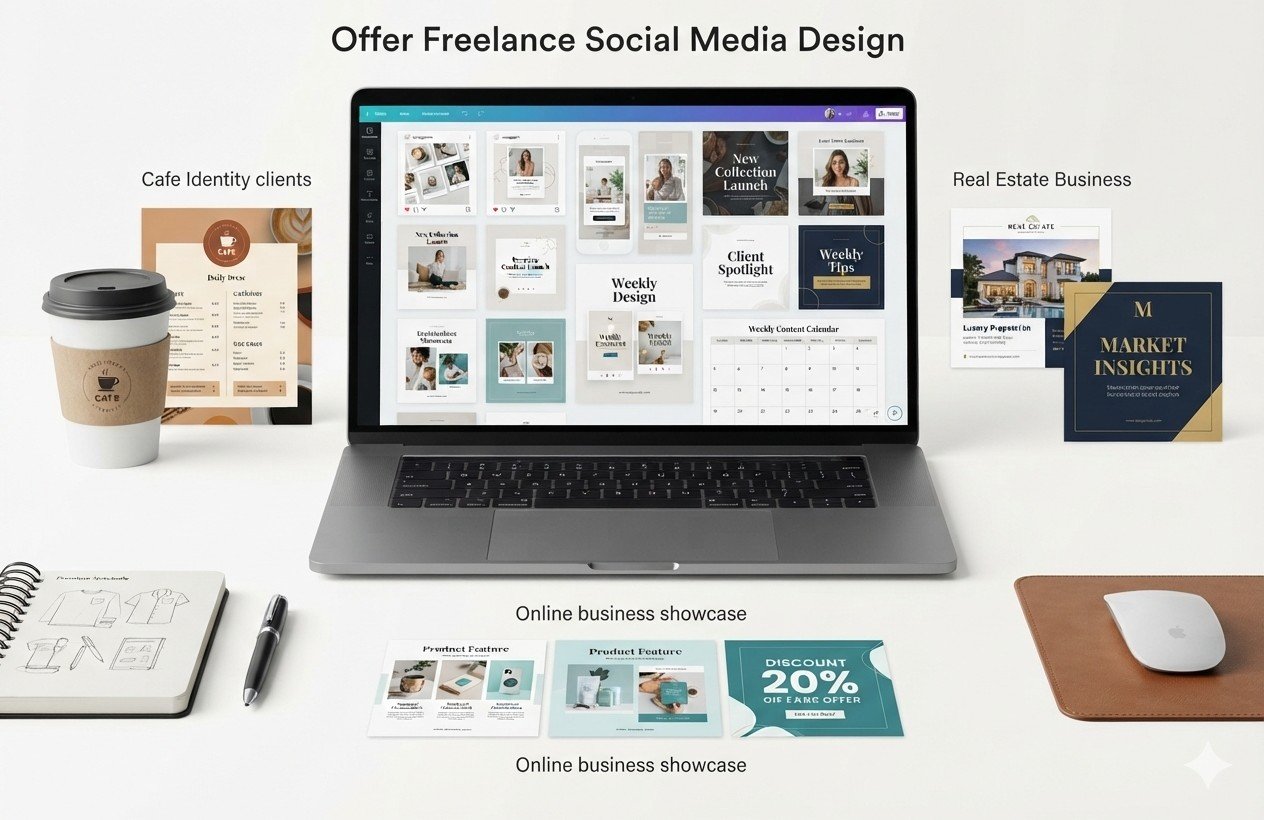
Small businesses need steady posting and rarely have someone to do it. A monthly package, say twelve posts plus stories, turns one-off jobs into recurring income.
Here is a hypothetical example, clearly not a real person. A designer charging $250 a month to three local cafes bills $750 a month before tax and software costs.
Landing three clients might take two to eight weeks of active outreach. That is our planning estimate rather than measured data.
Find clients through LinkedIn messages, local business groups, and marketplaces like Fiverr and Upwork. Price per package rather than per hour, use a short contract, and take a deposit.
Scope creep and slow payers are the usual headaches.
Way 4: Package Brand Kits for Small Businesses
A brand kit bundles colors, fonts, social templates and a simple style guide. It carries a higher price than single posts because it solves a bigger problem for the client.
Beginners often stumble here by promising a logo. Given the licensing point above, sell “brand identity kits” built from your own elements and deliver editable Canva templates plus exported files.
Charge for the whole outcome, and include a limited number of revisions in writing.
Way 5: Print on Demand Merchandise
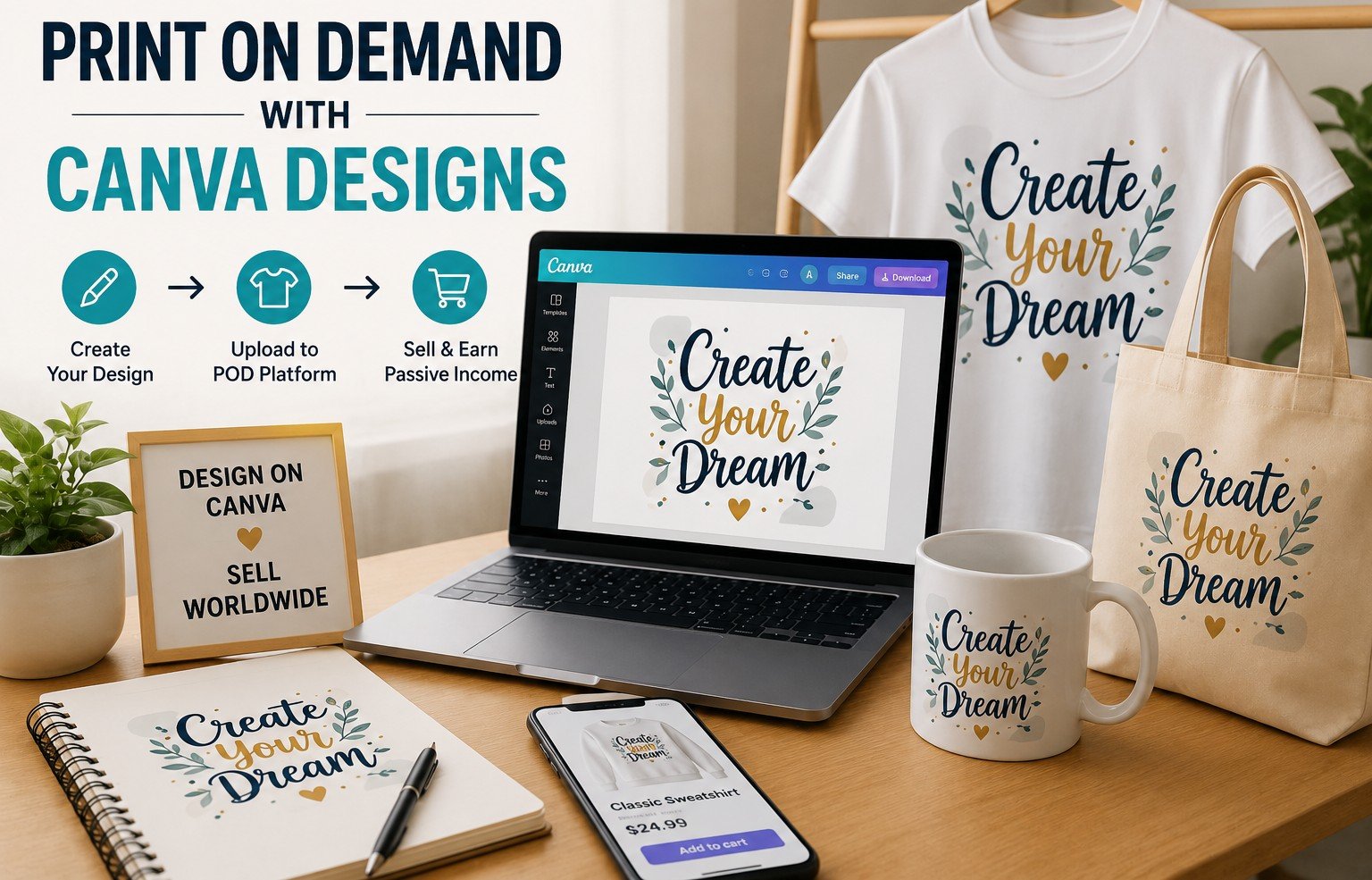
You design a graphic in Canva, upload it to a print partner such as Printful, Printify or Redbubble, and the partner prints and ships when someone orders. There is no stock to hold.
Canva’s license allows printed products, but the design should reflect real creative input. Legal-services firm Sprintlaw points out that a design built around a single Canva image placed on a shirt stands on weaker ground.
Profit per item is modest, with public guides suggesting $5 to $20 depending on the product.
Never use trademarked phrases, brand names or fictional characters. That is a separate and bigger legal problem than Canva’s license.
Way 6: Printables and Planners
Budget trackers, wedding checklists, teacher resources, habit trackers, chore charts. These are flat PDFs rather than editable templates, which makes them simpler to deliver and easier for buyers to use.
Sell them where digital buyers already shop. Etsy, Gumroad, Payhip or your own site.
Because flat products are treated differently from editable templates under Canva’s license, read section 5 of the content license before you list.
Printables work best when they are tied to a specific moment in life, like a first apartment or a newborn’s first year.
Way 7: LinkedIn Carousels and Pitch Decks
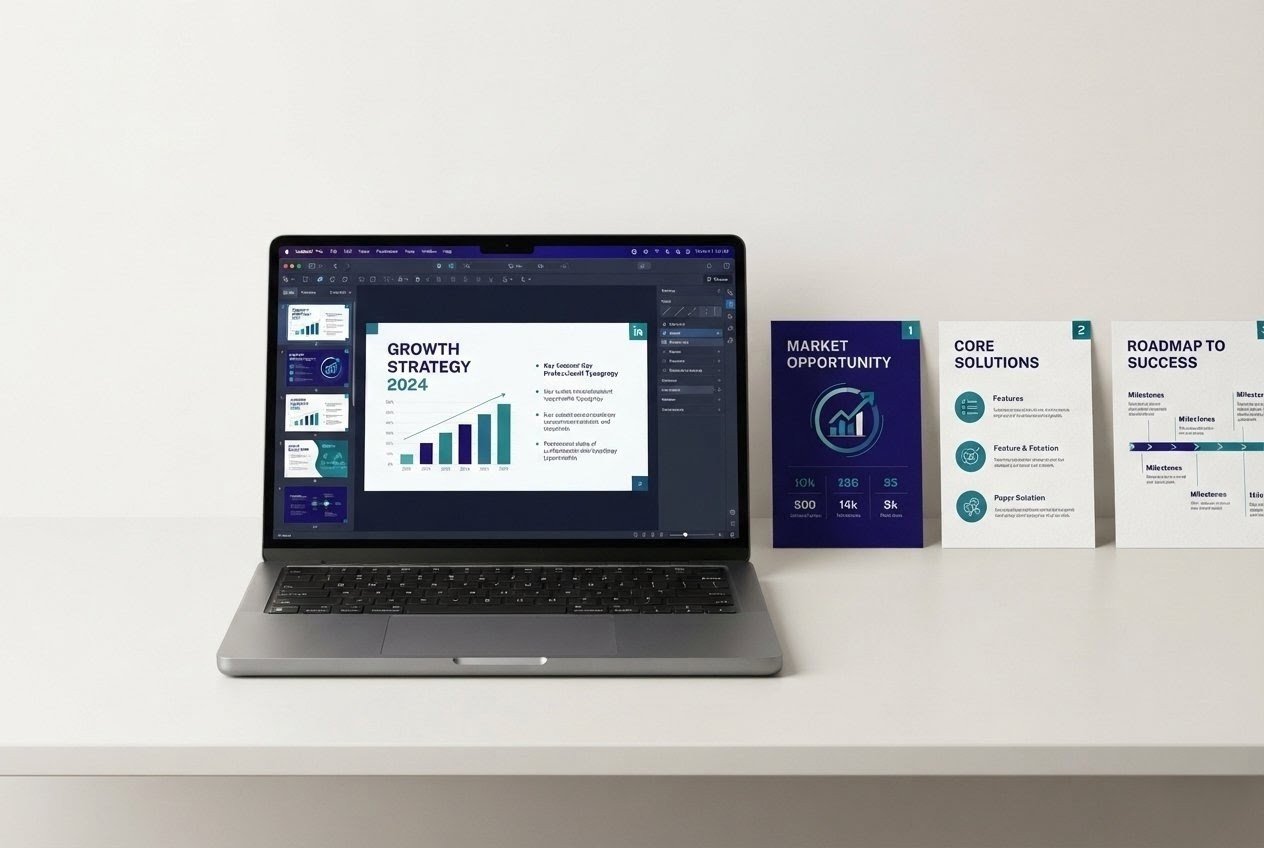
B2B design pays better than consumer design. Consultants, coaches and early-stage founders need carousels for LinkedIn and decks for investors or clients.
They will often pay several times what a social post fetches.
Build three sample decks in a niche you understand, publish them as a portfolio, and message people directly.
Be careful with confidentiality. Sign a simple NDA when a client shares financials, and delete files when the project ends. Expect four to ten weeks to land the first paid project.
Way 8: Resume and Job-Search Kits
Resumes, cover letters and LinkedIn banners sell year-round, and demand rises in every economic downturn.
This is one of the few niches that stays useful across countries, though formats differ. A US resume, a UK CV and a European Europass-style document are not the same.
Here is a gap worth using. Heavily designed resumes can trip applicant tracking systems, so offer a clean, single-column, ATS-friendly variant alongside the pretty one.
Buyers who have been rejected automatically will appreciate the difference, and you can say so in your listing.
Way 9: E-books, Lead Magnets and Low-Content Books
Canva’s license allows selling e-books and magazines. Coaches and consultants also need lead magnets: short PDFs they hand out in exchange for an email address.
That second market pays better than most beginners expect, because a good lead magnet directly feeds a business’s sales.
If you publish through Amazon KDP, note that the platform has required authors to disclose AI-generated content. Rules on low-content books change, so read KDP’s current guidelines.
Competition is heavy, and quality separates the books that sell from the ones that sit.
Way 10: Tutorials, YouTube and Short-Form Content
Teaching people how to use Canva is a content business. Tutorials, template walkthroughs and quick tips attract viewers, and you earn through ad revenue, affiliate links, product sales or sponsorships.
It is slow. YouTube’s Partner Program has subscriber and watch-time thresholds that typically take many months to reach.
Most people should treat content as the front door to Way 1 or Way 12 rather than a standalone income.
Consistency beats production quality early on.
Way 11: Teach Canva Locally or Online
Chambers of commerce, libraries, nonprofits and small business associations regularly hire people to run workshops. Online, mini-courses can live on Udemy, Skillshare or Gumroad.
Local workshops pay faster than online courses because you are selling to a known audience.
One caution: Canva changes features often, so outdated lessons make you look careless. Update your material every quarter.
Way 12: Canva Referrals and Affiliate Income
Canva has run an affiliate program through the Impact platform. Third-party directories list payouts of up to $36 per Pro sale with a 30-day cookie window, but terms change.
Confirm the current terms after you are approved.
You will need an audience or content that brings buyers to you, so this pairs naturally with Way 10.
Disclose affiliate links. The FTC requires it in the US, and the ASA and CMA expect it in the UK.
A blog post comparing Canva plans, or a video showing a real project, converts better than a bare link.
How the 12 Ways Compare
These are our planning estimates, not audited data. Startup cost is in USD.
| Way | Startup Cost | First Income Timeline | Model |
|---|---|---|---|
| Sell Templates | $0–$50 | 2–6 months | Product |
| Canva Creators | $0 | Uncertain | Royalties |
| Social Media Design | $0–$30 | 2–8 weeks | Service |
| Brand Kits | $0–$50 | 4–10 weeks | Service |
| Print on Demand | $0–$50 | 1–4 months | Product |
| Printables | $0–$30 | 2–5 months | Product |
| Carousels & Decks | $0–$30 | 4–10 weeks | Service |
| Resume Kits | $0–$30 | 1–4 months | Product |
| E-books & Lead Magnets | $0–$30 | 2–6 months | Product |
| Tutorials & Content | $0–$100 | 6–12+ months | Audience |
| Teaching | $0–$50 | 1–3 months | Service |
| Affiliate Referrals | $0 | Depends on audience | Affiliate |
If your priority is getting paid through client work, Ways 3, 7 and 11 may offer a more direct path than product-based routes.
If you prefer building something that keeps earning, start with Way 1 or 6. If you enjoy being on camera, Way 10 feeds everything else.
Example Etsy Fee Math
Fees vary by country and seller circumstances. Here is what Etsy charges a US seller, according to fee calculators that reflect its published schedule.
A $0.20 listing fee, a 6.5% transaction fee, and payment processing of 3% plus $0.25. UK sellers pay 4% plus GBP 0.20 for processing, and many EU sellers pay around 4% plus EUR 0.30. Offsite Ads, when they trigger a sale, cost 12% to 15% on top.
| Sale Price | Approx. Fees | Approx. After Fees* |
|---|---|---|
| $5 | $0.93 | $4.07 |
| $12 | $1.59 | $10.41 |
| $20 | $2.35 | $17.65 |
*Before taxes, ads, currency conversion and other possible costs.
The flat fixed charges hurt cheap items most. That is an insight worth acting on: price bundles above roughly $12 and you keep meaningfully more of each sale.
At $12, your first $500 needs around 49 sales. That is arithmetic, not a prediction of how fast those sales will come.
Mistakes That Cost Beginners Money
Reselling Canva’s own templates with light edits
This is the mistake that leads to suspended listings and shops. If a buyer could get what you are selling free inside Canva, you do not have a product.
Building templates full of Pro elements without saying so
Buyers click in, hit a paywall and leave angry reviews. Either use free elements, or state clearly which Pro elements are included and how the buyer accesses them.
Depending on one platform
Etsy raised its transaction fee from 5% to 6.5% in April 2022. In September 2024, Canva restructured Teams pricing, and press coverage described a sharp jump for some long-time customers. Build an email list with proper consent and keep at least two places to sell.
Turning One Route Into Two Without Burning Out
A practical structure is to combine one route that can generate client income with another that builds reusable products.
Freelance design covers rent while template sales compound. Spend roughly 70% of your hours on the fast one at first and shift the balance as products start selling.
Then feed one into the other. Every client project can become a template once you strip out private details and get permission. You are paid for the work and then paid again for the reusable version.
The localization gap is the third opening. Most searches for Canva templates skew English, yet Canva itself invites creators to design in their own languages and cultural styles.
Templates in Arabic with right-to-left layouts, Spanish, Portuguese, Bahasa or Swahili may be worth testing. Competition and buyer demand can differ by language and market. Test one small batch before committing.
Using Canva’s AI Tools Without Losing Trust
Canva’s AI features can speed up variations, backgrounds and copy drafts. Used carelessly, they can also produce generic work that buyers recognize and skip.
Read Canva’s current terms on commercial use of AI-generated content, and check platform rules.
Etsy’s Creativity Standards ask sellers to be transparent about who made or designed an item. Amazon KDP asks for disclosure of AI-generated content.
Use AI to save time on routine parts, then add the human decisions. Layout, tone, niche fit.
For a broader view of how AI tools fit into digital income work, see our guide on how to build passive income with AI tools in 2026.
Your 90-Day Global Action Plan
Days 1 to 14: Pick one route and one niche. Open a free Canva account, read the content license, and study ten competitors. Set up payout accounts such as Stripe, PayPal or Wise, and confirm they work in your country.
Days 15 to 30: Build your first five products or three portfolio samples. Write clear descriptions. If you are selling templates, create mockups that show real use. If you are freelancing, message ten potential clients.
Days 31 to 60: Publish, pitch and measure. List your products, message twenty more prospects, and track views, clicks and replies in a simple spreadsheet. Fix what is not working: titles, thumbnails, pricing. Apply to the Canva Creators program if it fits.
Days 61 to 75: Improve your best performer. Make a variation, a bundle or a localized version. Ask happy customers for reviews.
Days 76 to 90: Add a second route only if the first is producing income or clear signals. Start an email list, register for taxes if needed, and set a target for the next 90 days based on real numbers, not hopes.
Your Comprehensive Checklist
Before You Commit
- Chosen one route and one niche
- Read Canva’s content license and noted the date you read it
- Set up a separate bank or payment account for business income
- Created five products or three portfolio pieces
- Written listings with plain language and honest descriptions
- Checked marketplace fees for your country
- Added a privacy notice if you collect emails (GDPR, CCPA)
- Kept records of income and expenses from day one
- Disclosed any affiliate links
- Tracked results weekly
Confirm VAT or GST rules, payout options and marketplace availability where you live.
Frequently Asked Questions
Yes. Canva’s free plan is a permanent plan, and you can sell templates built from free elements and your own designs. Pro adds convenience and premium content, but you do not need it on day one.
There is no reliable universal income range for beginners. Some earn nothing initially, while others make their first sales within the first few months. Income screenshots online are usually unverifiable, so plan around your own results rather than someone else’s claims.
Almost always. In the US, sole proprietors typically report on Schedule C and may owe self-employment tax. In the UK, the GBP 1,000 trading allowance may cover very small income, but check with HMRC. In the EU, VAT rules for digital goods depend on where the customer lives. Speak with a local accountant.
It works if you follow Canva’s license and Etsy’s rules. Shops suspended for licensing breaches are the main risk, so original designs matter.
Often yes, but check the commercial terms and the disclosure requirements on the platform where you sell.
Freelance design and teaching often work well because clients can be found locally or through global marketplaces. Payout access decides which sales platforms are practical. Check tools like Payoneer, Wise and local payment providers.
Regional Considerations
Most beginners start as sole proprietors. An LLC can separate personal and business liability, but it is not required to start. Track income for the IRS, and remember that state sales tax rules for digital goods vary. Etsy collects marketplace sales tax in many states.
Sole traders register with HMRC for Self Assessment once income exceeds the trading allowance. A limited company (Ltd) makes sense as profits grow. VAT registration has a turnover threshold, so check HMRC’s current figure.
GDPR shapes email lists and client data. VAT on digital services generally follows the customer’s country, and the EU’s One Stop Shop simplifies reporting. A small-seller threshold of EUR 10,000 in cross-border sales applies under EU rules, so verify current details with a local advisor.
Australia uses ABNs and GST, and other markets have their own rules. Payment access varies, so Payoneer or Wise can matter more than any design decision. Canva also offers lower-priced plans in some emerging markets, which affects what local clients can afford.
Several UAE free zones offer freelancer or creator-style licenses, and VAT applies in the UAE and Saudi Arabia. Costs and eligibility differ by zone, so confirm before paying for a license.
Digital freelancing and templates work well where connectivity is reliable. Payment routes can be the bottleneck, so look at Payoneer, Wise, Flutterwave, Paystack or mobile money depending on your country. Check whether marketplaces open shops in your country before investing time.
Final Thoughts
Making money with Canva is less about the tool and more about the decisions around it.
Pick a niche that has real buyers. Respect the license. Do the fee math before pricing. Keep records.
The people who earn steadily tend to be those who ship consistently, listen to buyers and adjust. Not those who chase every new tactic.
Realistically, most beginners will earn modestly at first. A few will build something sizeable, especially if they combine a fast-paying service with a product that compounds.
That is an honest picture, and it is still a good one, because the startup cost is so low that the downside is small.
If you take one action today, choose a single route from the twelve above and set a deadline for your first published product or first client message. Ninety days from now, you will know more than any guide can tell you.
For a related look at product-based income, see our guide on how to make money selling digital products in 2026.
If you are considering AI-powered business tools, our comparison of the best AI CRM tools in 2026 and the best AI finance tools in 2026 cover that ground in detail.
- Why Canva Works as a Business Tool
- What You Need to Start and What It Costs
- Canva’s Licensing Rules in Plain Language
- Way 1: Sell Editable Templates
- Way 2: Apply to the Canva Creators Program
- Way 3: Offer Freelance Social Media Design
- Way 4: Package Brand Kits
- Way 5: Print on Demand Merchandise
- Way 6: Printables and Planners
- Way 7: LinkedIn Carousels and Pitch Decks
- Way 8: Resume and Job-Search Kits
- Way 9: E-books, Lead Magnets and Low-Content Books
- Way 10: Tutorials, YouTube and Short-Form Content
- Way 11: Teach Canva Locally or Online
- Way 12: Canva Referrals and Affiliate Income
- How the 12 Ways Compare
- Example Etsy Fee Math
- Mistakes That Cost Beginners Money
- Turning One Route Into Two
- Using Canva’s AI Tools Without Losing Trust
- Your 90-Day Global Action Plan
- Your Comprehensive Checklist
- Frequently Asked Questions
- Regional Considerations
- Final Thoughts
Join the Discussion
0 comments
Share a question, a tip or what worked for you. Please keep it helpful and on topic.
No comments yet. Be the first to share your thoughts.