

KEY TAKEAWAYS
- There is no single winner. These tools solve different problems, and most professional developers combine two.
- Best entry-level value: GitHub Copilot, free or $10 a month for Pro.
- Best AI-first editor: Cursor, around $20 a month for Pro.
- Best for deep multi-file work from the terminal: Claude Code, bundled with Claude Pro at $20.
- Real budgets for daily agent use often land between $60 and $200 a month, not $20.
- The biggest risks are unreviewed code, surprise usage bills, and sending sensitive code to the wrong place.
Finding the best AI coding tools in 2026 starts with one honest fact. There is no single winner, because these tools solve different problems.
Two years ago, choosing an AI coding assistant meant picking whichever autocomplete plugin felt least annoying. That is over.
In 2026 developers are choosing between editors, terminal agents, cloud agents, and hybrids. Each one changes how a workday feels.
The stakes are practical. A freelancer in Lagos, a two-person startup in Berlin, a product team in Singapore and an engineering group inside a bank in London all face the same question.
Which tool earns its monthly fee, and which one quietly drains a budget or leaks proprietary code? The answer looks different for each of them.
Adoption is already widespread. Stack Overflow’s 2025 Developer Survey found that roughly 84 percent of respondents were using or planning to use AI tools in their workflow.
The same survey found that more developers distrusted the accuracy of AI output than trusted it. That gap between heavy use and low trust is the most useful thing to understand before you spend a dollar.
Coding tools sit right in the middle of AI-powered business and income strategies. They affect freelance rates, product timelines, hiring plans and the margins of software businesses.
This comparison treats them as business decisions with costs, risks and returns. Not as gadgets.
Here is what you will get: an honest look at the leading tools, current pricing as of late September 2026, the evidence on whether they really make developers faster, the security and compliance issues that decide enterprise deals, and a 90-day plan for adopting them without wrecking your codebase or your budget.
Read This Before You Start
Pricing in this category is unstable. GitHub moved Copilot to usage-based billing on June 1, 2026. Cursor changed hands in August. Model versions are replaced every few months. Every price here was checked against public sources in late September 2026.
Expect a gap between headline prices and real spending. Most tools advertise a $10 to $20 entry plan. One September 2026 pricing roundup found that developers using agents daily often end up budgeting between $60 and $200 a month. That matches what many teams report.
Privacy needs attention before you paste anything into a chat window. If your code contains personal data, client secrets or regulated information, check where it is processed, whether it is retained, and whether it is used for training. Under GDPR and the CCPA, you may carry obligations as the data controller even when a third-party tool does the processing.
Timelines matter too. Plan on two to four weeks before a new tool stops slowing you down, and about three months before you can judge its true value. Early productivity dips are normal.
Currency note. Prices here are in US dollars. As a rough guide, $20 is around 17 to 19 euros, 15 to 16 pounds, or 30 to 31 Australian dollars. Exchange rates move, and some vendors add local taxes such as VAT on top.
What Counts as an AI Coding Tool in 2026

The label covers three different kinds of product. Mixing them up is the most common reason people compare the wrong things.
It suggests the next line or block as you type and answers questions in a side panel. GitHub Copilot started here, and its code completions still work this way.
Here the whole editor is designed around the model. You describe a change, and the tool edits several files, shows you a diff, and lets you accept or reject each piece. Cursor is the best-known example, and Devin Desktop (the renamed Windsurf) sits in the same group.
You hand over a task, such as fixing a failing test suite or adding an endpoint. The agent reads the repository, runs commands, edits files and reports back. Claude Code and OpenAI Codex live here.
The lines are blurring. Copilot has agent features, Cursor has a command-line tool and cloud agents, and the agent tools ship editor integrations.
Still, the original design of each product shapes how it feels day to day. That is worth remembering when you compare.
AI Coding Tools Comparison Methodology
We compared these tools on five dimensions that matter to real adoption, not marketing claims.
Pricing transparency. Whether the entry price reflects real usage, or whether credit systems and overage charges change the bill. We checked public pricing pages, not press releases.
Workflow fit. Whether the tool works inside an existing editor or requires switching. Compatibility matters more than feature lists for daily use.
Agent capability. What the tool can actually do without human approval at each step, and how it handles multi-file tasks.
Security and compliance. Data retention, training use, hosting region, audit logs, and IP indemnity. These decide enterprise deals more often than benchmark scores.
Evidence of speed gains. We separate vendor claims from independent research, and note where results diverge.
We did not rank tools by a single score. A tool that wins for a two-person startup may lose for a regulated bank. The tables below use “Best For” rather than “Best Overall” for that reason.
The Best AI Coding Tools at a Glance
What is the best AI coding tool for developers in 2026? For most people it is a pairing.
GitHub Copilot or Cursor handles everyday editing and autocomplete. Claude Code or OpenAI Codex handles larger, multi-file tasks. Solo developers on a tight budget can start with Copilot at $10 a month and add an agent later.
That single answer hides a lot, so here is the quick map.
| AI Coding Tool | Type | Best For | Starting Price | Main Strength |
|---|---|---|---|---|
| GitHub Copilot | Coding Assistant | Everyday coding | Free / $10 | Compatibility |
| Cursor | AI Editor | Multi-file editing | ~$20 | AI-native workflow |
| Claude Code | Coding Agent | Complex tasks | $20 | Deep reasoning |
| OpenAI Codex | Cloud Agent | Delegated tasks | ~$20 | Cloud execution |
| Kiro | AI IDE | AWS workflows | — | Spec-driven development |
| Amazon Q Developer | Coding Assistant | AWS teams | — | AWS integration |
| Tabnine | AI Assistant | Privacy-focused teams | — | Enterprise controls |
| Replit AI | Browser IDE | Prototyping | — | Build in browser |
| OpenCode | Open-source Agent | BYO model | — | Model flexibility |
Treat these as starting points. Your language, framework and team habits will change the ranking.
GitHub Copilot: The Default Choice for Good Reason

Copilot is the most widely adopted AI coding tool, and it works inside many editors, including VS Code, JetBrains IDEs and others. That breadth is its main advantage.
You do not have to switch editors, retrain muscle memory or convince a team to migrate.
Individual plans in late September 2026 are Free, Pro at $10 a month, Pro+ at $39 and Max at $100. Business is $19 per user per month and Enterprise is $39. GitHub’s own announcement confirmed that code completions and next-edit suggestions remain included in all plans without consuming AI Credits.
The important change came on June 1, 2026, when Copilot moved to usage-based billing. Chat, agent mode, code review, the cloud agent and the command-line tool now draw from a monthly pool of AI Credits, where one credit equals one US cent.
Pro includes a modest pool, and heavy agent sessions with frontier models can use it up fast. Sources differ slightly on the exact allowances because GitHub has adjusted them, so check the plans page.
Where does it fall short? Reviewers consistently rate its agent capabilities behind Cursor and Claude Code for complex work.
It shines for autocomplete, quick questions and staying inside GitHub’s pull request workflow. It also gives access to third-party coding agents from Pro upward. Picking Copilot does not lock you out of the others.
For businesses, Copilot’s biggest selling point is procurement. Enterprise administrators get policy controls, audit features and IP protections that legal and security teams already understand. That is often the deciding factor, more than raw model quality.
Cursor: The AI-Native Editor, Now Under New Ownership
Cursor is a fork of VS Code rebuilt around AI. Its strengths are codebase indexing, multi-file edits through its Composer feature, model switching and, more recently, cloud agents that run longer tasks in the background.
Pro plans sit around $20 a month, with higher tiers for heavier use.
The news you cannot skip: SpaceX completed its acquisition of Cursor’s parent company, Anysphere, on August 14, 2026. Multiple outlets, including Bloomberg and TechCrunch, reported the deal at about $60 billion in stock.
Cursor said it will use SpaceX’s computing capacity to build stronger models that cost less to run, and that its first result was a Grok model released the same week.
What does that mean for you? Nobody knows yet, and it would be wrong to guess. Cursor has kept its name, product and blog. But ownership changes can shift model access, pricing and data policies.
If you are standardising a team on Cursor, read the current terms, ask about data handling, and avoid annual prepayment until you have seen a few months of behaviour under the new owner.
For individual developers, Cursor remains one of the strongest all-around picks. If you like a VS Code-style environment and want the AI to reach across your whole project, it is hard to beat.
If you dislike changing editors, Copilot or a terminal agent will feel less disruptive.
Claude Code: Terminal-First Agent for Big Tasks
Claude Code is Anthropic’s coding agent. It runs in your terminal and, more recently, in desktop and other environments.
You describe an outcome, it reads the repository, plans, edits files and runs commands, and you review what it did. Multiple 2026 comparisons single it out for deep, multi-file work.
Access is bundled with Claude subscriptions rather than sold on its own. Claude Pro at $20 a month includes it, while Max plans cost $100 or $200 a month and multiply the usage allowance.
Because the models behind it are also sold through an API, heavy users sometimes compare subscription cost against pay-per-token cost before deciding.
The trade-off is control versus convenience. An agent that can run commands and rewrite many files can also make a mess quickly.
Good habits matter here. Work on a branch, keep tasks small enough to review, and read every diff. Developers who treat the agent like a fast junior colleague who needs review get the best results.
OpenAI Codex: Delegating Work to a Cloud Sandbox
Codex takes the delegation idea furthest. You assign a task, it works in an isolated cloud environment against your repository, and it returns changes for review.
Several 2026 roundups list access through ChatGPT plans starting around $20 a month, with more usage on higher tiers.
Its appeal is parallelism. You can queue several independent tasks, such as updating dependencies, writing tests for one module and fixing a small bug, then review the results together.
That suits teams with a backlog of well-defined chores.
The weakness is the same as the strength. A task description has to carry all the context, so vague instructions produce vague code.
Teams that write clear tickets tend to benefit most. Teams that do not often find they have simply moved the confusion into a different tool.
Other Tools Worth Knowing
The big four do not cover everyone, so a few others deserve a short mention.
Devin Desktop is the 2026 name for Windsurf, an AI editor with a free tier and a Pro plan at about $20 a month according to recent roundups.
Kiro is AWS’s spec-driven agentic IDE. Amazon Q Developer offers built-in security scanning that appeals to AWS-heavy shops. Google’s Antigravity has been covered as a competing agent-first environment.
Tabnine is worth a look if your organisation needs tight privacy controls or private deployment.
Replit AI fits people who want to build and host an app entirely in the browser. That suits non-developers and rapid prototypes.
OpenCode is an open-source terminal agent that lets you bring your own model.
A caution for freelancers and small businesses. The market is crowded, and new entrants appear monthly. Testing a tool for two weeks costs little. Committing a team for a year without testing costs a lot.
Head-to-Head: Matching the Tool to the Work

Comparing tools by feature lists misleads. It is more useful to ask which job you do most often.
| Your Main Work | Tools to Consider | Why |
|---|---|---|
| Everyday coding | Copilot, Cursor | Fast in-editor assistance |
| Large refactors | Claude Code, Codex, Cursor | Multi-file reasoning |
| Pull requests | Copilot | GitHub workflow |
| Cloud delegation | Codex | Isolated cloud tasks |
| AWS development | Kiro, Amazon Q | AWS ecosystem |
| Prototyping | Replit | Browser-based workflow |
| Privacy-focused work | Tabnine, OpenCode | Deployment/model flexibility |
If you build prototypes or internal tools without a deep engineering background, browser-based options such as Replit are the gentlest start. Just remember that a prototype and a production system are very different things.
If you work under strict compliance rules, ask about data retention, training use, region hosting and audit logs before anything else. A slightly weaker tool with a clean compliance answer beats a brilliant one your legal team blocks.
What These Tools Really Cost
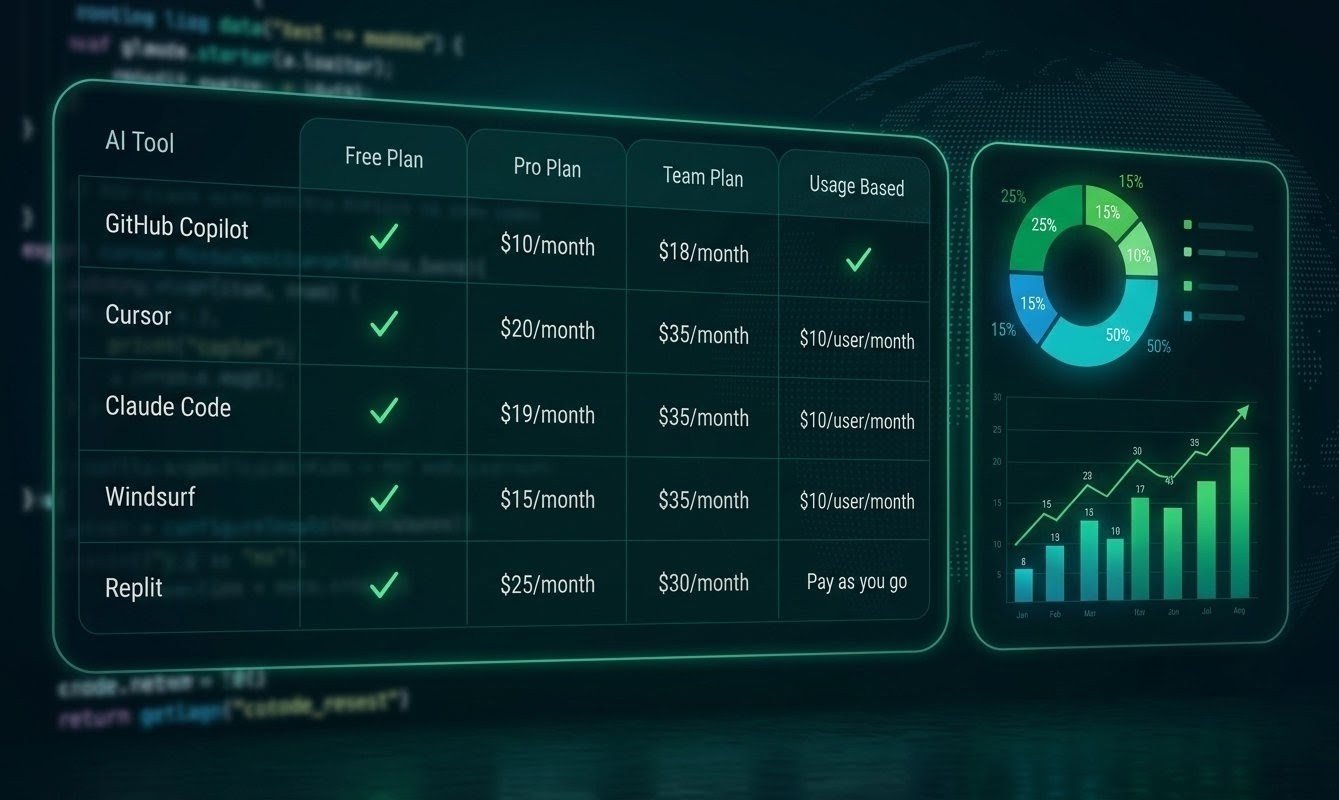
The sticker price and the real bill diverge more in this category than almost any other software.
| Tool | Entry Plan | Higher Usage | Billing Model |
|---|---|---|---|
| GitHub Copilot | $0 / $10 | Higher tiers | Subscription + AI Credits |
| Cursor | ~$20 | Higher tiers | Subscription / usage |
| Claude Code | ~$20 | $100–$200 | Subscription / usage |
| OpenAI Codex | ~$20 | Higher ChatGPT plans | Plan-based usage |
| Tabnine | — | Enterprise | Subscription |
For a single developer, a realistic month might look like this. Copilot Pro at $10 is the floor. Adding Cursor Pro or Claude Pro at $20 brings you to about $30. Adding a Max-tier plan for daily agent work moves you to $100 to $200.
Those are the numbers people quote, and none of them include the extra credits you might buy when a plan runs out.
For teams, per-seat pricing hides the variable part. Copilot Business at $19 and Enterprise at $39 include pooled credits, and administrators can decide whether to allow overage or cap spending.
Set that policy before rollout, because a cap that stops work mid-sprint is as painful as an uncapped bill.
Here is a hypothetical example, labelled as such. Picture a five-person agency paying $39 per developer for a business plan, $200 of extra credits in a busy month, and one senior developer on a $100 agent plan. The total is about $495.
If the tools save each developer a few hours a week, the maths works easily. If they do not, it is a pointless expense. Either way, you cannot tell without measuring.
Do AI Coding Tools Really Make You Faster?
The honest answer is: sometimes, and the size of the gain varies wildly.
GitHub’s 2022 controlled experiment found that developers using Copilot completed a specific HTTP server task about 55 percent faster than those without it. That is a favourable result, though it was a well-defined, greenfield task.
Other research paints a harsher picture. A 2025 randomised trial by METR, involving experienced open-source developers working on their own mature repositories, found that they took about 19 percent longer when using AI tools, even though they believed they had been faster.
The tools have improved since, and that study covered only one type of work, so it does not settle the question. What it shows is that perception is unreliable.
The pattern that emerges is fairly consistent. Gains are largest on new code, boilerplate, tests, documentation and unfamiliar languages. Gains shrink, or reverse, on deep changes to large codebases where context and judgment matter most.
This is why measurement beats opinion. Track cycle time, review time and bug rates for a sample of tasks with and without the tools. Even a simple spreadsheet over six weeks will tell you more than any vendor claim.
Security and Code Quality: The Part Vendors Skip
Veracode’s research, as cited in several 2026 industry write-ups, found that about 45 percent of AI-generated code samples failed security tests. Treat that as a directional warning rather than a precise rate for your stack, since results vary by language and task.
The practical lesson is simple. AI-written code needs the same scrutiny as any code from an unknown contributor.
Run static analysis, dependency scanning and secret detection in your continuous integration pipeline. Require human review for anything touching authentication, payments or personal data.
Agents add a second risk: what they can do, not just what they write. A tool that executes commands can delete files, install packages or leak environment variables if it is given broad permissions.
Use sandboxes, scoped tokens, and approval prompts for destructive actions. Never give an agent production credentials.
Prompt injection is worth knowing about too. If an agent reads a web page, issue comment or file that contains hidden instructions, it may follow them. Keep untrusted content away from agents that hold real permissions.
For a related view of how AI tools reshape business workflows, see our guide on AI tools to replace freelancers.
Privacy, IP and Regulation Across Regions
Legal questions decide enterprise purchases more often than benchmark scores do.
In the United States, the main concerns are trade secrets, contractual confidentiality and, for regulated sectors, industry rules. IP indemnity, which some vendors offer on business tiers, protects against copyright claims tied to generated output, but the conditions vary. Read them.
In the UK and EU, GDPR governs any personal data in code, logs or test fixtures. Data Processing Agreements, data residency and sub-processor lists matter. The EU AI Act is phasing in obligations for AI providers and deployers, and timelines have been subject to revision.
Verify the current schedule with counsel rather than relying on a blog post, including this one.
In Asia-Pacific, rules differ sharply. Singapore, Japan, Australia, India and China each have distinct data protection and cross-border transfer requirements. Some sectors, such as finance, add their own.
In the Middle East, free-zone and national data laws in places like the UAE and Saudi Arabia can affect where data may be processed.
In Africa, frameworks such as Nigeria’s data protection law and South Africa’s POPIA apply.
This is not legal advice, and none of it replaces a lawyer. It is a checklist of questions to ask before you upload a client’s codebase to a third-party service.
Mistakes That Cost Teams Time and Money
Three failures show up again and again, and all of them are avoidable.
Accepting large diffs without reading them
It is tempting, because the code looks confident and the tests pass. But tests written by the same model that wrote the code tend to share its blind spots. Teams that skip review often discover the problem weeks later, in production.
Ignoring usage-based billing until the invoice arrives
Since Copilot’s June change and the credit systems on other platforms, a long agent session with a top-tier model can burn through a monthly allowance in days. Set budgets, alerts and default models before people start experimenting.
Standardising too early
A company picks one tool for everyone, signs an annual contract, and then watches the market shift within a quarter. Ownership changes, pricing rewrites and new models happen constantly. Prefer monthly terms for the first six months.
A fourth deserves a mention: letting skills atrophy. Junior developers who lean on AI for everything can miss the core skills that make them useful later. Pair the tools with code reading, debugging practice and design discussion.
Three Insights Most Comparisons Miss

A $20 tool that produces code you rewrite twice is more expensive than a $100 tool whose output merges cleanly. Count the developer’s review time as part of the cost, because it is usually the largest line item.
One tool for fast, low-stakes, in-editor work. A different one for slow, high-stakes, multi-file work. The lanes have different needs. Lane one wants speed and low cost. Lane two wants reasoning and careful review. Buying a single premium tool for both lanes is wasteful.
The past year brought a major acquisition, a billing overhaul at the biggest player, and an export-control suspension that briefly pulled access to some Anthropic models before it was restored on July 1, 2026. None of that was predictable a year ago. Build workflows that can swap tools, keep prompts and conventions in your own repository, and avoid features that trap your data in one vendor’s format.
How to Choose: A Simple Framework by Profile
Start with Copilot Free or Pro. Add a second tool only when you hit a specific limit, like needing multi-file refactors.
Your margin depends on speed and quality. A $20 editor or agent plan usually pays back within a week if you bill even a few hours. Disclose AI use if contracts require it, and never upload client code to a tool the client has not approved.
Standardise loosely. One editor tool for everyone, plus agent access for one or two senior people. Review costs monthly.
Start from the compliance answers. Data handling, audit logs, admin controls, indemnity, regional hosting. Pilot with a small team, then expand.
Browser-based builders can produce a working prototype fast. Budget for a professional review before real customers touch it, because security gaps are the usual casualty.
Your 90-Day Action Plan
Days 1 to 14: Get a baseline. Pick five to ten typical tasks and record how long they take today, including review time. Choose two tools to trial and start on free or monthly plans. Write down your data rules, meaning what may and may not be pasted into any AI tool.
Days 15 to 30: Trial the first tool on real work. Use it every day for small tasks, and keep notes on where it helps and where it wastes time. Turn on spending alerts from the first day.
Days 31 to 45: Trial the second tool, ideally one from a different category, such as an agent if the first was an inline assistant. Run the same style of task so the comparison is fair.
Days 46 to 60: Compare results. Look at cycle time, number of review comments, bugs found later and total spend. Discard opinions that the numbers do not support.
Days 61 to 75: Set up guardrails. Add security scanning to continuous integration, write a short internal guide on prompts and review rules, and define what agents may and may not run.
Days 76 to 90: Decide and document. Keep the stack that measured best, move to annual plans only if the savings justify the risk, and schedule a quarterly review, since this market changes fast.
Your Comprehensive Checklist
Before You Commit
- Confirmed current pricing on each vendor’s official page
- Compared real costs, including usage overage, not just seat prices
- Reviewed data retention, training use and hosting region
- Checked whether indemnity applies to your plan
- Set budgets and alerts for usage-based billing
- Kept agents away from production credentials
- Added static analysis and secret scanning to your pipeline
- Required human review for security-sensitive code
- Measured cycle time and defect rates before and after
- Chosen monthly terms for the first six months
- Documented an exit plan in case a vendor changes terms
In the EU and UK, add a data processing agreement and a sub-processor check. In the US, confirm confidentiality clauses in client contracts. In Asia-Pacific and the Middle East, check cross-border transfer rules. In Africa, confirm local data protection registration requirements where they apply.
Regional Considerations
This section provides general information only and is not legal advice. Rules vary by jurisdiction and change over time. Verify current requirements with official sources or a qualified professional.
The market is the most mature, and enterprise plans with IP indemnity are common. State privacy laws such as California’s CCPA may apply if your code handles consumer data. Business structure, such as an LLC, does not change these duties but may affect liability.
UK GDPR and the Data Protection Act apply, with guidance from the ICO. Limited companies should check whether client contracts restrict third-party processing.
GDPR, data residency preferences and the EU AI Act shape procurement. Public-sector and financial buyers often require EU hosting. VAT can add 19 to 25 percent to listed prices depending on the country, so factor it in for budget comparisons.
Requirements vary by country. Companies serving customers in several markets should map obligations market by market instead of assuming one policy fits all.
Free zones and national laws create different rules for data location. Check with local counsel before using cloud AI tools on government or financial projects.
Developer communities are growing quickly, and cost sensitivity is high. Free tiers and lower-priced plans matter more here, along with payment access. Many vendors accept international cards only, so confirm payment options early.
Frequently Asked Questions
GitHub Copilot’s free tier is the easiest starting point. It installs into common editors, needs little setup and costs nothing to try. Beginners should still write code themselves first and use the tool to explain errors, not to skip learning.
Cursor offers deeper multi-file editing and an AI-first interface. Copilot offers lower prices, wider editor support and stronger enterprise controls. Neither is universally better. If you want the AI to reshape your project, try Cursor. If you want inexpensive help inside your current setup, try Copilot.
They suit different habits. Claude Code works from the terminal and handles large tasks. Cursor is an editor with visual diffs. Many developers use one of each: Cursor for daily editing, and an agent for heavy jobs.
Entry plans run from free to about $20. Daily agent users commonly spend $60 to $200. Teams pay roughly $19 to $39 per seat on business plans, plus any overage. In euros, pounds and Australian dollars, expect similar numbers with local taxes added.
They can be, if you choose a plan with the right data terms. Look for no-training commitments, retention limits, admin controls and audit logs. Regulated industries should get a legal and security review before rollout.
Nobody can answer that with certainty. What the evidence shows today is that the tools change the work, shifting time from typing toward reviewing, specifying and testing. Developers who learn to direct and check these tools are in a stronger position than those who avoid them.
Yes, for prototypes and simple internal tools. Production systems that handle payments or personal data still need experienced review.
Every quarter. Pricing, models and ownership have all shifted within months this year.
Final Summary
The best AI coding tools of 2026 are not competing to be your only tool anymore.
GitHub Copilot gives the cheapest and broadest starting point. Cursor gives the strongest AI-native editing. Claude Code and OpenAI Codex give you agents that can carry a task from description to draft.
The smart move for most people is a small stack of two, chosen by the work you do most.
The money side deserves as much attention as the features. A $10 or $20 headline price is only the beginning, and usage-based billing means the real number depends on how you work.
Set budgets early, measure output, and drop anything that does not earn its place.
Be realistic about what to expect. Some developers will see solid gains on routine work within weeks. Others, especially on complex, mature codebases, may find little or no speedup at first. Neither outcome is a failure. They are data, and data is what lets you decide well.
Protect what you are building. Review AI-generated code, scan it, keep credentials away from agents, and understand where your code goes when you hit enter. Those habits matter more than which logo is on the tool.
Your next move is small. Choose two tools, run the 90-day plan above, and let your own numbers decide.
For a related look at how AI tools are reshaping routine business work, see our guide on AI tools to replace freelancers.
If you are weighing broader AI business strategy, our breakdown of how to build passive income with AI tools in 2026 covers that ground in detail.
And for readers exploring how AI fits into CRM and finance workflows, our comparisons of the best AI CRM tools in 2026 and the best AI finance tools in 2026 cover those categories.
- What Counts as an AI Coding Tool in 2026
- AI Coding Tools Comparison Methodology
- The Best AI Coding Tools at a Glance
- GitHub Copilot
- Cursor
- Claude Code
- OpenAI Codex
- Other Tools Worth Knowing
- Head-to-Head: Matching the Tool to the Work
- What These Tools Really Cost
- Do AI Coding Tools Really Make You Faster?
- Security and Code Quality
- Privacy, IP and Regulation
- Mistakes That Cost Teams Time and Money
- Three Insights Most Comparisons Miss
- How to Choose: A Simple Framework
- Your 90-Day Action Plan
- Your Comprehensive Checklist
- Regional Considerations
- Frequently Asked Questions
- Final Summary
Join the Discussion
0 comments
Share a question, a tip or what worked for you. Please keep it helpful and on topic.
No comments yet. Be the first to share your thoughts.