


KEY TAKEAWAYS
- The best AI finance tools in 2026 do five separate jobs: bookkeeping, spending control, personal budgeting, investing, and forecasting.
- For most small businesses, an accounting platform such as Xero or QuickBooks Online is the foundation.
- A solo side hustle can run a solid stack for roughly $25 to $60 a month. A five-person team can land near $175 before payroll.
- Three original decision tools: the three-layer model, the verification budget, and the exit-cost test.
- Regional rules matter. The UK’s Making Tax Digital began April 2026, US open banking rules are in legal limbo, and the EU delayed high-risk AI deadlines.
Finding the best AI finance tools in 2026 starts with one honest idea. Finance software used to be a place where you typed numbers in and hoped they added up.
In 2026 it reads your receipts, chases late invoices, flags odd transactions and answers questions in plain English. That shift is real. It is also noisy, because almost every vendor now attaches the word “agent” to whatever it sells.
The adoption data shows how fast things moved. A 2024 Gartner survey of 121 finance leaders found that 58% of finance functions were already using AI, up 21 points in a year.
In February 2026, Gartner reported that nearly 60% of CFOs planned to lift finance AI investment by 10% or more. Those figures describe larger companies, though.
If you are a freelancer in Lisbon, a three-person agency in Nairobi or a Shopify seller in Melbourne, the practical question is smaller and sharper. Which tools earn their fee, and which become subscriptions you forget to cancel?
Set your expectations early. No finance tool will grow your revenue by itself. What you can reasonably expect is fewer hours on bookkeeping, fewer missed invoices and cleaner records at tax time.
As a rough planning assumption, a solo operator might recover two to four hours a month in the first quarter. That is an estimate, not a benchmark, and it depends heavily on how tidy your books were to begin with.
Ahead, you will see which tools lead each job, what they really cost, how to compare them, what the rules look like in six regions, and a 90-day plan to put it all in place.
Prices and features were checked in September 2026. They change often, so confirm on the vendor’s site before you pay.
Read This Before You Start
Some honesty first. Switching finance tools is a project, not a download.
Plan on two to four weeks to migrate data and connect bank feeds, and another month or two before automated categorisation feels reliable. Messy books stretch those timelines.
Costs go beyond the subscription. Payroll add-ons, per-user card fees, payment processing charges and currency conversion margins all sit outside the headline price.
Privacy deserves real attention. Connecting a bank account means sharing transaction data with the vendor and usually with a data aggregator. If you serve customers in the EU or UK, GDPR applies. California’s CCPA covers many businesses handling California residents’ data.
Regulation is moving in different directions. The UK has made digital tax reporting mandatory for larger sole traders. The US open banking rule is being rewritten. The EU has delayed some AI obligations.
On currency, this guide uses USD first. Many vendors price separately in EUR, GBP and AUD, and the local price often is not a straight conversion.
Nothing here is financial, tax or legal advice. Talk to a qualified professional in your country before making decisions that affect your tax position.
What Counts as an AI Finance Tool in 2026
The best AI finance tools in 2026 depend on the job you need done.
Xero and QuickBooks Online are widely used small-business accounting platforms. Ramp and Brex handle spend management. Monarch Money and Copilot Money cover personal budgeting. Betterment or Wealthfront automate investing.
Choose one job first, then add layers.
Before comparing products, it helps to separate three things that vendors blur together.
An assistant answers questions about your numbers. An automation performs a fixed task, such as sorting transactions into categories. An agent strings several tasks together and acts for you, usually with your approval at key points.
Xero describes its JAX platform as agentic, meaning it can reconcile books and chase invoices. That is the company’s own description of its product.
The difference matters for risk. An assistant that is wrong wastes a few minutes. An agent that is wrong can send a reminder to the wrong customer or pay the wrong bill.
The Three-Layer Model

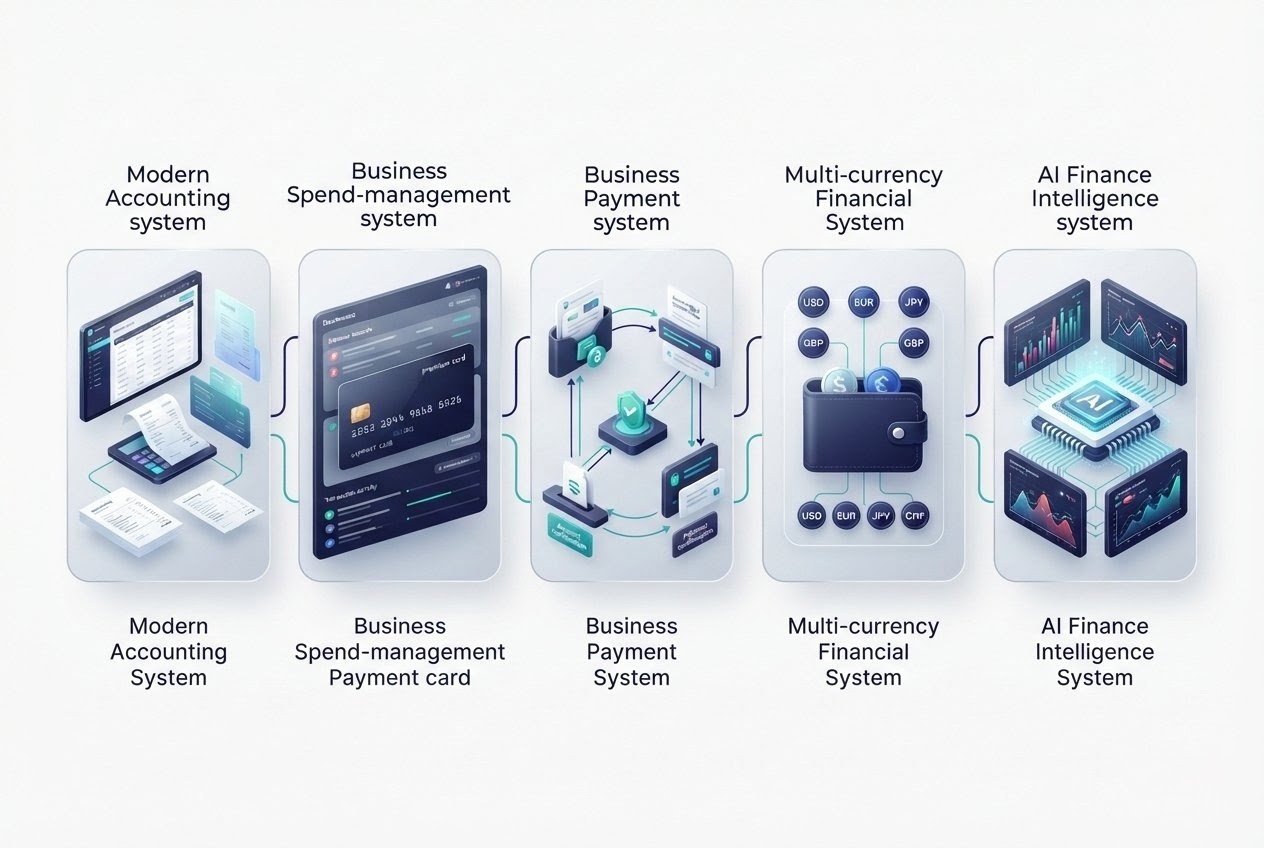
Here is a framework for keeping a stack sane. Every setup needs three layers, and each layer should have one clear owner.
Your accounting software, where the official numbers live.
Where money moves through cards, bill payments, invoicing and payouts.
The assistants and dashboards that help you interpret the numbers.
Never let the thinking layer become the only place your numbers exist.
If a chatbot summary is the sole record of last quarter’s margins, you cannot audit it, and neither can your accountant. Treat the AI layer as a lens over your records rather than a replacement for them.
Blurred layers tend to be where avoidable errors begin.
Best AI Finance Tools Comparison
| Tool | Best For | Starting Price (USD) | Key AI Feature | Notes |
|---|---|---|---|---|
| Xero | Small-business accounting | $25/mo (US entry) | JAX platform, Smart Document Capture | Strong in UK, AU, NZ, multi-currency |
| QuickBooks Online | US small-business accounting | Mid-$30s/mo entry; Plus ~$100–115 | Intuit Assist, anomaly detection | Deep payroll and accountant network |
| Ramp | Spend management | Free core; Plus ~$15/user/mo | Policy-check and AP agents | Cards, expense management, bill pay |
| Brex | Spend management | Varies | AI controls | Capital One acquisition pending |
| Wise Business | Cross-border payments | Varies by route | Multi-currency holding | Good for international invoices |
| Stripe | Online payments | Per-transaction fees | Radar fraud screening | Standard for online sellers |
| Monarch Money | Personal budgeting | ~$100/year | Learning-based tagging | Cross-platform, couples focus |
| Copilot Money | Personal budgeting | ~$95/year | Self-improving categorisation | Apple devices only |
| Rocket Money | Subscription tracking | Free tier; ~$6–12/mo premium | Bill negotiation | Strong at finding subscriptions |
| Cleo | Casual budgeting | Free tier; ~$6/mo Plus | Chatbot-style nudges | Better for alerts than planning |
| Betterment | Automated investing | ~0.25% advisory fee | Algorithm-managed portfolios | Mature robo-advisor |
| Wealthfront | Automated investing | ~0.25% advisory fee | Algorithm-managed portfolios | Mature robo-advisor |
| Fathom | Forecasting and reporting | Add-on pricing | Cash-flow views | Connects to accounting platforms |
| Dext | Receipt capture | Add-on pricing | Document feeding | Feeds records into accounting |
AI Finance Tools by Use Case

| Job | Recommended Tools | Why |
|---|---|---|
| Bookkeeping | Xero, QuickBooks Online | System of record; AI categorisation and document capture |
| Spending control | Ramp, Brex | Cards with AI policy checks and AP automation |
| Payments | Stripe, Wise Business | Payment processing and multi-currency handling |
| Personal budgeting | Monarch Money, Copilot Money | Whole-picture view when business and personal overlap |
| Investing | Betterment, Wealthfront | Low-fee automated portfolios |
| Forecasting | Fathom | Turns accounting data into reports and cash-flow views |
| Receipt capture | Dext, Hubdoc | Feeds records into your accounting platform |
| General analysis | ChatGPT, Claude, Gemini, Copilot | Pattern spotting on anonymised exports |
Estimated Monthly Cost
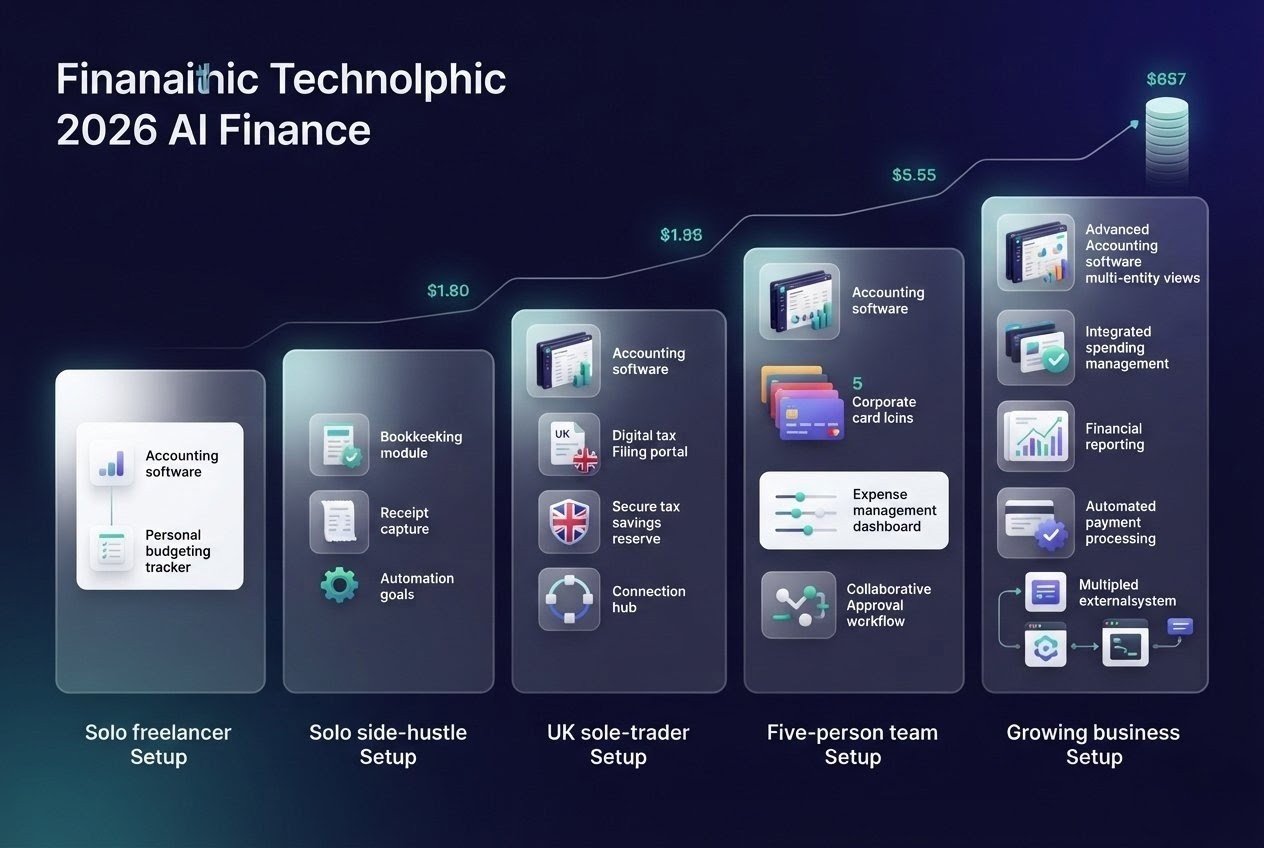
| Setup | Typical Stack | Estimated Monthly Cost (USD) |
|---|---|---|
| Solo freelancer | Entry accounting + budgeting app | $35–45 |
| Solo side hustle | Entry accounting + receipt capture | $25–60 |
| UK sole trader (MTD) | MTD-compatible accounting + savings pot | $30–50 |
| Five-person team | Mid-tier accounting + card platform | $175–190 before payroll |
| Growing business | Accounting + spend + reporting add-on | $200+ depending on users |
| Online seller (cross-border) | Accounting + Stripe + Wise | Varies with transaction volume |
These are planning estimates from published list prices, not vendor quotes. Local currency prices often differ from straight conversions.
Best for Bookkeeping: Xero and QuickBooks Online
Xero, founded in New Zealand, has put AI at the centre of its 2026 product story.
At Xerocon London in July, the company said JAX now powers document handling, with Smart Document Capture available and bank statement extraction, auto-created transactions and VAT checking listed as coming soon.
Xero cites five million customers. Its US entry plan is listed at $25 a month before promotions, and the company runs steep introductory discounts. Look at the renewal price rather than the first-month price.
QuickBooks Online, from Intuit in the United States, remains the default for many US small businesses. Intuit Assist is its AI layer, and 2026 reports describe bundled features such as anomaly detection and a conversational assistant in higher tiers.
Those reports come from secondary sources, so verify on Intuit’s site. Better documented is the price movement. Several outlets report that plans rose in 2026, with entry plans in the mid-$30s a month and the popular Plus tier between about $100 and $115.
For businesses with UK, Australian, New Zealand or multi-currency operations, Xero tends to fit better.
For US-only businesses that lean on Intuit’s payroll and its large accountant network, QuickBooks Online is often the smoother path. Both are listed as compatible with the UK’s Making Tax Digital rules, but confirm the exact tier you need.
Spending and Payments: Ramp, Brex, Wise and Stripe
Corporate cards with AI controls have become a category of their own.
Ramp combines cards, expense management and bill pay. The company says it shipped agents for policy checks and accounts payable in 2025. One comparison site lists its Plus tier at $15 per user per month with a free core plan.
Ramp’s own comparison pages are marketing material, so read them with that in mind.
Brex sits in a different position. Capital One announced in January 2026 that it would acquire the company for about $5.15 billion, with closing expected around mid-2026.
If you are choosing between the two, look up the current status of that deal and ask Brex directly how pricing and product plans might change. Acquisitions do not automatically hurt customers. They do add uncertainty you should price in.
For cross-border work, Wise Business is worth a look for holding and converting several currencies. Stripe is the standard payments layer for many online sellers. Its Radar product uses machine learning to screen for fraud.
Neither replaces accounting software. Both belong in the action layer. Compare live fees before committing, because FX margins and payout charges vary by route and change often.
Personal Finance Apps for Side Hustlers
If your business and personal money overlap, and for many side hustlers they do, a personal budgeting app shows the whole picture.
Four names come up most often.
Cross-platform, built for couples and households, and priced at roughly $100 a year on annual billing according to price trackers.
Praised for tagging that learns from your corrections, around $95 a year in one 2026 review. Limited to Apple devices.
Strongest at finding subscriptions and negotiating bills. Free tier, with a premium plan one review puts at about $6 to $12 a month.
A chatbot-style app with a free tier and a Plus plan near $6 a month. Better as a nudge than as a planning tool.
Most of these apps connect to banks through US data aggregators. Monarch, for instance, advertises coverage of more than 13,000 US institutions.
If you bank in the UK, Europe or Asia, confirm your bank is supported before paying. Or look at locally built apps that use open banking, such as Emma in the UK.
Investing Tools: Robo-Advisors and AI Research
Automated investing is the most mature corner of AI finance.
Betterment and Wealthfront in the US have offered algorithm-managed portfolios for years, and both have charged an advisory fee around 0.25% of assets annually at last check. Fees change, so confirm them.
Be sceptical of anything promising AI-generated market-beating returns.
In March 2024, the US Securities and Exchange Commission settled charges against two investment advisers over misleading statements about their use of artificial intelligence. Regulators elsewhere are watching how firms describe their AI too.
A tool that summarises earnings reports is a research aid. A tool that promises you a return is a red flag.
Forecasting, Reporting and General-Purpose Assistants
Once your books are clean, forecasting tools can sit on top of them.
Add-ons such as Fathom turn accounting data into reports and cash-flow views. Receipt tools such as Dext and Hubdoc feed records in. They are inexpensive relative to the time they save when they connect natively to your accounting platform.
General-purpose assistants such as ChatGPT, Claude, Gemini and Microsoft Copilot are the wild card.
Export a month of transactions, strip out account numbers and customer names, and an assistant can spot patterns, draft a variance summary or build a rough forecast in minutes.
It can also miscalculate with total confidence. Ask for the formulas rather than only the answer, then check the arithmetic in a spreadsheet. That habit alone heads off most embarrassing errors.
For a related angle on how AI tools are reshaping business workflows, see our guide on AI tools to replace freelancers.
Quick Decision Guide
An entry-level QuickBooks Online or Xero plan plus Monarch or Copilot for personal money covers the basics.
You need MTD-compatible software from day one, such as Xero, QuickBooks or FreeAgent, along with a cash buffer for tax.
Start with an accounting platform, Stripe for payments and Wise for currency. Add a card platform once revenue is steady.
An accounting platform, one spend platform such as Ramp or Brex, and a single reporting add-on will cover most needs.
A low-fee robo-advisor does the job. Guaranteed-return claims should be ignored.
What These Tools Really Cost
Sticker prices tell you little. Three patterns keep showing up.
Introductory discounts come first. In mid-2026, Xero’s US page advertised 90% off for the first six months, with the offer ending on 30 June. Renewal happens at list price.
Then there is price drift. When vendors fold new AI features into higher tiers, the bill rises, as the reported QuickBooks changes show.
Finally, add-ons pile up. Payroll, per-user card fees, payment processing and FX margins rarely appear on the pricing page’s first screen.
Here is a hypothetical illustration using the list prices above. A solo consultant pays $25 to $35 for accounting and about $8 a month for a budgeting app, with free receipt capture. That is roughly $35 to $45 a month, or $420 to $540 a year.
A five-person team on a mid-tier accounting plan at $100 to $115 plus a card platform at $15 per user adds $75, landing near $175 to $190 a month before payroll and processing fees.
In euros or pounds, expect the local price to differ from a simple conversion. Put every renewal date in your calendar. It takes two minutes, and it is the cheapest cost control there is.
The Verification Budget
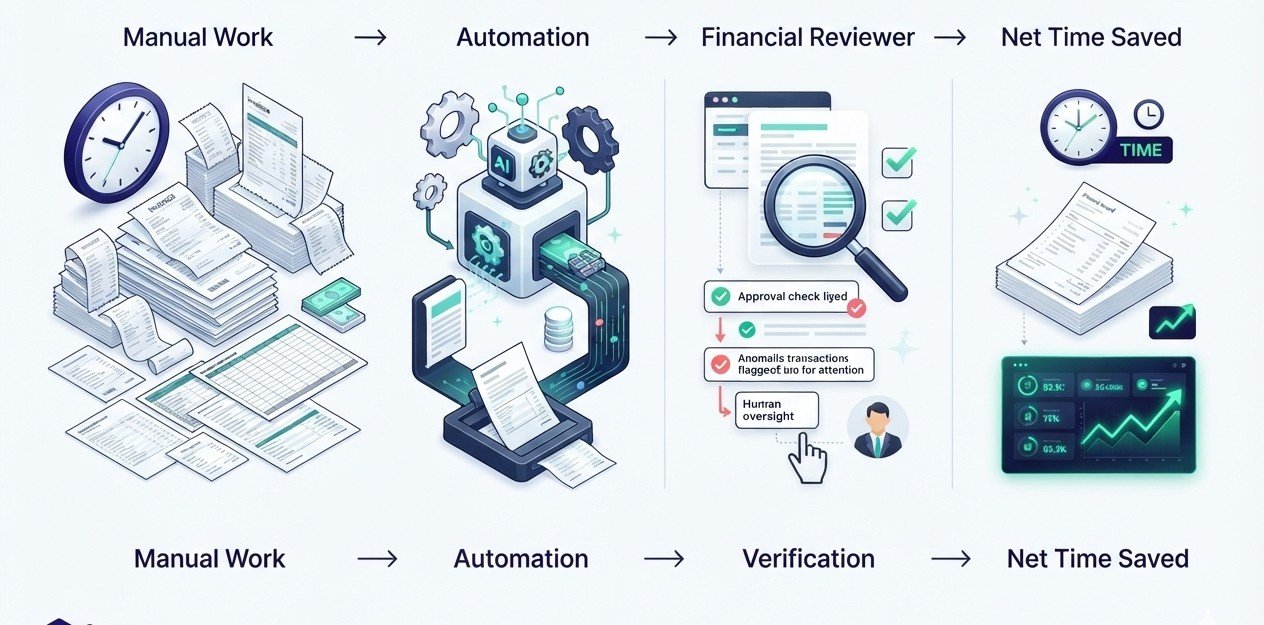
Vendors sell time saved. What you keep is time saved minus time spent checking. We call that the verification budget, and it is the number most reviews skip.
Manual hours, minus tool hours, minus review hours.
Take a hypothetical bookkeeping routine that costs six hours a month by hand. With automation it drops to two hours, plus one hour reviewing flagged transactions. Net saving: three hours. At a value of $40 an hour, that is $120 a month against a $45 subscription, which is a good trade.
If categories keep coming out wrong and review takes four hours, the saving disappears.
Track your review time for two months before deciding a tool is working. If review time is not shrinking, the tool is not learning your business, or your chart of accounts needs cleaning first.
The Exit-Cost Test
Most people judge a finance tool by how good it looks on day one. Try judging it by how hard it is to leave.
Two public cases make the point. Intuit shut down Mint in early 2024 and steered users to Credit Karma. Many people who wanted a dedicated budgeting app went looking elsewhere. Monarch Money reportedly gained a surge of users as a result.
The Capital One and Brex deal is a smaller version of the same lesson. Ownership changes, and product priorities can change with it.
Before you commit, run this test.
Can you export at least 24 months of transactions and your chart of accounts as CSV files in under ten minutes? Does the vendor document how to leave?
If the answer to either is no, that is a cost, and it belongs in your comparison next to the monthly fee.
Common Mistakes, and What They Teach
Three mistakes come up often enough to name.
Automating a mess
Turning on auto-categorisation over a chart of accounts with 80 overlapping categories teaches the software your confusion. Clean up first, then automate.
Trusting a fluent answer
A wrong margin figure can shape a real pricing decision. Verify anything that drives money.
Stacking overlap
Paying for a budgeting app, a bank’s built-in tool and an accounting platform’s dashboard, all doing the same job, is common and wasteful.
None of these are exotic. They are what happens when the tool arrives before the process does.
Security and Privacy: What You’re Really Sharing
Every connection to your bank is a permission. Most tools use a third-party aggregator, so your data passes through more than one company.
Read what each vendor stores, where it is hosted and how long it keeps data after you cancel.
Use multi-factor authentication everywhere, and prefer authenticator apps over text messages where offered. Grant read-only access where a tool does not need to move money. Review connected apps quarterly and remove the ones you have stopped using.
Data protection law adds a layer. GDPR and UK GDPR apply to personal data of people in those regions. CCPA and CPRA apply in California. Countries such as South Africa (POPIA), Nigeria (NDPA) and Kenya have their own laws.
If you upload customer data to an AI tool, you are usually the one accountable for that choice.
Hidden Costs and Failure Modes
AI finance tools fail in specific, predictable ways.
A wrongly categorised expense can reduce a legitimate deduction or, worse, claim one you are not entitled to. An automated payment can go out twice. A feature you built your workflow around can be renamed, moved to a pricier tier or retired. Vendor chatbots can also replace human support just when you need it.
The defence is boring and effective. Approval steps on payments. A monthly reconciliation against your bank statement. One named person who owns the numbers, even if that person is you.
For a broader view of how AI tools are reshaping small business operations, see our guide on best AI CRM tools in 2026.
A Hypothetical Example: The Manchester Designer
This is a made-up case for illustration.
Imagine a freelance designer in Manchester with £58,000 of gross self-employment income in the 2024/25 tax year. She is above the £50,000 threshold, so Making Tax Digital for Income Tax applies to her from April 2026.
Her stack: an MTD-compatible accounting platform, Wise for invoices paid in US dollars, and a savings pot for tax.
She turns on bank-feed categorisation, then spends 20 minutes each Friday reviewing exceptions. The quarterly updates become a small routine instead of a January scramble.
Her biggest early error? Skipping the cleanup of two years of half-labelled transactions, which cost her a weekend in month two. Fictional, but the pattern is familiar.
Your 90-Day Global Action Plan
Days 1 to 14: Decide the job first. Write down the one problem costing you the most time or money. Export your last 12 months of bank transactions. List your current subscriptions and renewal dates. Check whether your country has digital tax reporting rules that limit your software choices.
Days 15 to 30: Shortlist two tools per job, no more. Run the exit-cost test on each. Read the renewal price, the data terms and the support options. Start free trials in parallel using the same month of data so the comparison is fair.
Days 31 to 45: Pick your system of record and migrate. Connect bank feeds, set up your chart of accounts with a maximum of 30 to 40 categories, and import history. Book a one-hour session with an accountant or bookkeeper if you can.
Days 46 to 60: Turn on automation one feature at a time. Start with receipt capture and categorisation. Keep a weekly 20-minute review slot and log how long it takes.
Days 61 to 75: Add the action layer if you need it, such as a card platform, bill pay or a multi-currency account. Set approval limits. Keep the thinking layer separate. Use an assistant for analysis on exported, anonymised data.
Days 76 to 90: Measure. Compare hours spent before and after using your verification budget. Cancel anything that overlaps. Note your next renewal dates and your tax deadlines. Decide what to keep, drop or test next quarter.
Your Comprehensive Checklist
Before You Commit
- I have named the one job I am buying software to do
- I have listed all current finance subscriptions and renewal dates
- I have checked my country’s digital tax rules before choosing software
- I have tested export: 24 months of data in CSV, under ten minutes
- I have read renewal prices, not just introductory offers
- My accounting platform is my system of record
- Multi-factor authentication is on for every finance account
- Bank connections are read-only wherever possible
- Payments need an approval step
- I have stripped personal identifiers before using a general-purpose assistant
- A weekly review slot is in my calendar
- I reconcile against bank statements every month
- I have told my accountant which tools I use
US users should confirm state sales tax and CCPA obligations. UK users, MTD status and VAT registration. EU users, VAT and e-invoicing rules. Asia-Pacific users, local GST or e-invoicing requirements.
Regional Considerations
This section provides general information only and is not legal or tax advice. Rules vary by jurisdiction and change over time. Verify current requirements with official sources or a qualified professional.
Sole proprietors and single-member LLCs typically report business income on Schedule C. Some owners elect S-corp treatment with a tax adviser’s help. The IRS expects adequate records however they are produced. On open banking, the CFPB finalised its Section 1033 rule in October 2024, but trackers report it is enjoined and being rewritten. Treat bank data access rules as unsettled and check current status.
Limited companies register with Companies House and report to HMRC. Making Tax Digital for VAT already covers VAT-registered businesses. Making Tax Digital for Income Tax began on 6 April 2026 for sole traders and landlords with gross income over £50,000. It drops to £30,000 in April 2027 and £20,000 in April 2028. Quarterly update deadlines fall on 7 August, 7 November, 7 February and 7 May. UK GDPR applies.
GDPR and VAT rules shape every tool choice, and e-invoicing mandates are phasing in country by country. On AI regulation, the EU AI Act’s prohibitions and general-purpose AI obligations already apply. Legislators agreed to delay high-risk obligations, which include credit scoring, from August 2026 to 2 December 2027. Ordinary bookkeeping software is unlikely to be classed as high-risk, but AI you use to make credit or hiring decisions might be.
Australia and New Zealand are strong Xero markets, with features built around GST, BAS and superannuation. Elsewhere, governments including India and Malaysia have been rolling out e-invoicing mandates, so check that your platform supports local formats. Bank connectivity for Western budgeting apps is patchy, so test before you pay.
The UAE applies 5% VAT and a federal corporate tax of 9% on profits above a threshold. Free zones such as DIFC and ADGM have their own rules. Saudi Arabia has been introducing e-invoicing through ZATCA in phases. Confirm that any accounting tool you pick supports local invoice requirements.
Mobile money and local payment processors matter as much as accounting software. M-Pesa is widely used in Kenya, and Paystack and Flutterwave serve many online businesses. Global budgeting apps often lack local bank connections, so many owners use an accounting platform plus a regional payments provider. Currency volatility makes multi-currency reporting worth prioritising.
Frequently Asked Questions
For most small businesses, the strongest starting point is an accounting platform with built-in AI, such as Xero or QuickBooks Online. Add a spend platform like Ramp or Brex once you have employees, and a reporting add-on when you need forecasts. Choose by job, region and exit cost.
It depends on where you operate. Xero tends to suit UK, Australian, New Zealand and multi-currency businesses. QuickBooks Online often fits US-only companies that use Intuit’s payroll. Compare renewal prices, since both have used promotions and price changes.
No. A 2024 Gartner prediction noted that fewer than 10% of finance functions were expected to cut headcount because of AI. Software handles routine categorisation and reminders. Tax positions, structuring and judgment calls still need a qualified person.
Reputable tools use encryption and read-only bank connections, but risk never reaches zero. Enable multi-factor authentication, grant minimum permissions, read the data-retention terms and review connected apps every quarter.
For a solo side hustle, roughly $25 to $60 a month is a reasonable planning range. A small team should expect more, about $175 a month before payroll for a five-person setup. Those are estimates from list prices, so check current pricing.
Often, yes. If you handle personal data of people in the EU, UK or California, those laws can apply regardless of your size. Ask your tool vendors for their data processing terms and speak to a privacy professional if you are unsure.
Final Summary
The best AI finance tools in 2026 do not win on feature lists. They win on fit: the right job, the right region, and a price you understand after the introductory offer ends.
Start with an accounting platform as your system of record. Add tools only where a real task is costing you time. Keep AI assistants in the thinking layer where a wrong answer is cheap.
Automation can hand back a few hours a month, and document capture, reconciliation and reminders are already useful. But prices are drifting up, ownership is changing, and confident-sounding output still needs checking.
Measure your verification budget. Run the exit-cost test. Do not let any single vendor hold your only copy of your numbers.
Realistic outcomes vary by region and by how tidy your finances are today. A UK sole trader facing Making Tax Digital has a firm reason to move now. A US freelancer may be fine with a simple stack. A team in Dubai, Lagos or Singapore will care more about local invoicing and payment rails than any AI feature.
Your next steps are concrete. This week, list your subscriptions and renewal dates, then write down the one job you want software to do. This month, shortlist two tools and test export. By the end of the quarter, you can have a stack that is cleaner, cheaper to run and easier to audit.
For a related angle on how AI is reshaping routine business work, see our guide on how to build passive income with AI tools in 2026.
If you are weighing product-based income models, our breakdown of how to make money selling digital products in 2026 covers that path in detail.
- What Counts as an AI Finance Tool in 2026
- The Three-Layer Model
- Best AI Finance Tools Comparison
- AI Finance Tools by Use Case
- Estimated Monthly Cost
- Best for Bookkeeping: Xero and QuickBooks
- Spending and Payments: Ramp, Brex, Wise, Stripe
- Personal Finance Apps for Side Hustlers
- Investing Tools: Robo-Advisors and AI Research
- Forecasting, Reporting and Assistants
- Quick Decision Guide
- What These Tools Really Cost
- The Verification Budget
- The Exit-Cost Test
- Common Mistakes, and What They Teach
- Security and Privacy
- Hidden Costs and Failure Modes
- A Hypothetical Example: The Manchester Designer
- Your 90-Day Global Action Plan
- Your Comprehensive Checklist
- Regional Considerations
- Frequently Asked Questions
- Final Summary
Share this article
Was this article helpful?
Private feedback for our team. It is not published. To discuss publicly, use the comments below.


Join the Discussion
1 comment
Share a question, a tip or what worked for you. Please keep it helpful and on topic.
No comments yet. Be the first to share your thoughts.