

Key Takeaways
- An email list is the one audience you own, and you can start building it today with a free plan.
- There is no reliable universal timeline for reaching 1,000 subscribers. Measure your own numbers and forecast from them.
- A specific promise beats a generic newsletter invitation. Write one sentence that names the reader, the useful thing and the result.
- Free plan limits change often and sometimes shrink. Confirm current limits on the provider’s own pricing page.
- Consent, unsubscribe rules and data protection apply from your first subscriber, not from your first thousand.
- Sender authentication (SPF, DKIM and, ideally, DMARC) decides whether your email lands in the inbox or in spam.
- Most first lists die at month three because the sending stops, not because the idea failed.
Learning how to grow your first email list starts with one hard truth. Ask a room of freelancers, shop owners or bloggers how many followers they have and most can answer in a second. Ask how many people they can contact directly, today, without a platform deciding who sees the message, and the room goes quiet.
That gap is the reason an email list matters. Social platforms change their reach rules, suspend accounts and shut down. Your list sits in an account you control, and you can export it and move it.
Whether you sell services, digital products, print-on-demand designs or consulting, having a direct line to people who asked to hear from you is one of the sturdiest assets a small business can own.
Starting is the hard part. You’ve got no subscribers, no proof that anyone wants your emails, and a dozen tools asking for a credit card. Plenty of people stall right here for months, polishing a signup form for an audience of zero.
AiMoneyGuideCo exists to give entrepreneurs and professionals around the world practical, honest strategies for building income, and email sits close to the centre of almost all of them. This article is our attempt to make the first list less mysterious: what to build, in what order, what it costs, and where the legal lines sit.
One promise up front. We won’t tell you that 10,000 subscribers are a month away. Some publishers with large existing audiences or strong referral systems grow fast, but they’re the exception, and nobody can honestly forecast your timeline before you’ve tested your offer.
What you’ll get instead is a method for measuring your own results and a realistic starting plan. Where a figure is an example rather than a benchmark, we’ll say so.
Timelines are individual. There’s no reliable universal number for how long it takes to reach 1,000 subscribers. Your results depend on how many relevant people see your signup page, how many of them join, how well your offer fits them, and how often you publish and promote. The 90-day plan later in this article uses illustrative targets, which you should replace with your own data after the first month.
Free plans change often, and sometimes shrink. Limits differ widely: some providers cap subscribers, some cap monthly sends, and some reserve useful automation for paid tiers. As an example, MailerLite’s free plan has been cut more than once, and recent reports put its current free limits at 250 subscribers and 2,500 monthly emails, down from 1,000 subscribers and 12,000 emails a year or two earlier. Kit’s free plan, by contrast, is reported at up to 10,000 subscribers, with tighter limits on automation. Always confirm on the provider’s own pricing page before you commit.
Budget for small recurring costs. Paid email plans commonly begin somewhere around 10 to 40 USD a month (very roughly 9 to 37 EUR, 8 to 31 GBP or 15 to 61 AUD; exchange rates move daily). A custom domain, a landing page tool and a design tool can add more. Many beginners spend nothing for the first few months.
Privacy law applies from your first subscriber. If your readers live in the UK or EU, UK GDPR, PECR and GDPR apply. US senders must follow the CAN-SPAM Act. Other countries have their own rules, summarised in the regional section. This article is general information, not legal or tax advice.
Time matters as much as money. Plan on a real weekly commitment for writing, promoting and replying. Many first lists die at month three, not because the idea failed but because the sending stopped.
What Growing Your First Email List Gives You
The simplest word for it is access. When you publish on a social network, the network decides who sees your post. When you email a subscriber, the message goes to the address they gave you.
That doesn’t make email a magic channel. It makes it a more direct one, and it’s still up to your mailbox provider, not you, whether a message lands in the inbox, the promotions tab or spam.
A list also isn’t a possession in a strict legal sense, because the people on it keep rights over their data, and in many countries they can withdraw consent at any time. A better way to put it: email is a direct channel to an audience that has asked to hear from you, and it doesn’t depend on a platform’s algorithm to be seen.
You’ll often read that email returns 36 USD for every 1 USD spent. That figure circulates widely, but it comes from marketer surveys, covers mature programmes, and tells you little about a brand-new newsletter.
A safer way to think about returns: email can be a cost-effective channel, but what you earn depends on audience fit, your offer, your conversion rates and your costs. When you grow your first email list, treat any industry-wide ROI number as a mood, never a forecast.
Decide Who Your First Email List Is For Before You Pick a Tool
Most first lists fail at the promise, not the software. “Weekly updates” gives nobody a reason to join. A specific promise does.
Try completing this sentence: “Every Thursday, I send [this kind of person] one [useful thing] so they can [get this result].” Here’s an illustration, not a real product: “Every Thursday, I send UK freelance designers one pricing teardown so they can stop undercharging.” That sentence can become your headline, your social bio and your guest-post pitch.
Test it against three questions. Can you name three places this reader already spends time online? Can you write ten issues’ worth of topics without strain? Would you be glad to read it yourself? If any answer is no, narrow the audience or sharpen the angle.
It also helps to write down who the list is not for. A beginner-focused newsletter that deliberately skips advanced tactics will lose some readers, and that’s healthy. Four hundred people who care beat four thousand who don’t.
Choosing an Email Service Provider
Give this an afternoon, not a week. You can migrate later, and many publishers do. The services beginners compare most often are MailerLite, Kit (formerly ConvertKit), Brevo (formerly Sendinblue), Mailchimp, beehiiv and Substack.
Table 1: Email Service Provider Comparison
| Provider | Often chosen for | Check before you commit |
|---|---|---|
| MailerLite | Beginner newsletters, simple landing pages | Current free-plan subscriber and monthly send limits |
| Kit | Creators, audience building, digital products | Automation limits on the free plan; paid-tier prices |
| Brevo | Contact lists and sending, popular in Europe | Daily sending limit and pricing model |
| Mailchimp | General marketing and many integrations | Contact-based billing, small free tier, paid features |
| beehiiv | Newsletter publishing with growth tools | Which monetisation and referral features your plan includes |
| Substack | Simple newsletters and paid subscriptions | Revenue share on paid subscriptions, limited design control |
Official pricing pages (confirm current limits and prices here, not in any third-party article):
Three questions should drive the choice. Does the free or entry plan cover the way you plan to send, including any welcome sequence? Can you export your full list whenever you like? And does the platform support one-click unsubscribe and sender authentication, which mailbox providers expect?
One trap worth naming: a plan that looks free may not include the automation you need. Kit’s free tier, for example, is reported to include a single automation and no sequences, which matters if your plan relies on a multi-email welcome series. Read the feature table, not just the headline number.
Build a Signup Offer That People Want
“Subscribe to my newsletter” is a weak invitation. A specific, quick-to-use offer, usually called a lead magnet, gives people a clear reason to hand over an address.
Short wins beat long ones. A one-page checklist, a template, a calculator or a five-day mini course is more likely to get used than a forty-page ebook that people download and never open. A good lead magnet solves one narrow problem in under fifteen minutes.
Make it match what you’ll eventually offer. If you plan to sell design coaching, a list of niche ideas attracts the right people. A generic “free productivity guide” attracts collectors of free things.
Table 2: Lead Magnet Ideas by Audience
| Audience | Lead magnet idea | What the reader gets |
|---|---|---|
| Freelancers | Pricing calculator | A way to set a rate with confidence |
| Bloggers | SEO article checklist | A quick pre-publish check |
| Online sellers | Product launch checklist | A clear order of tasks |
| Job seekers | CV improvement template | A cleaner, more structured resume |
| Small businesses | Monthly marketing planner | A simple plan for the next four weeks |
| AI beginners | AI tools comparison worksheet | A way to pick tools for their own work |
Build it in Canva or Google Docs, export a PDF, and open it on your phone before you publish, since most people will read it there. Then ask whether the lead magnet and the future newsletter belong together. If someone joined for the pricing calculator and then receives emails about cryptocurrency, expect unsubscribes.
The Signup Page and Conversion Tracking
A dedicated landing page usually does a better job than a form tucked into a sidebar, because it removes distractions. It needs five things: a headline that states the result, two or three lines on what’s inside, a short form (an email address is enough), a clear note on how often you’ll email, and a link to your privacy policy. Remove the navigation menu. Skip the stock photos.
A good signup rate is whatever beats your own baseline and keeps improving. Published averages vary enormously by traffic source and niche, and most come from software vendors’ own customer data, so they make poor targets. Warm traffic, such as people who’ve just read a relevant article, tends to convert better than cold traffic from social media. Track your own number and change one thing at a time.
The calculation is simple: signup conversion rate = new subscribers divided by unique landing-page visitors, multiplied by 100. If 1,000 relevant visitors produce 100 signups, your rate is 10 percent. That figure is a hypothetical example, not a benchmark.
Where to Place Signup Forms
Your content is your strongest source of subscribers, and most new publishers underuse it. Put a form at the end of every article, inside articles where it fits the topic, on your About page, and behind the link in your social profiles.
Pop-ups are divisive. Some annoy readers, and Google advises against intrusive interstitials that cover content on mobile after someone arrives from search. If you use one, try a small slide-in or an exit prompt that doesn’t block the page, and test whether it helps on your own site rather than assuming it will.
Whichever tool you use, test the full path yourself: submit the form with a Gmail address and an Outlook address, confirm the welcome email arrives, check that the subscriber lands in the right list, and click unsubscribe to make sure it works.
How to Build Your First Email List on Blogger

If your site runs on Blogger, you can still collect subscribers without moving platforms. Menus change over time, so treat the labels below as a guide and check Blogger’s current interface.
- Create an account with your chosen email provider and make a list or audience for this newsletter.
- Build a signup form or landing page in that provider and copy its embed code (the provider’s help pages explain where).
- In Blogger, open Layout and add a gadget of the HTML/JavaScript type in the sidebar or below your posts, then paste the embed code. For one specific post, you can switch the editor to HTML view and paste the code where you want the form to appear.
- Add a link to your privacy policy beside the form.
- Test with a Gmail account and an Outlook account, and confirm the new subscriber appears in the right list.
- Click unsubscribe in the test email and confirm it works.
- Check the form on a phone. Layout problems on mobile are the most common reason a form quietly fails.
Another option is to link to a landing page hosted by your email provider, which avoids pasting code at all. If you publish a tutorial with screenshots, use your own test form so the images show something that works.
Finding Your First 100 Subscribers
Forget scale for a moment. The first hundred come from people you can reach directly.
Start with your own circles: colleagues, clients, past customers, professional contacts. Personal messages beat broadcasts. Then go where your reader already asks questions: relevant forums, Facebook groups, Slack or Discord communities, subreddits.
Read each community’s rules first, since many ban self-promotion. Answer questions helpfully for a couple of weeks, and mention your resource only where it fits.
Search works too, though slowly. An article that ranks for a specific question, with a matching lead magnet at the end, can keep bringing subscribers for months or years. Short social posts can create bursts, but they fade unless you keep posting. Guest posts and small podcast appearances in front of the right 500 people often outperform a viral post seen by 50,000 wrong ones.
Table 3: Subscriber Growth Example
A hypothetical illustration, not an industry benchmark.
| Metric | Example value | How it’s calculated |
|---|---|---|
| Relevant landing-page visitors | 1,000 | Your analytics |
| New subscribers | 100 | Your email provider |
| Signup conversion rate | 10% | 100 / 1,000 x 100 |
| Unsubscribes in the period | 5 | Your email provider |
| Net list growth | 95 | 100 minus 5 |
Where the visitors came from, bot traffic, duplicate signups and the length of the period all change how you should read these numbers.
A freelance designer offers a pricing checklist on her portfolio site, adds the form to three related blog posts, and shares useful tips on LinkedIn twice a week. After a month she checks which source produced the most signups and doubles down on it.
This is an illustration, not a result achieved by AiMoneyGuideCo or any real person.
Referrals, Swaps and the Legal Catch
Once you have a few hundred readers, other publishers become a growth channel. In a newsletter swap, two creators with similar audiences recommend each other. It costs nothing, and it works best when the readers overlap but the topics aren’t identical.
Referral programmes turn subscribers into recruiters. The best-known public example is Morning Brew, founded in 2015 by Alex Lieberman and Austin Rief. Axios reported in October 2020 that Insider Inc. bought a majority stake in a deal valuing the company at around 75 million USD, and that its cost per subscriber had fallen sharply as readers used its referral programme. (Axios report on the Morning Brew deal)
Few new newsletters will match that, but the idea travels: a clear reward and a simple way to share.
Warning
In the UK, the ICO says that if you actively encourage people to forward your marketing emails to friends, you’re likely to be treated as instigating those messages, and you can’t rely on the soft opt-in for refer-a-friend schemes.
A safer design is a referral link that people share their own way, without you generating or prompting emails to third parties. Check the ICO guidance on PECR electronic mail marketing rules before launching a referral scheme aimed at UK readers.
US rules matter here too. The FTC notes that if a seller offers a benefit for forwarding a message or generating referrals, the seller may carry compliance duties under CAN-SPAM.
The Welcome Sequence
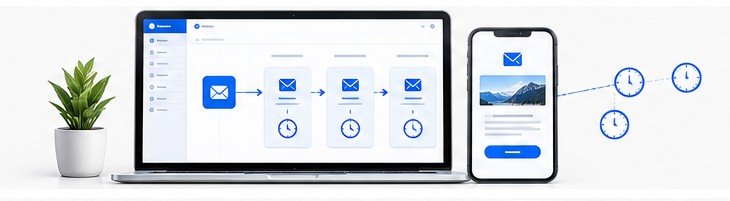
The first emails someone receives from you tend to be the most opened ones you’ll ever send, so use them well. A good welcome sequence is short, human and useful. Write like a person, use a real name in the “from” line, and make sure replies reach someone who reads them.
Table 4: Example Welcome Sequence
A starting pattern, not a rule.
| Timing | Purpose | Call to action | |
|---|---|---|---|
| Welcome | Immediate | Deliver the promised resource | Download the resource |
| Email 2 | Day 2 | Explain who you are and what to expect | Reply with one challenge |
| Email 3 | Day 4 | Share one genuinely useful lesson | Read a related guide |
| Email 4 | Day 6 | Learn what readers need | Answer one question |
| Email 5 | Day 7 | Mention a relevant service or product, if one fits | Explore the offer |
If Email 5 would feel forced, skip the sales mention. Keep the sequence honest.
An often-missed benefit of email 2: replies. Asking “what’s your biggest struggle with X?” gives you market research for your next ten articles, and replies tell mailbox providers that real people want your mail.
Subject: Your pricing checklist is inside
Hi [First name],
Thanks for joining. Your 12-point pricing checklist is attached here: [link].
A quick word on what to expect. I’ll send one short email every other Thursday with a pricing idea you can use that week. No filler, and you can leave whenever you like using the link at the bottom.
One question, if you’ve got a minute: what’s the hardest part of setting your prices right now? Just hit reply. I read every answer, and the replies decide what I write next.
[Your name]
[Your business name and postal address]
Unsubscribe: [link]
Consent, Double Opt-In and Legal Basics
Single opt-in adds someone as soon as they submit the form. Double opt-in sends a confirmation email first, and they join only after clicking. Double opt-in lowers raw signup numbers slightly but filters out typos, bots and fake addresses, and it strengthens your consent record. Google’s own sender guidance advises confirming each recipient’s address before subscribing them.
Is it required by law? Not universally. Double opt-in is a useful way to verify addresses and strengthen records, but the law in each region sets its own consent standard, and it’s the consent standard, not the confirmation email, that you have to meet.
United States. CAN-SPAM covers all commercial email, including business-to-business messages. Among other duties, you need accurate sender information, a non-deceptive subject line, a valid physical postal address and a clear opt-out, and you must honour opt-outs within 10 business days. Each violating email can draw penalties of up to 53,088 USD, according to the FTC’s current guide (FTC CAN-SPAM Act compliance guide). The FTC figure is inflation-adjusted, so check it before you publish.
United Kingdom. PECR sets the rules for electronic marketing, alongside UK GDPR. For unsolicited marketing to individuals, which includes sole traders and ordinary partnerships, you normally need consent, or you must meet all the conditions of the soft opt-in for your own similar products and services. Pre-ticked boxes don’t count as consent, and the ICO advises keeping a record of who consented, when and how. Corporate subscribers are treated differently (ICO guide on PECR email marketing).
European Union. GDPR requires consent to be freely given, specific, informed and unambiguous, expressed through a clear affirmative action. The European Commission’s overview is available here: European Commission data protection overview. Rules also vary between member states, so check your largest audience market.
Email marketing in the EU is also subject to the ePrivacy Directive and the national laws that implement it, so GDPR compliance alone may not be enough. Before sending marketing emails, check the rules that apply in the specific EU country where your subscribers live.
Never buy a list
The ICO says people on a bought list must have consented to marketing from you specifically, and soft opt-in can’t be used for bought lists. Google’s guidelines also list buying addresses as a practice to avoid.
Data Security, Retention and Backups
A subscriber list is personal data, and the people on it trust you with it. Handle it with care.
Turn on two-factor authentication for your email provider and your domain account. Limit who has access. Collect only what you need; an email address is often enough, and every extra field adds responsibility. Say in your privacy policy what you collect, why, how long you keep it and how people can ask you to delete it.
Export your list regularly and keep the file somewhere secure. A backup protects you if an account is locked or a provider changes terms. Keep a suppression list of people who unsubscribed, and never import them again by mistake when you migrate. Exporting a list doesn’t remove your legal duties toward the people on it.
Deliverability: The Unglamorous Setup That Decides Everything
If your email lands in spam, nothing else in this article matters. Google’s sender guidelines, in force since February 1, 2024, spell out what Gmail expects (Google email sender guidelines).
For all senders to Gmail accounts: set up SPF or DKIM authentication, use a TLS connection, and keep your spam rate in Google’s Postmaster Tools below 0.3 percent. For senders of more than 5,000 messages a day to Gmail accounts, SPF, DKIM and DMARC are all required, and marketing messages must support one-click unsubscribe plus a visible unsubscribe link.
Google also advises keeping the spam rate under 0.1 percent and avoiding ever reaching 0.3 percent. The FAQ has current details (Google sender guidelines FAQ).
Most beginners send far fewer than 5,000 messages a day, so the bulk-sender rules may not apply to you yet. Even so, authenticate your domain from day one. Your email provider will give you a few DNS records to copy into your domain settings, and that’s usually a ten-minute job.
Use a branded address on your own domain rather than a free Gmail address as your sender. Send to people who asked to hear from you, make unsubscribing easy, and consider removing people who haven’t opened anything for months after a final “still interested?” email. Google’s guidelines suggest exactly that.
Metrics That Matter, and One That Misleads
Open rate used to be the headline number. Since Apple introduced Mail Privacy Protection in 2021, many opens are recorded automatically, which inflates the figure. Google adds that it doesn’t track open rates and can’t verify the accuracy of rates reported by third parties. Treat open rate as a rough signal.
Table 5: Metrics and Formulas
| Metric | Formula | Why it matters |
|---|---|---|
| Signup conversion rate | New subscribers / unique landing-page visitors x 100 | How well the page persuades |
| Click-through rate | Unique clickers / delivered emails x 100 | Whether content earns attention |
| Unsubscribe rate | Unsubscribes / delivered emails x 100 | Audience fit and email frequency |
| Spam complaint rate | Spam complaints / delivered emails x 100 | Sender reputation |
| Net subscriber growth | New subscribers – unsubscribes – other list losses | Real list growth |
| Subscriber-to-customer conversion | Customers / eligible subscribers x 100 | Business results |
Definitions differ between platforms, so check how your own provider calculates each one. Compare yourself to yourself over time. Published benchmarks mostly come from vendors and cover different kinds of senders.
Scaling Past the First Thousand
By now you have enough data to act on it. Segment subscribers by interest, source or behaviour, so beginners and advanced readers get different emails. Offer content upgrades, which are bonus resources tied to a specific article, because they tend to match reader intent better than one generic lead magnet.
Paid acquisition becomes possible once you know what a subscriber is worth. A simple method: take the margin your newsletter contributed over twelve months, subtract refunds and the costs tied to it, and divide by the number of subscribers who were on your list in that period.
A hypothetical illustration: if a newsletter contributes 600 USD in margin over twelve months across 300 eligible subscribers, the average value per subscriber is 2 USD. That’s a rough average for a past period, not a promise about the future, and it only holds if you can attribute revenue to the newsletter honestly.
Don’t set an advertising budget from an assumed number like “3 USD per subscriber.” Start small, track the actual cost per subscriber and the actual revenue that follows, and let your own data decide.
Mistakes Worth Avoiding
These are common patterns in public discussions of new newsletters, and none of them is exotic.
Chasing numbers over fit
Large giveaways bring in prize hunters who never read or buy and drag engagement down. Let your offer attract the exact reader you want.
Waiting for perfection
Months of designing templates, zero emails sent. A plain message sent this week beats a polished one sent next quarter.
Going silent
A list that hears nothing for two months forgets who you are. Pick a schedule you can keep, weekly or fortnightly, and protect it.
Ignoring the technical basics
A missing authentication record or a broken confirmation link can quietly kill signups without any error message.
Hidden Costs and Time Commitment
Budget your time as seriously as your money. A decent email can take one to three hours to write and edit, depending on your experience, so a weekly newsletter plus promotion and replies may fill a meaningful part of your week. Treat that as an estimate to test, not a rule.
On the money side, watch for price jumps as your list grows, add-ons for automation or landing pages, payment-processor fees if you sell through the platform, and overlapping tools. Check whether your provider bills for unsubscribed or duplicate contacts, and clean your list regularly.
Tax and VAT sit on top. Selling digital products to EU consumers brings EU VAT rules, the UK has its own VAT rules, and US sales tax depends on the state. Ask an accountant before you sell, not after.
Your 90-Day Global Action Plan
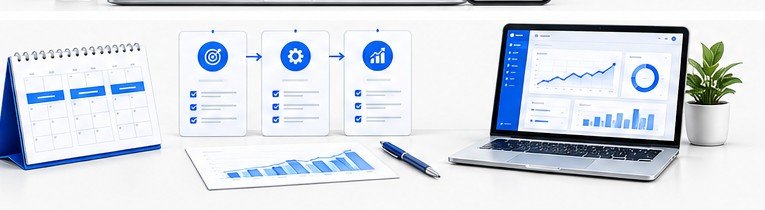
The numeric goals below are illustrative planning targets, not proven averages. Use them as a starting point when you grow your first email list, then revise them from your own data after the first month.
- Days 1 to 7Write your one-sentence promise. Choose a provider. Confirm your domain. Set up sender authentication.
- Days 8 to 14Create your lead magnet. Build a simple landing page. Write your privacy policy and consent wording.
- Days 15 to 21Write and automate your welcome sequence. Test it with Gmail and Outlook accounts.
- Days 22 to 30Tell your personal network. Add signup forms to every article and your social profiles. Aim for your first 25 to 50 subscribers as a planning goal.
- Days 31 to 45Publish two or three articles built around your lead magnet. Join three relevant communities and contribute before you promote.
- Days 46 to 60Send your newsletter on a fixed schedule. Ask for replies. Plan content from the answers. Pitch two guest posts or small podcasts.
- Days 61 to 75Arrange a swap with a creator of similar size. Check which source brings the most signups and focus on it.
- Days 76 to 90Clean your list. Review click, unsubscribe and complaint data. Decide whether to add a paid tool, a second lead magnet or a referral scheme. A planning target of 100 to 400 subscribers by day 90 is a reasonable starting guess for many beginners, but it isn’t a benchmark. Replace it with a forecast built from your own conversion rate and traffic.
Your Comprehensive Checklist
Before You Launch
- One-sentence promise written and tested on three people
- Provider chosen, current limits checked on the official pricing page
- List export tested
- Sender authentication set up (SPF, DKIM and, ideally, DMARC)
- Lead magnet created and checked on a phone
- Landing page live with a privacy policy link
- Signup forms placed in articles, About page and social bio
- Welcome sequence written and tested in Gmail and Outlook
- Consent wording suits your audience (UK/EU: clear affirmative action, no pre-ticked boxes, consent records kept)
- Unsubscribe link and valid postal address in every email
- Referral scheme checked against ICO and FTC guidance before launch
- Two-factor authentication on email and domain accounts
- Regular backup of your list and suppression list
- Sending schedule you can keep
- Subscriber source tracked
- List cleaned quarterly
Frequently Asked Questions
Yes. Most providers host a landing page you can link to from social profiles, a bio link or a message. A website helps with search traffic later, but you don’t need one to start.
A mailing list is the group of subscribers. A newsletter is one thing you can send them. You can also use a list for announcements, courses or product updates.
Embed your provider’s form with an HTML/JavaScript gadget or in a post’s HTML view, or link to a hosted landing page. The Blogger section above covers the process.
No, but a branded sending domain with proper authentication helps deliverability and trust. Using a free Gmail address as your sender is a poor choice.
One useful idea, one short story or example, one link, and one question. The sample welcome email above is a template to adapt.
New subscribers divided by unique landing-page visitors, times 100.
Usually yes. Confirm export is available before you choose, and transfer your suppression list so unsubscribed people aren’t added back.
Check authentication, remove inactive subscribers, review your content, check your spam rate if you use Gmail Postmaster Tools, and make sure you only email people who signed up.
Double opt-in is the simplest filter. Some providers also offer bot protection on forms.
It depends on where they live and how you collected their details. In the UK, the soft opt-in lets you market your own similar products to people whose details you collected during a sale, but only if you offered an opt-out at the time and in every message. In the US, CAN-SPAM doesn’t require consent but does require compliance with its rules. Check the rules for the audience you’re emailing.
Not as a universal legal requirement. It’s a strong way to verify addresses and record consent. What the law requires is valid consent, or in the UK a qualifying soft opt-in.
Regional Considerations
These notes are summaries, not legal advice. Laws change, so confirm the rules for each country where your readers live.
CAN-SPAM governs commercial email. State privacy laws such as California’s CCPA/CPRA may add duties depending on your size and activities. Sole proprietors and LLCs are common structures for small publishers. Ask a tax professional about yours.
UK GDPR and PECR apply, with the ICO as regulator. Sole traders register with HMRC for Self Assessment, and limited companies have separate filing duties.
GDPR sets a high consent standard, with fines for serious breaches of up to 20 million EUR or 4 percent of global annual turnover, whichever is higher. Cross-border VAT rules apply to digital products.
Canada’s anti-spam law (CASL) and Australia’s Spam Act 2003 both require consent, clear sender identification and a working unsubscribe. Australian rules expect unsubscribe requests to be honoured within five working days.
Rules differ widely. Singapore has the Personal Data Protection Act and the Spam Control Act, and Do Not Call rules apply to certain phone-based messages, so don’t assume one regime covers everything. India’s Digital Personal Data Protection Act, 2023 applies to digital personal data. Mobile reading is dominant in many markets, so test everything on a phone.
Free zones in the UAE are popular with digital entrepreneurs, and the UAE and Saudi Arabia each have a personal data protection law. If you write in Arabic, check that your email tool renders right-to-left text properly.
Nigeria (NDPA 2023), South Africa (POPIA) and Kenya (Data Protection Act 2019) have data protection laws. Payment collection can be harder than the email side, so confirm which processors work in your readers’ countries.
Final Summary
When you first grow your email list, it will feel small for a while. Ten subscribers can look like a rounding error beside a big social following, yet each of them chose to hear from you, which is more than a follower count can tell you.
The route is plain: decide who the list serves, offer something useful and specific, make joining easy, follow the privacy rules of the places your readers live, and send on a schedule you can keep. Most lists stall because the sending stops, not because the tools are wrong.
Growth will vary by niche, region and effort, and nobody can give you an honest forecast before you’ve tested your own offer. Measure your first month, replace the illustrative targets in this article with your own numbers, and adjust from there.
Your next move is small. Write the one-sentence promise today, and choose your provider tomorrow. Everything else grows out of those two decisions.
Sources and Links Checked on October 20, 2026
Google Email sender guidelines
Google Email sender guidelines FAQ
FTC CAN-SPAM Act compliance guide
ICO PECR electronic mail marketing rules
European Commission data protection overview
Google Search Central helpful content guidance
Google Search Central spam policies
Axios report on Insider Inc. and Morning Brew
Provider pricing pages: listed under Table 1
Research and Accuracy Note
This guide was prepared using research and information from official government, regulatory and service-provider sources, reviewed on October 20, 2026. Every effort has been made to present the information accurately, explain practical steps clearly and distinguish illustrative examples from established facts.
However, email marketing rules, privacy requirements, service features, pricing, free-plan limits and regulatory penalties can change. Requirements may also differ depending on your country, audience and business activities. Although this guide is research-based, readers should verify the latest official guidance and applicable local requirements before making decisions or taking action. Additional research or professional advice may be necessary for specific legal, tax or compliance questions.
This article is intended for general educational and informational purposes only. It does not constitute legal, tax or professional advice.
- What Growing Your First Email List Gives You
- Decide Who Your First Email List Is For Before You Pick a Tool
- Choosing an Email Service Provider
- Build a Signup Offer That People Want
- The Signup Page and Conversion Tracking
- Where to Place Signup Forms
- How to Build Your First Email List on Blogger
- Finding Your First 100 Subscribers
- Referrals, Swaps and the Legal Catch
- The Welcome Sequence
- Consent, Double Opt-In and Legal Basics
- Data Security, Retention and Backups
- Deliverability: The Unglamorous Setup That Decides Everything
- Metrics That Matter, and One That Misleads
- Scaling Past the First Thousand
- Mistakes Worth Avoiding
- Hidden Costs and Time Commitment
- Your 90-Day Global Action Plan
- Your Comprehensive Checklist
- Frequently Asked Questions
- Regional Considerations
- Final Summary
- Sources and Links Checked on October 20, 2026
Join the Discussion
3 comments
Share a question, a tip or what worked for you. Please keep it helpful and on topic.
No comments yet. Be the first to share your thoughts.