

KEY TAKEAWAYS
- AI CRM platforms split into two groups: those that assist a human, and those that act on their own.
- Salesforce, HubSpot, Zoho, Pipedrive, and Freshsales remain the most widely used names.
- Pricing is rarely a single number. Most vendors separate the base subscription from AI credits or usage fees.
- Two platforms that look similarly priced can cost very different amounts once AI usage is factored in.
- This guide compares ten platforms on what each actually does, what it costs, and who should avoid it.
Finding the best AI CRM tools in 2026 starts with one shift. A CRM used to be judged on how well it stored contacts and tracked deals. That is now the baseline, not the differentiator.
The real distinction between platforms now is how much of the day-to-day sales and service work the AI layer can genuinely take off a person’s hands. And whether that AI stops at suggesting the next step or goes ahead and takes it.
That shift matters because the two things get marketed under the same word. A tool that flags a hot lead and a tool that calls that lead, qualifies it, and books a meeting are both described as “AI-powered CRM.” The operational impact is completely different.
Two currents are shaping the market this year. The first is the move from AI that suggests to AI that acts. Platforms such as Salesforce Agentforce, HubSpot’s Breeze Agents, and Close’s Chloe agent can carry out multi-step work with limited human involvement.
The second is pricing fragmentation. Some vendors bundle AI into existing seat prices. Others charge per AI credit, per resolved conversation, or per completed action. A simple “starting price” comparison is misleading unless you also look at what triggers a charge.
This article compares ten of the platforms most commonly shortlisted by global business professionals evaluating AI CRM software in 2026.
For each of the best AI CRM tools, you will find what it is genuinely good at, what its AI can and cannot do without a human in the loop, current pricing with the billing basis stated, and who should think twice before buying it.
Read This Before You Start
A few things are worth knowing before comparing individual platforms.
Setup and adoption take longer than a demo suggests. Most small and mid-size businesses need four to eight weeks to migrate data, configure pipelines, and get a team actually using the AI features. Larger deployments commonly run three to six months.
The advertised starting price is rarely the AI price. HubSpot’s Breeze Customer Agent is billed at roughly $0.50 per resolved conversation on top of a paid Service Hub seat. Freshsales meters its Freddy AI Agent separately at roughly $49 per 100 sessions. Creatio sells AI Action packages starting at $5,000 a year.
Data privacy obligations do not change because a vendor calls itself AI-native. If you handle customer data from the EU or UK, GDPR and UK GDPR apply to any AI feature that processes personal data. California residents’ data may fall under the CCPA.
Currency and billing terms matter more than they first appear. Most CRM vendors quote in USD and bill annually for their lowest price. Monthly billing runs 20 to 75 percent higher per seat.
None of this is a reason to avoid AI CRM software. It is a reason to read the pricing page for the AI section separately from the seat pricing table, and to pilot before committing a full team.
Why Businesses Are Moving to AI-Powered CRM

The pitch behind every AI CRM platform is the same: reduce the manual overhead of managing customer relationships so people spend more time on the parts of the job that actually require judgment.
In practice, that shows up in a handful of concrete capabilities.
Lead scoring has become genuinely more useful. Early predictive scoring was often a static weighted checklist. Current systems, including Zoho’s Zia and HubSpot’s predictive lead scoring, analyze a wider set of historical conversion signals.
Email and follow-up drafting has become standard. Freshsales’ Freddy AI and Pipedrive’s Pulse AI can draft personalized follow-ups based on deal context and prior conversation history. Most teams still review these drafts before sending.
Forecasting has improved, though it remains probabilistic. Salesforce’s Einstein layer and Creatio’s AI-driven forecasting flag deals at risk of slipping earlier than a manually updated pipeline view would.
Forecasts are directional signals, not guarantees. Teams that treat them as gospel rather than input tend to get caught out when a deal does not behave as predicted.
Autonomous agents are the newest and least evenly distributed capability. Salesforce’s Agentforce, HubSpot’s Breeze Agents, and Close’s Chloe can now handle defined tasks with limited human involvement for each step.
This is genuinely powerful where it works. It is also the feature most likely to be oversold in a sales demo. Ask to see it run against your own data before assuming it will work unsupervised from day one.
AI-Assisted CRM vs. AI-Agentic CRM
Not all “AI-powered” claims describe the same thing. The difference matters more than most comparison articles admit.
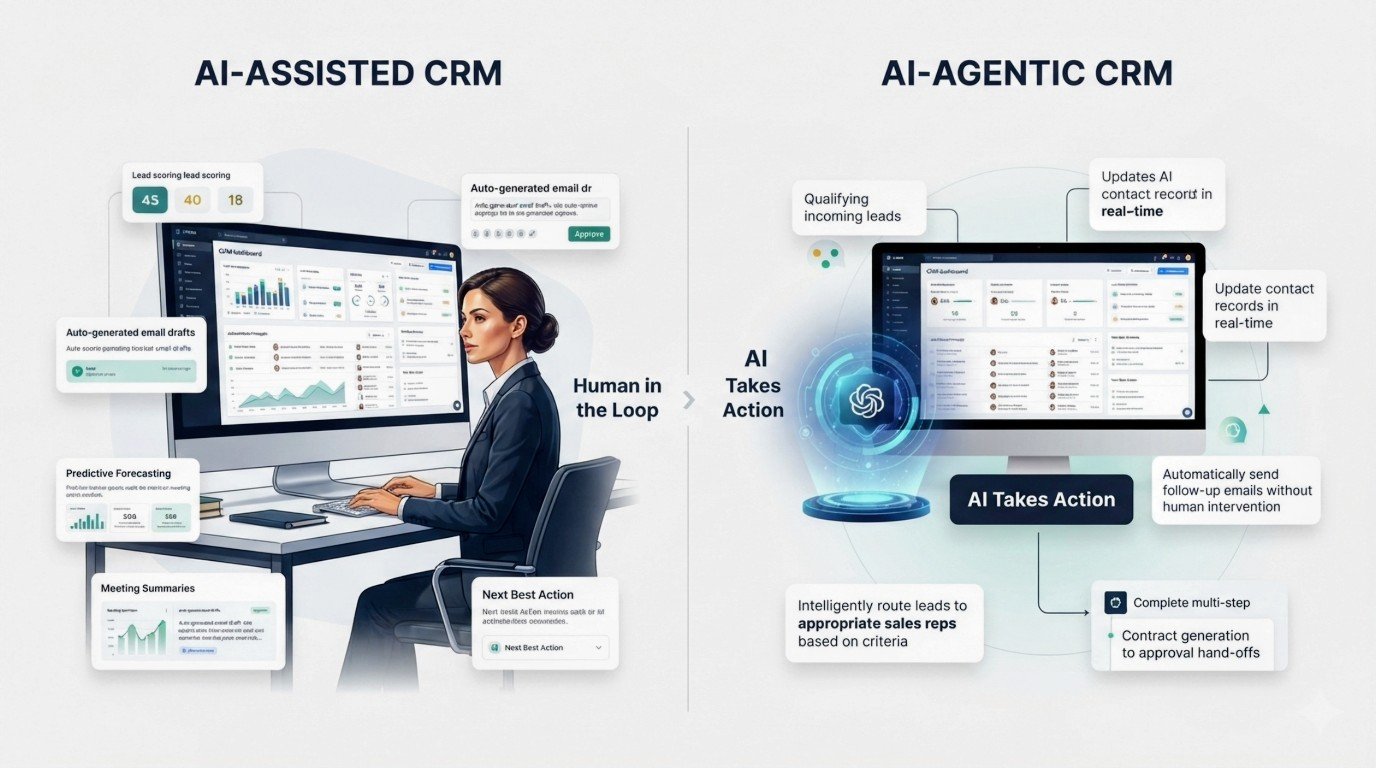
AI-assisted CRM is software where AI supports a human decision or drafts something a person reviews before it goes out. The person stays in the loop for every meaningful action.
This category covers lead scoring, email drafting, call summaries, data enrichment, forecasting, next-step recommendations, and workflow suggestions.
AI-agentic CRM is software where an AI agent carries out a sequence of actions across multiple steps with limited human intervention. Often updating records or taking external action without a person approving each step individually.
The word “agent” is used loosely across the industry. It does not imply the same level of autonomy from vendor to vendor.
Salesforce’s Agentforce and Close’s Chloe are built to operate with minimal supervision on narrowly defined tasks. Both still require configuration, guardrails, and ongoing monitoring.
Pipedrive labels its most advanced tier’s agent capability as a beta “agentic AI experience.” That is a more conservative claim than a fully autonomous SDR replacement.
Buyers should ask a vendor exactly which actions its “agent” can take without a human clicking approve.
| Capability | AI-Assisted CRM | AI-Agentic CRM |
|---|---|---|
| Lead scoring | Yes, standard | Sometimes feeds agent decisions |
| Email drafting | Drafted for human review | Can be sent automatically in some tools |
| Recommendations | Suggests next best action | Can act on the recommendation directly |
| Record updates | Suggested, human confirms | Can update automatically |
| Lead qualification | Flags likely-good leads | Can qualify and route without approval |
| Multi-step outreach | Human sends each step | Agent runs the full sequence |
| Scheduling | Suggests times | Can book the meeting directly |
| Human approval | Required before action | Reduced or optional, depending on config |
| Autonomous execution | Not typical | Core feature, scope varies by vendor |
How We Evaluated the Best AI CRM Tools
This comparison weighs each platform against a consistent set of criteria.
Genuine AI capabilities versus marketing language. Whether AI agents or autonomous workflows actually exist and what they can do. Core CRM fundamentals. Ease of use and time to first value. Base pricing. AI-specific costs such as credits or consumption charges.
Automation depth, marketing and service integration, third-party integrations, scalability from small team to enterprise, data and privacy handling, mobile experience, and how well the platform suits small businesses versus larger organizations.
Pricing is not always directly comparable across this list. Some vendors charge a flat per-user rate that includes AI. Others charge per user for the base CRM and then meter AI separately through credits, per-resolution fees, or per-session charges.
Creatio requires a separate platform fee, separate product fees per function, and separately purchased AI Action packages on top of both.
Presenting all of these as a single “starting price” would flatten real differences in how much a team ends up paying. Each review below states the billing basis explicitly.
The Best AI CRM Tools in 2026, Compared
The right tool for a business depends heavily on team size, budget, and how much of the workflow should be automated versus simply assisted.
Here is how ten of the most commonly shortlisted platforms break down, based on current vendor pricing pages and product documentation reviewed in 2026.
1. Salesforce
Best for: large or fast-growing enterprises that need deep customization and are prepared to pay for it.
Salesforce remains the default enterprise choice, built around the Sales Cloud CRM with the Einstein AI layer and the newer Agentforce agent platform layered on top.
Its main CRM strengths are extensive customization, a large partner and integration ecosystem, and the ability to model complex, multi-region sales processes.
Its AI strengths include predictive scoring, forecasting, and (through Agentforce) genuinely autonomous agents that can qualify leads and handle defined tasks without a person approving each step.
Pricing runs across five editions billed annually per user: Starter Suite $25, Pro Suite $100, Enterprise $175, Unlimited $350, and Agentforce 1 Sales $550.
Full AI capability, including Agentforce, is bundled unmetered into the $550 Agentforce 1 tier. Below that, Agentforce is available as an add-on starting around $125 per user per month, or through consumption-based pricing at roughly $2 per conversation or $500 per 100,000 Flex Credits.
Enterprise implementations typically carry substantial additional cost for admin support and configuration that is not reflected in the per-seat number.
Main limitations: cost and complexity climb quickly, implementation for a serious AI deployment commonly takes several months, and a dedicated administrator is close to a requirement.
Who should choose it: enterprises with a dedicated CRM/RevOps function and a genuine need for deep customization across sales, service, and multiple business units.
Who should avoid it: small businesses and lean teams without the budget or internal resources to manage an enterprise-grade platform.
2. HubSpot
Best for: teams that want marketing, sales, and service AI working off one shared dataset without stitching together separate tools.
HubSpot’s core CRM strength is how tightly it connects marketing, sales, and service data. Its AI recommendations draw on a fuller picture of each customer relationship than a sales-only tool can offer.
Its Breeze AI suite includes an in-app assistant for drafting and research, plus Breeze Agents for prospecting and customer service that can act with reduced human involvement on specific tasks.
There is a genuinely usable free CRM tier. Sales Hub Starter begins around $15 per seat per month on annual billing ($20 monthly). Professional runs around $100 per seat per month. Enterprise around $150 per seat per month.
Breeze AI agent usage is priced separately and moved to an outcome-based model in April 2026. The Breeze Customer Agent costs roughly $0.50 per resolved conversation. The Prospecting Agent costs roughly $1.00 per qualified lead recommended for outreach.
Both draw from HubSpot Credits priced around $9 to $10 per 1,000. Higher-volume users should budget the credit cost separately from the seat price.
Main limitations: full AI cost is genuinely hard to predict in advance because it depends on conversation volume and resolution rate. The free and Starter tiers exclude the more advanced Breeze Agents entirely.
Who should choose it: businesses that want marketing and sales AI unified in one system and are comfortable budgeting for usage-based AI costs on top of seat pricing.
Who should avoid it: teams that need predictable, flat monthly costs and do not want to model variable AI usage fees.
3. Zoho CRM
Best for: small and mid-sized businesses that want a full AI feature set without enterprise-level pricing.
Zoho CRM consistently ranks among the best value platforms in this category. Its Zia AI assistant handles lead and deal scoring, workflow suggestions, anomaly detection, and custom AI agent building on the top tier.
Pricing runs Free (up to 3 users), Standard $14/user/month, Professional $23/user/month, Enterprise $40/user/month, and Ultimate $52/user/month, all on annual billing. Monthly billing runs roughly 30 to 45 percent higher per tier.
Zia AI is not available on Free, Standard, or Professional. It unlocks starting at Enterprise. The most advanced Zia capabilities require Ultimate.
That is an important distinction. A business on Zoho’s Standard or Professional plan is not getting Zia at all, regardless of what the general marketing implies.
Main limitations: configuration has a steeper learning curve than some competitors, and meaningful AI features require jumping to Enterprise, a real cost step up from the entry tiers.
Who should choose it: small and mid-size teams that want strong AI at Enterprise tier pricing well below Salesforce or HubSpot’s comparable levels.
Who should avoid it: teams that expect AI features on the Standard or Professional plans, since those tiers do not include Zia at all.
4. Pipedrive
Best for: small, sales-focused teams that want a strong visual pipeline without a full marketing suite attached.
Pipedrive is built around deal pipeline visualization, with Pulse AI layered in for coaching prompts, win-probability predictions, email drafting, and Smart Contact Data enrichment.
Its newest Ultimate tier includes what Pipedrive describes as a beta “agentic AI experience.” That is a more limited claim than fully autonomous agents from some competitors.
Pricing on annual billing runs Lite $14/seat/month, Growth $39/seat/month, Premium $49/seat/month, and Ultimate $79/seat/month. Monthly billing runs roughly 25 to 60 percent higher.
Meaningful AI (email generation, win-probability predictions, contact enrichment) unlocks at Premium. The entry Lite tier includes only basic AI Sales Assistant nudges.
Main limitations: no marketing automation suite comparable to HubSpot, and several genuinely useful features are separate add-ons on lower tiers.
Who should choose it: small to mid-size sales teams that want a clean, visual pipeline and do not need marketing automation bundled in.
Who should avoid it: businesses that want sales and marketing AI unified in one platform.
5. Freshsales
Best for: SMBs that want built-in calling, email, and chat alongside AI lead scoring at accessible pricing.
Freshsales (from Freshworks) combines core CRM functions with native phone, email, and chat, plus Freddy AI for contact scoring, deal insights, and email drafting.
It is a reasonable middle-ground choice for teams that want meaningful AI without an enterprise budget.
Pricing on annual billing runs Growth $9/user/month, Pro $39/user/month, and Enterprise $59/user/month. Monthly billing adds roughly 20 percent.
A free plan for up to three users has historically been offered, though recent pricing page updates have deprioritized it in favor of a 21-day trial. It is worth confirming current availability directly.
Freddy AI’s core features require Pro or above. Forecasting insights require Enterprise. The separate Freddy AI Agent is metered at roughly $49 per 100 sessions on top of the seat price.
Main limitations: the entry Growth tier excludes AI scoring and email sequencing entirely. The Freddy AI Agent’s metered pricing makes total AI cost hard to predict at scale.
Who should choose it: small to mid-size inside-sales teams that want built-in telephony and AI-assisted prioritization without an enterprise price tag.
Who should avoid it: teams planning to lean heavily on the autonomous Freddy AI Agent, where costs can climb quickly and unpredictably.
6. monday CRM
Best for: teams that already like monday’s visual, no-code board interface and want flexible workflow building alongside sales AI.
monday CRM’s strength is customizable, code-free workflow and dashboard building rather than a purpose-built sales AI engine.
AI Blocks can detect sentiment, categorize leads, extract information from files, and draft content within CRM boards. monday’s Agents product (a separate offering) provides more autonomous task execution.
There is no permanent free plan for monday CRM specifically. A 14-day trial is offered instead. Paid tiers require a 3-seat minimum.
Pricing on annual billing runs roughly Basic $9 to $12/seat/month, Standard $12 to $17/seat/month, and Pro $19 to $28/seat/month, depending on the specific plan configuration monday is currently running.
AI usage on Standard and Pro draws from a separate AI credit pool, priced at roughly $0.01 per credit on annual plans. Each AI Block action typically consumes around 8 credits.
Main limitations: AI credit pricing is one of the more confusing systems in this comparison, and the CRM’s AI depth is generally less specialized than dedicated sales-AI platforms.
Who should choose it: teams that want a highly customizable, visual workspace and are comfortable managing a credit-based AI budget.
Who should avoid it: teams that want simple, predictable per-seat AI pricing without a separate credit system to track.
7. Attio
Best for: startups and modern go-to-market teams that want an AI-native CRM built around a flexible data model rather than a rigid pipeline.
Attio was built as an AI-native CRM rather than AI added to a legacy product. It offers real-time contact syncing, automatic data enrichment, and AI features available across every tier through a credit-based system.
Pricing has recently changed. As of mid-2026, most current sources show Free (up to 3 seats), Plus at approximately $29 to $35 per seat/month annual, and Pro at approximately $69 to $79 per seat/month annual. Enterprise is custom-quoted. Monthly billing runs meaningfully higher.
Because Attio repriced during 2026 and localizes pricing by region, it is worth checking the official pricing page directly for the exact current figure in your billing currency.
AI features are metered through a two-level credit system. A per-seat allowance plus a shared workspace pool that scales with the plan tier.
Main limitations: entry pricing sits above several competitors, native sales execution features are less developed than dedicated sales CRMs, and the credit system requires some modeling to predict real monthly cost.
Who should choose it: startups and GTM teams that want a highly flexible, custom data model and do not need a traditional rigid sales pipeline.
Who should avoid it: teams that want the lowest possible entry price or heavy native calling and sequencing functionality out of the box.
8. Creatio
Best for: mid-size and large teams that want no-code automation with AI agents embedded across sales, marketing, and service as one connected system.
Creatio’s core strength is its no-code Business Studio and AI Studio, which let non-developers build automated processes and governed AI agents across the platform rather than bolting AI onto a single module.
Pricing structure is genuinely more complex than most competitors on this list.
A mandatory platform fee runs Growth $40/user/month or Enterprise $75/user/month, both with a 5-seat minimum and a $10,000 annual purchase floor. An Unlimited tier is custom-quoted.
On top of that, each CRM function (Sales, Marketing, Service) is a separate product typically priced around $15/user/month.
AI usage is sold entirely separately through AI Action packages starting around $5,000 a year for an entry-level allotment, with higher packages running into the tens of thousands annually for heavier usage.
Figures vary somewhat by source and appear to be shifting as Creatio adjusts its AI packaging in 2026. Confirm the current structure directly with the vendor before budgeting.
Main limitations: the combined structure makes total cost significantly harder to estimate than a simple per-seat competitor. The $10,000 annual floor puts it out of reach for very small teams regardless of headcount.
Who should choose it: process-heavy mid-size or large organizations that want no-code automation and governed AI agents across multiple departments on one platform.
Who should avoid it: small businesses or teams that mainly need contacts, deals, and a handful of sales automations, where the minimum spend is disproportionate to the need.
9. Salesflare
Best for: small and mid-size B2B teams that want the CRM to build itself in the background with minimal manual data entry.
Salesflare’s defining feature is automatic data capture. It pulls contact and interaction details from email, calendar activity, and LinkedIn rather than requiring reps to log everything by hand.
An AI Assist layer for drafting follow-ups and scoring deals sits on top.
Pricing on annual billing runs Growth $29/user/month, Pro $49/user/month, and Enterprise $99/user/month (5-user minimum). Monthly billing runs meaningfully higher (roughly $39, $64, and $124 respectively).
There is no permanent free plan, only a trial. Lead-finding credits are included by tier, with additional credit packs purchasable separately.
Main limitations: entry pricing is higher than Pipedrive’s or Zoho’s cheapest tiers. The platform is more narrowly focused on B2B relationship and pipeline management than on marketing or service functionality.
Who should choose it: small to mid-size B2B sales teams that want to minimize manual CRM upkeep and are willing to pay a premium for automatic data capture.
Who should avoid it: teams needing marketing automation or customer service functionality in the same platform.
10. Close CRM
Best for: inside sales teams that sell primarily by phone and want calling, SMS, and email built natively into the CRM.
Close is built around native VoIP calling, SMS, and email rather than integrations with third-party dialers.
Its newer Chloe AI agent, currently in limited beta, can call inbound leads, qualify them, and book meetings with limited human involvement. That makes it one of the more genuinely agentic tools in this comparison, albeit still early-stage and English-only at the time of writing.
Pricing on annual billing runs Solo $9/user/month (capped at one user and 10,000 leads, no AI or automated workflows), Essentials $35/user/month (no Power Dialer or AI features), Growth $99/user/month (adds the Power Dialer and AI features, including Chloe access during her free beta period), and Scale $139/user/month (adds the Predictive Dialer and call coaching).
Monthly billing runs 15 to 30 percent higher. AI-powered call transcription and summarization is a separate add-on around $50/month plus $0.02 per minute. Outbound call minutes themselves are billed separately from the seat price.
Main limitations: the calling features that define the product require Growth or Scale. The advertised entry price does not reflect what most calling-focused teams will actually pay. Marketing automation is limited compared with HubSpot or Zoho.
Who should choose it: outbound-heavy inside sales teams of roughly 2 to 50 reps where native calling is the priority.
Who should avoid it: teams that do not call leads regularly, where the calling-centric pricing structure adds cost without corresponding value.
AI CRM Comparison Table
| CRM | Best For | Starting Price (annual, per seat/mo) | AI Platform | AI Agents | Free Plan | AI Credits/Usage Model |
|---|---|---|---|---|---|---|
| Salesforce | Enterprise customization | $25 (full AI bundle at $550) | Einstein / Agentforce | Yes, mature | No | Per-user, per-conversation, or Flex Credits |
| HubSpot | Marketing + sales in one platform | Free / $15 | Breeze AI | Yes | Yes | Outcome-based credits ($9–10/1,000) |
| Zoho CRM | Strong value | Free / $14 (Zia from $40) | Zia | Limited/building | Yes (3 users) | Bundled at Enterprise+ |
| Pipedrive | Visual sales pipeline | $14 (AI from $49) | Pulse AI | Beta | No | Bundled by tier |
| Freshsales | SMB-friendly AI | Free/$9 (AI from $39) | Freddy AI | Separate metered agent | Varies, confirm current page | Per-100-session metering |
| monday CRM | Flexible workflow building | $9–12 | monday AI | Separate product (Agents) | No (CRM specifically) | Per-credit ($0.01/credit) |
| Attio | AI-native CRM experience | Free / ~$29–35 | Attio AI | Limited agentic, mostly assisted | Yes (3 seats) | Two-level credit pools |
| Creatio | No-code enterprise automation | $40 (5-seat min, $10k/yr floor) | Creatio AI Studio | Yes, governed agents | No | Separate AI Action packages from $5,000/yr |
| Salesflare | Automatic CRM data capture | $29 | AI Assist | No | No | Bundled, lead credits by tier |
| Close CRM | Inside sales and calling | $9 (AI/calling from $99) | Chloe (beta) | Yes, narrow scope | No | Bundled + $50/mo call transcription add-on |
Note: prices change frequently and several vendors localize pricing by region or have repriced mid-year. Confirm current figures on each vendor’s official pricing page before budgeting.
Best AI CRM by Business Type
Zoho CRM offers the strongest combination of a usable free tier and affordable AI once you reach Enterprise, while staying well below Salesforce or Creatio’s entry cost.
Attio suits startups that want a flexible, AI-native data model without committing to a rigid pipeline structure early, though the entry price is higher than some alternatives.
Salesflare fits solo operators and small B2B teams well because it minimizes manual data entry through automatic capture, which matters most when there is no dedicated admin support.
Pipedrive remains a strong fit for sales-focused teams that want a clean visual pipeline with AI coaching and forecasting layered in, without paying for marketing tools they will not use.
Salesflare and Attio both suit B2B relationship-driven selling. Salesflare is better for teams that want the CRM to build itself automatically. Attio is better for teams that want a highly customizable data structure.
HubSpot is the clearest choice when marketing and sales need to work from the same AI-informed dataset, since its Breeze AI suite spans both functions natively.
Salesforce and Creatio both serve enterprise needs. Salesforce is better suited to organizations that need deep, sales-specific customization. Creatio is better suited to organizations that want no-code process automation spanning multiple departments.
monday CRM’s visual, no-code board structure and flexible automation tend to suit distributed teams that need shared visibility across time zones without heavy configuration overhead.
Best Free AI CRM Tools in 2026
Genuinely usable free plans are less common than marketing pages suggest. It is worth being precise about what “free” actually includes.
| CRM | Free Plan | AI Available on Free Plan | Main Free Limitation | Best For |
|---|---|---|---|---|
| HubSpot | Yes, no expiration | Basic Breeze Assistant only | No advanced AI agents, limited automation | Small teams starting from zero |
| Zoho CRM | Yes, up to 3 users | No, Zia requires Enterprise | Hard 3-user cap, no AI at all | Solo founders testing a CRM |
| Attio | Yes, up to 3 seats | Yes, limited AI credit allowance included | Low credit ceiling, 3-seat cap | Early-stage teams testing a data model |
| Freshsales | Historically yes for up to 3 users, confirm current availability | No, Freddy AI requires Pro+ | Availability has shifted on recent pricing page updates | Very small teams testing basics |
| Pipedrive | No | Not applicable | 14-day trial only | Teams ready to commit from day one |
| Salesflare | No | Not applicable | 30-day trial only | Teams ready to commit from day one |
| Close CRM | No | Not applicable | 14-day trial only | Teams ready to commit from day one |
Do not call a platform a “free AI CRM” if the AI features that matter require a paid plan. Of this list, HubSpot and Attio are the two platforms where free-tier users get at least some genuine AI functionality, not just a stripped-down CRM shell.
AI CRM Pricing: What You Actually Pay For
The advertised subscription price is not the total cost for most businesses. A realistic budget accounts for several layers most pricing pages present separately, if at all.
| Cost Factor | What to Check |
|---|---|
| Base CRM subscription | Per-user monthly rate, and whether it is the annual or monthly figure being advertised |
| AI features | Which specific AI capabilities are included at your plan tier versus gated behind a higher one |
| AI credits | Whether AI usage draws from a shared credit pool, how much a typical action costs, and what happens when you run out |
| AI agents | Whether autonomous agent features exist at all, and whether they are metered separately |
| Automation | Monthly automation or workflow run limits by tier |
| Extra users | Whether pricing is strictly per-seat or has seat-bucket minimums |
| Integrations | Whether the integrations you need are included or require a higher tier |
| Data storage | Contact, record, or storage caps by plan, and overage pricing |
| Onboarding | One-time setup or onboarding fees |
| Implementation | Consultant or partner-led implementation costs for larger deployments |
The practical move is to calculate expected total cost for your actual team size and expected AI usage volume, not just compare the lowest listed monthly number across vendors.
A platform with a low seat price and metered AI can end up costing more than a platform with a higher flat price and AI included, depending entirely on how much AI usage your team generates.
AI CRM Features That Matter Most in 2026

Not every feature marketed as “AI” delivers equal value. Here is a practical read on what tends to be genuinely useful versus what leans closer to marketing terminology.
AI lead scoring is one of the more mature and reliable features across this comparison, particularly where a platform has enough historical conversion data to train on.
Predictive forecasting adds real value for sales managers spotting at-risk deals early, though it should be treated as a signal rather than a guarantee.
AI email generation genuinely saves drafting time, but the output still needs human review in most workflows. Treating it as fully autonomous risks generic or inaccurate messaging going out under a company’s name.
Call transcription and conversation intelligence are consistently useful where calling is central to the sales process, turning otherwise-lost context into searchable, coachable data.
Automated data entry and enrichment reduces the administrative burden that causes CRM adoption to fail in the first place.
AI search and sales recommendations are helpful but vary widely in quality depending on how much historical data a business has fed the system.
Workflow automation is foundational rather than flashy, and its value depends more on how well it is configured than on any AI label attached to it.
AI agents and autonomous lead qualification represent the newest and most unevenly delivered category. Where they work well, they genuinely remove manual work. Where they are overstated, buyers end up paying for a “beta” or narrowly scoped capability marketed as broader autonomy than it delivers.
Automated follow-up and customer service AI are genuinely useful for high-volume, repetitive interactions, but quality depends heavily on how well the underlying knowledge base or scripts are maintained.
Reporting and analytics remain the backbone of any CRM decision-making process. AI-generated report summaries are a convenience layer on top of that backbone, not a replacement for accurate underlying data.
How to Choose the Right AI CRM
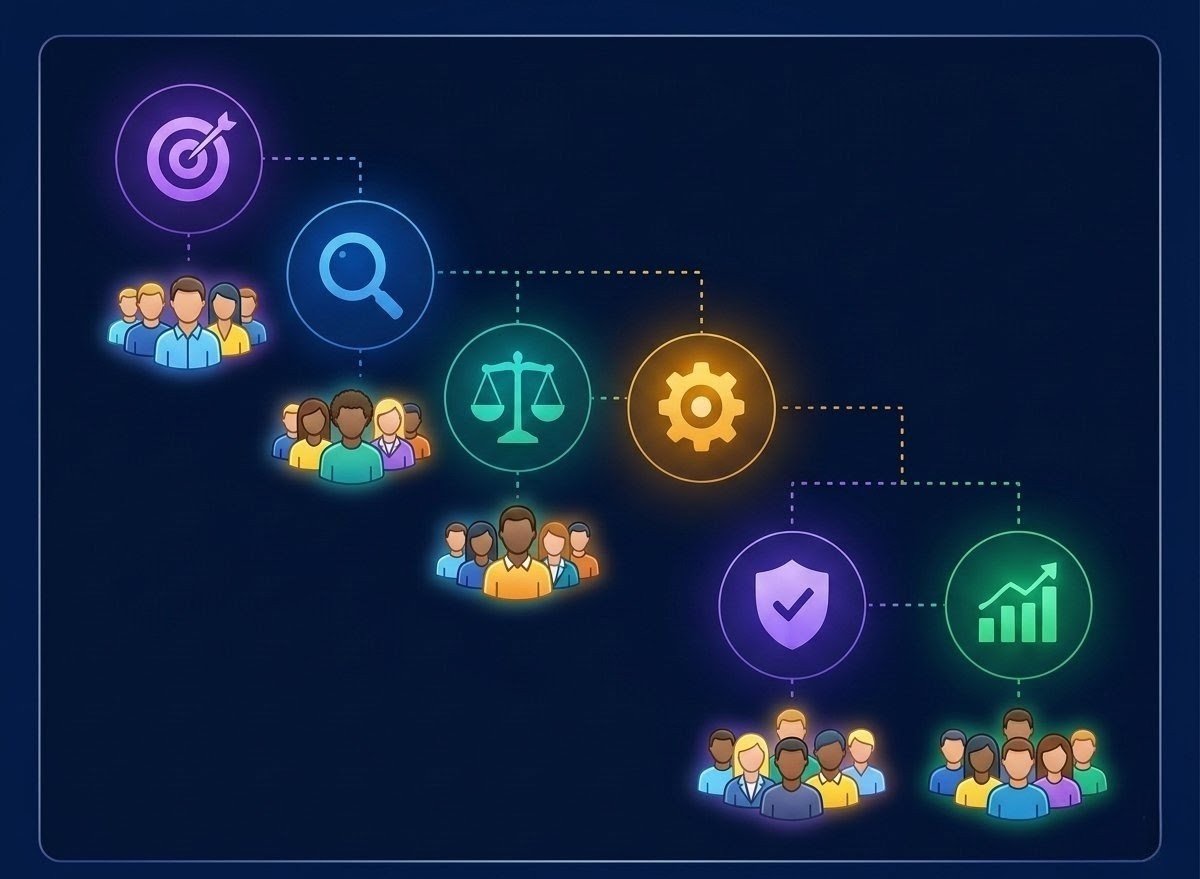
A practical decision framework, in order.
Define your actual sales process before shopping for software, since the right tool depends entirely on how your team currently sells.
Identify the specific repetitive tasks eating the most time, since that is where AI assistance will deliver the clearest return.
Decide how much automation your team is genuinely comfortable with today, separate from what a vendor demo makes look impressive.
Check AI pricing separately from base CRM pricing, since the two are frequently unbundled.
Evaluate integrations with the tools your business already relies on, not just the ones on a vendor’s marketing page.
Test data quality before trusting any AI output, since predictive features are only as good as the historical data feeding them.
Check privacy and compliance documentation directly from the vendor, particularly for GDPR, UK GDPR, or CCPA obligations.
Test the mobile app if your team works from phones or tablets regularly, since AI feature parity on mobile varies by vendor.
Run a genuine pilot with a small group before committing the full team or a long contract term.
Measure actual usage against your pilot assumptions before upgrading to a higher tier or a bigger AI credit package.
| If You Need… | Consider… |
|---|---|
| Enterprise customization | Salesforce |
| Marketing + sales in one platform | HubSpot |
| Strong value | Zoho CRM |
| Visual sales pipeline | Pipedrive |
| SMB-friendly AI | Freshsales |
| Flexible workflow building | monday CRM |
| AI-native CRM experience | Attio |
| No-code enterprise automation | Creatio |
| Automatic CRM data capture | Salesflare |
| Inside sales and calling | Close |
Common Mistakes Businesses Make When Adopting AI CRM Tools
Buying the highest AI tier before the team has adopted the base CRM
It is a common and expensive mistake to jump to Enterprise or Ultimate pricing before establishing that a team will consistently use even the basic pipeline features. Starting on a mid-tier plan for 60 to 90 days before upgrading tends to be a more reliable path.
Assuming “AI agent” means full autonomy
Several platforms market agent capabilities that are still narrowly scoped, in beta, or require substantial configuration and monitoring. Teams that assume otherwise tend to end up with unreviewed, low-quality AI output going out under the company’s name.
Ignoring data quality before turning AI features on
Predictive scoring and forecasting are only as good as the historical data feeding them. Migrating years of inconsistent records into a new CRM and immediately trusting AI output is a reliable way to get misleading forecasts.
Ignoring AI usage costs until the first invoice
Credit-based and outcome-based AI pricing can add a substantial, hard-to-predict cost on top of seat pricing if usage is not modeled in advance.
Not checking integration limitations before signing a contract
A CRM that does not connect cleanly to an existing email provider, accounting software, or calendar system creates manual workarounds that undermine the automation it was bought for.
Giving AI too much authority too early
Enabling autonomous follow-up or record updates before a team has validated the AI’s output quality on a smaller scale is a common source of customer-facing mistakes.
Failing to review AI-generated communication once it becomes routine
Even well-regarded email drafting tools benefit from a human review step, particularly in the first weeks of use.
Not measuring adoption
Buying software and assuming it is working, rather than tracking whether the sales team is actually using the pipeline and AI features as intended.
Choosing a CRM based only on the marketing page
Vendor pricing and capability pages often present the best-case scenario. Testing with real data during a trial period surfaces the gaps that do not show up in a demo.
Locking into annual contracts before running a meaningful pilot
A 60 to 90 day pilot at a lower tier, even if it costs slightly more per month in the short term, is cheaper than a year-long commitment to a platform that does not fit the workflow.
Regional Considerations
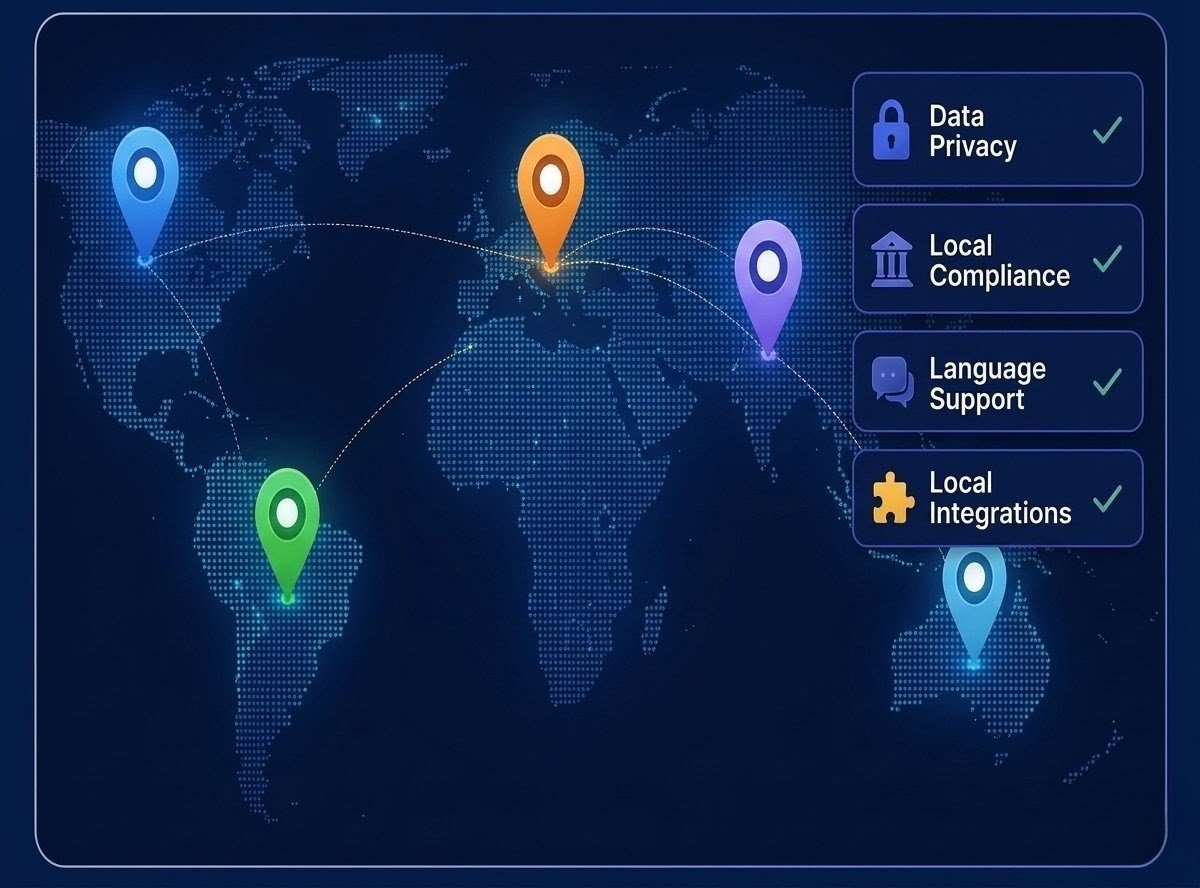
This section provides general information only and is not legal or tax advice. Rules vary by jurisdiction and change over time. Verify current requirements with official sources or a qualified professional.
Most major CRM vendors are headquartered in the US and typically release new AI features here first. Pricing is generally quoted in USD by default.
UK GDPR applies in addition to general data protection expectations. UK businesses should confirm whether a vendor’s AI features process data outside the UK or EU, since that can trigger additional compliance steps.
GDPR compliance is non-negotiable for any business handling EU customer data. It is worth asking vendors directly whether AI features send data to third-party model providers located outside the EU, since that affects a company’s compliance posture.
Integration support for regional tools and ERP systems varies by vendor. It is worth confirming localization and language support directly rather than assuming feature parity with the US product.
Multi-language support, particularly Arabic-English functionality, should be confirmed directly with vendors, since AI features like sentiment analysis and drafting do not always perform evenly across languages.
Mobile-first CRM access matters more in several African markets given connectivity patterns. Confirming mobile app AI feature parity before committing is worth the extra step, since some vendors ship a reduced feature set to mobile apps.
AI CRM Data Privacy and Security
CRM systems, especially AI-powered ones, routinely process sensitive customer data. Names, email addresses, phone numbers, company details, deal information, call transcripts, and support conversation history.
AI features often touch more of this data than a traditional CRM would, since summarization, enrichment, and scoring tools typically need to read across records to work.
Before adopting any AI CRM platform, it is worth asking the vendor directly.
Questions to Ask Your Vendor
- Is customer data used to train the vendor’s AI models, or any third-party models they rely on?
- Which AI model providers actually process the data?
- Where is data stored, and does that location matter for your regulatory obligations?
- Can specific AI features be disabled for users or business units that do not want them active?
- What administrative controls exist to restrict who can enable AI features or access AI-generated summaries?
- What compliance documentation (SOC 2, GDPR data processing agreements, ISO certifications) is available on request?
- How are user permissions handled for AI-generated content and record updates?
- How long is AI-generated data retained, and can it be deleted?
This article is not a substitute for legal advice. Businesses handling regulated data should review the vendor’s official privacy, security, and data-processing documentation directly, and involve legal counsel where the answer is not clear from public materials.
Your 90-Day AI CRM Action Plan
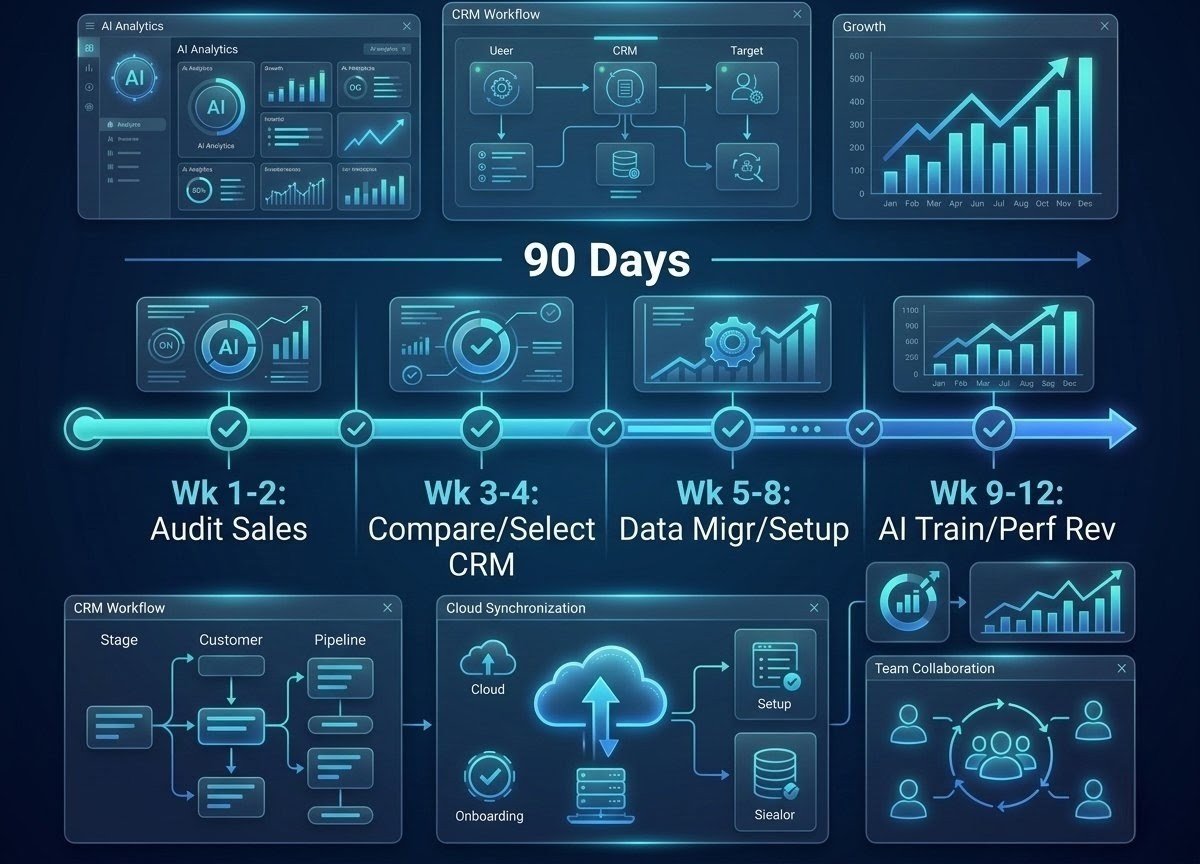
Weeks 1–2: Shortlist two or three platforms based on team size, budget, and whether marketing automation needs to be bundled in. Run demos using your own sample data rather than a vendor’s canned dataset.
Weeks 3–4: Pick one platform and migrate a limited dataset, not the entire customer base. Configure basic pipeline stages before touching any AI settings.
Weeks 5–8: Turn on lead scoring and email drafting for a small pilot group. Review AI-generated output daily during this period and flag anything that needs correction.
Weeks 9–12: Expand to the full team. Enable forecasting features only once at least one full sales cycle of clean data exists in the system, and revisit pricing tier based on actual usage rather than projected usage.
After 90 days: Reassess whether autonomous agent features are worth the added cost, based on how much manual review the pilot group’s AI-generated content actually needed. Confirm your AI credit or usage spend against what you originally budgeted.
Your AI CRM Checklist
Before You Commit
- Confirm what counts as an AI action, credit, or session under the vendor’s pricing before signing
- Ask directly whether customer data is used to train third-party AI models
- Verify GDPR, UK GDPR, or CCPA compliance documentation in writing
- Test AI email drafting with real deal data, not a demo script
- Check mobile app feature parity if your team works from phones frequently
- Confirm integration support for your existing email, calendar, and accounting tools
- Get a realistic implementation timeline from the vendor’s customer success team, not sales
- Plan a data migration approach before turning on any AI feature
- Track user adoption during the pilot, not just software login counts
- Review AI accuracy on a sample of real records before trusting it at scale
- Decide up front which AI actions require human approval and which do not
- Review contract terms, including cancellation and downgrade policies, before committing annually
- Calculate actual usage costs from the pilot period before renewing or upgrading
Frequently Asked Questions
Zoho CRM, HubSpot’s free or entry tier, or Pipedrive tend to offer the strongest combination of usable AI and manageable pricing for small businesses, depending on whether marketing automation needs to be bundled in.
HubSpot and Attio are the two platforms on this list where the free tier includes at least some real AI functionality, rather than a CRM shell with AI locked entirely behind a paid plan.
For teams handling more than a handful of leads per week, the time saved on manual follow-up drafting and lead prioritization generally justifies the added cost. For very small pipelines, the return is harder to justify against a simpler, cheaper CRM.
A traditional CRM stores contacts, deals, and activity history. An AI CRM adds a layer that scores leads, drafts communication, forecasts outcomes, and in some cases takes multi-step action on its own, on top of that same underlying data.
Salesforce’s Agentforce is the most mature autonomous agent platform in this comparison. Close’s Chloe (still in beta) and Pipedrive’s beta agentic experience represent earlier-stage but genuine steps in the same direction.
No platform reviewed here replaces the judgment, relationship-building, and negotiation skill of an experienced sales rep. The realistic value is time savings on repetitive tasks, not replacement of the role.
The underlying AI features are usually similar, but data handling obligations differ. UK and EU businesses need to confirm GDPR compliance and where customer data is processed before adopting a US-built platform.
Entry pricing across this comparison ranges from free to around $40 per user per month for the base subscription. Genuine AI capability often adds a separate cost through credits, per-resolution fees, or metered agent sessions, which can meaningfully change the total.
Most small and mid-size businesses see basic functionality running within four to eight weeks. Larger deployments involving custom AI agent configuration commonly take three to six months before the automation is working reliably without heavy supervision.
Confirm exactly which AI features are included at your plan tier, how AI usage is billed, what data the AI processes and where it is stored, and whether the platform’s integrations match your existing tools, before committing to an annual contract.
Final Thoughts
There is no single best AI CRM for every business. Any comparison that claims otherwise is oversimplifying a genuinely varied market.
A small UK consultancy weighing Pipedrive against Zoho is solving a different problem than a US enterprise comparing Salesforce Agentforce against a custom-built alternative. Both are different again from an outbound-heavy sales team deciding whether Close’s native calling justifies its higher-tier pricing.
What is consistent across this comparison is the value of a few basic habits. Separating AI assistance from genuine AI autonomy when evaluating a vendor’s claims. Pricing out AI usage costs alongside the base subscription rather than after the first invoice arrives. Trusting predictive features only as far as the underlying data quality supports. And running a real pilot before committing to a large annual contract.
The right CRM, in the end, is the one that solves your team’s actual workflow problems rather than the one with the longest feature list or the most confident AI marketing.
For a related angle on building income with AI, see our guide on how to build passive income with AI tools in 2026.
If you are weighing whether AI can absorb routine freelance work, our breakdown of AI tools to replace freelancers covers that path in detail.
And for readers exploring product-based income models, our guide on how to make money selling digital products in 2026 breaks down the full path from product idea to international scaling.
- Why Businesses Are Moving to AI-Powered CRM
- AI-Assisted CRM vs. AI-Agentic CRM
- How We Evaluated the Best AI CRM Tools
- The Best AI CRM Tools in 2026
- 1. Salesforce
- 2. HubSpot
- 3. Zoho CRM
- 4. Pipedrive
- 5. Freshsales
- 6. monday CRM
- 7. Attio
- 8. Creatio
- 9. Salesflare
- 10. Close CRM
- AI CRM Comparison Table
- Best AI CRM by Business Type
- Best Free AI CRM Tools in 2026
- AI CRM Pricing: What You Actually Pay For
- AI CRM Features That Matter Most
- How to Choose the Right AI CRM
- Common Mistakes Businesses Make
- Regional Considerations
- AI CRM Data Privacy and Security
- Your 90-Day AI CRM Action Plan
- Your AI CRM Checklist
- Frequently Asked Questions
- Final Thoughts
Share this article
Was this article helpful?
Private feedback for our team. It is not published. To discuss publicly, use the comments below.

Join the Discussion
2 comments
Share a question, a tip or what worked for you. Please keep it helpful and on topic.
No comments yet. Be the first to share your thoughts.